4. Upgrade of Xtender Machines
SOFTWARE UPDATE:
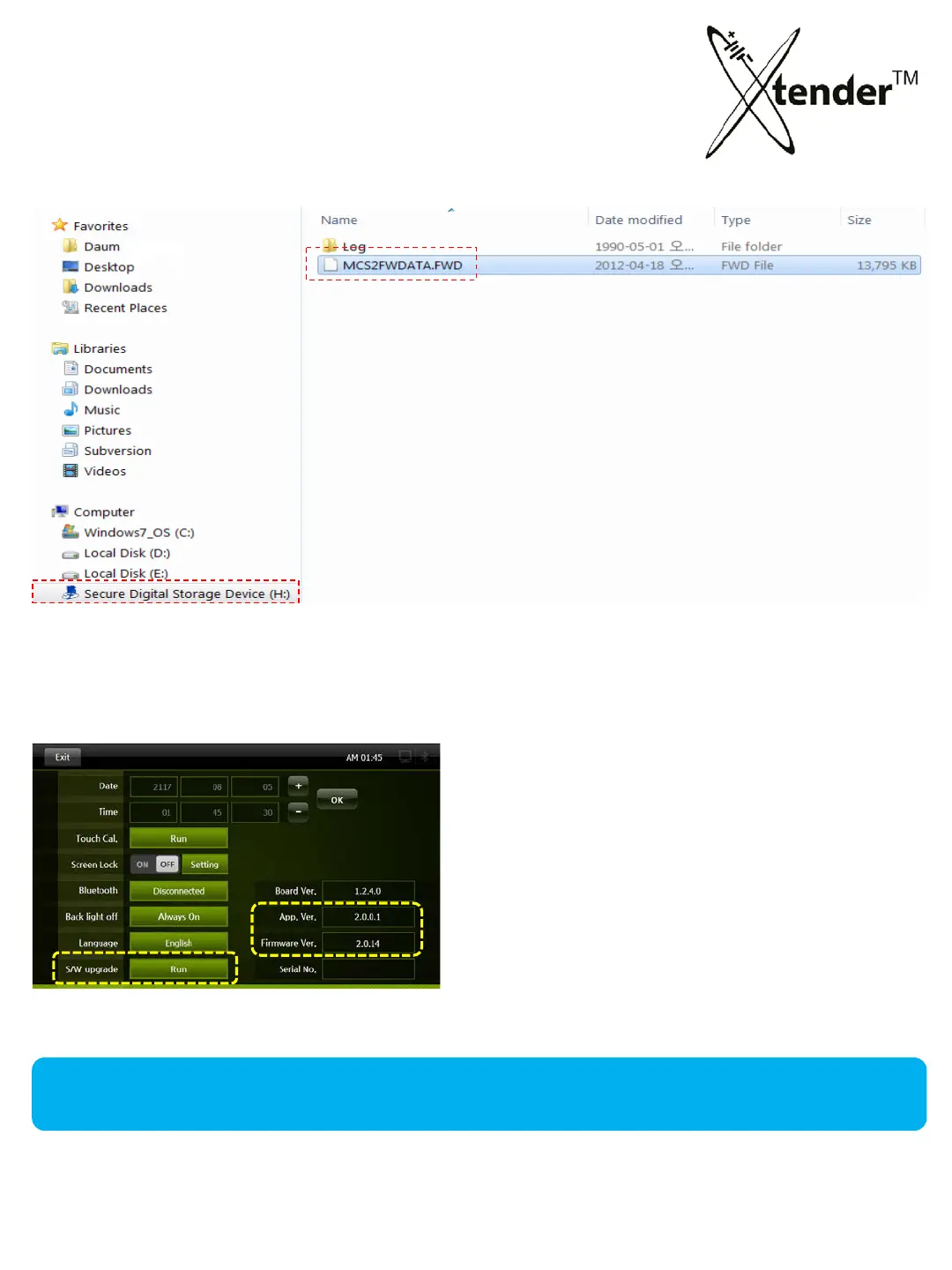
After updating of Software, please confirm App Ver. & MCU Ver.
Install Xtender SD card into USB adapter and insert into pc usb drive. Copy the downloaded files
from your pc to the SD card. When copying firmware do not place it into subfolders.
Install the SD Card in your Xtender and Power on.
Select APP & MCU on the Setting Screen,
and
click S/W upgrade. APP & MCU
will be updated and then program will reboot
automatically after update.
53



 To Next Page