3. Useful Additional Functions
FILTER :
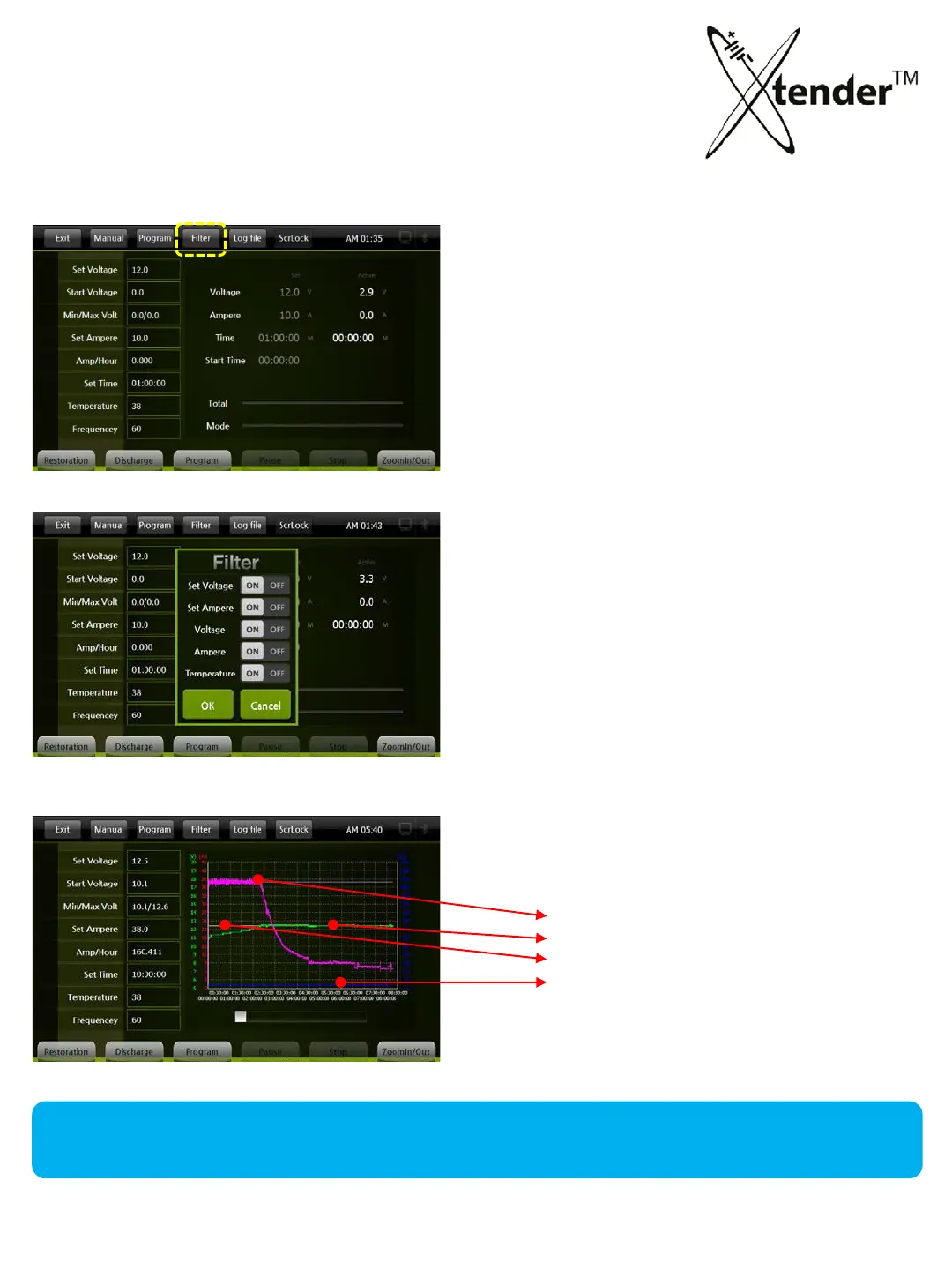
The Filter is useful to check the progress & the status of batteries during the operation
(Restoration & Discharge) by the Graph.
[Operation Screen]
[Operation Screen] Click “Filter” on Top Menu
[Filter Setting Screen]
Select items what you want to show up
on the Graphic Screen by ON/OFF .
Set Voltage :
Set Ampere :
Voltage : Active Voltage
Ampere : Active Voltage
Temperature : Active Temperature
[Filter Graph]
Example for selecting all (5) items.
Active Ampere, Set Ampere
Active Voltage
Set Voltage
Temperature
49



 To Next Page