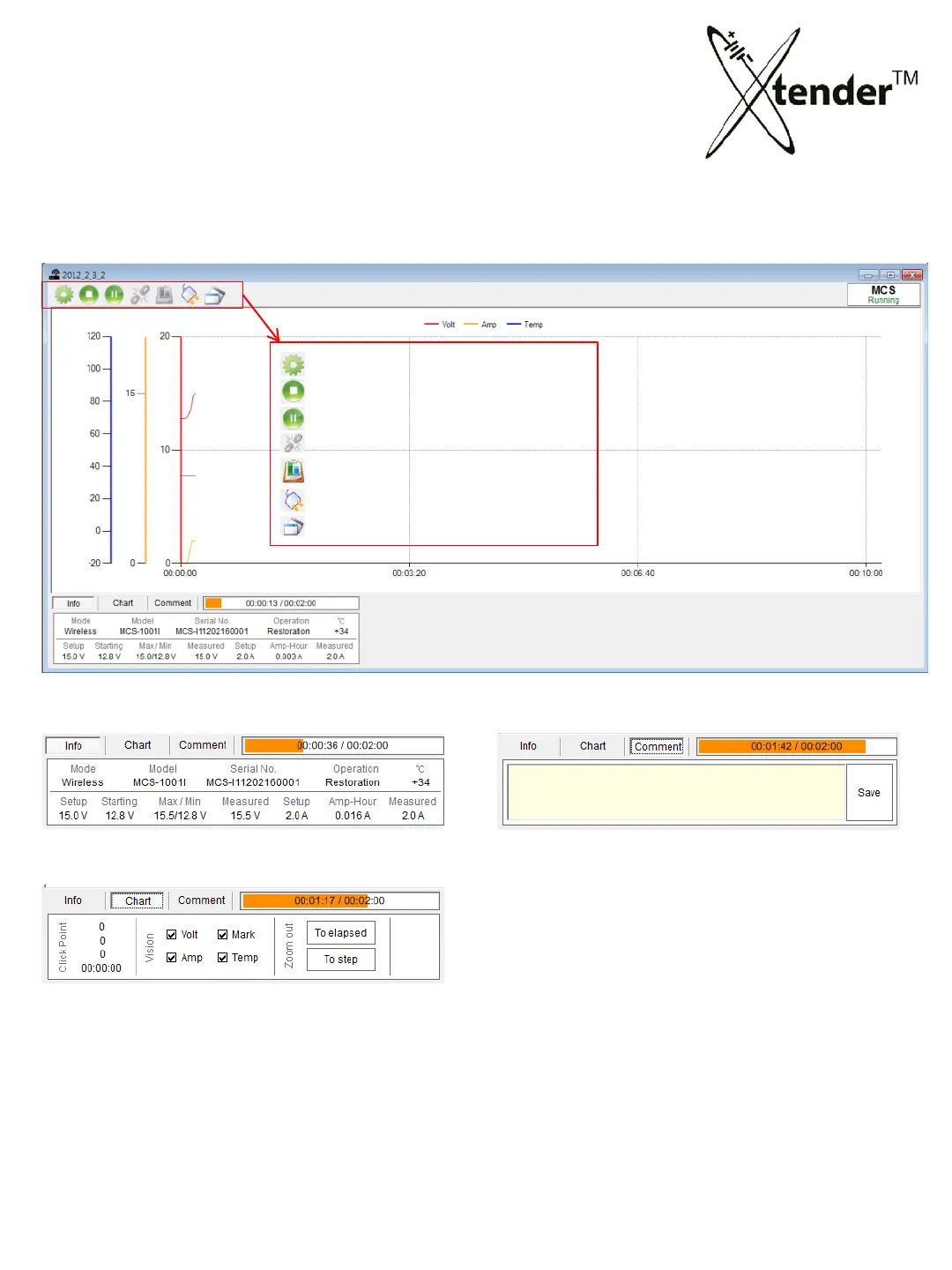
5. Xtender Monitoring Program for PC
INTEGRATED MONITORING PROGRAM – Xtender CONTROL
Change of set value
Stop
Pause
Synchronizing (Extender (MCS) + BMS)
Print “Test Report”
Reconnect of equipments
Extender (MCS)<-> BMS switchable
• Information of Xtender & Operation
• Check Point : Acting values on the check point of graph
(V
oltage, Ampere, Temperature, Time)
• Vision : Graph items to be selected.
• To elapsed : Graph until elapsed time.
• To step : return to previous range
• You can leave a comment in Log files then
click the save button to save your record in
Log files.
• When you check the Log file, you can find
the
record from “Comment”
Operation Mode : Bottom Menus
Operation Mode : Top Menus
64



 To Next Page