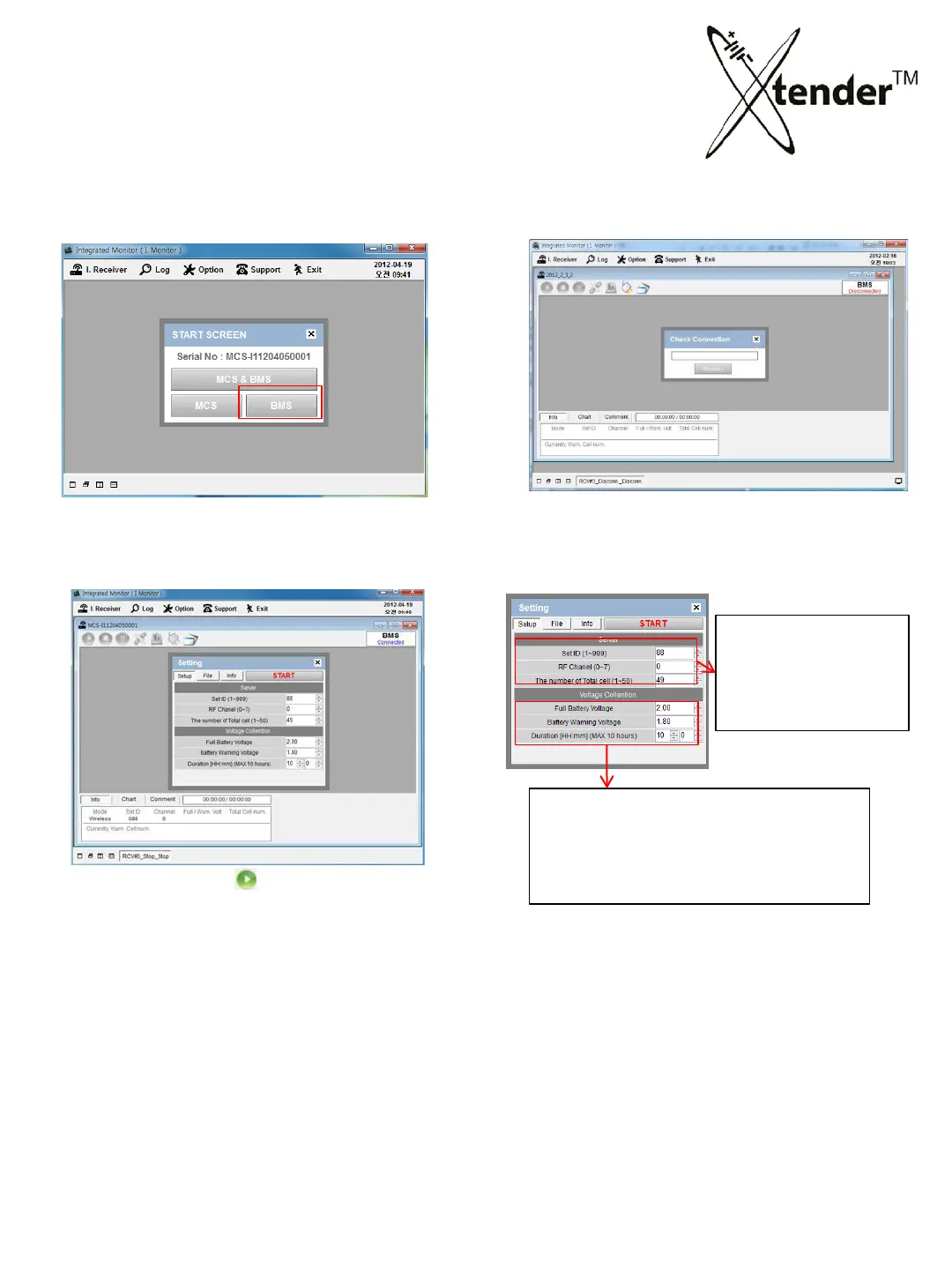
③ When you select , pop-up window for
setting will be shown on the screen Input
set values, then click “Start” button for activation.
5. Xtender Monitoring Program for PC
INTEGRATED MONITORING PROGRAM – BMS CONTROL
① Select “BMS” ② Process of connection with BMS.
BMS Voltage Setting
Full Battery Voltage : Full charging voltage
Battery Warning Voltage :
Duration : Operation Time
BMS Server Setting
Set ID
Channel
The num of BMS cell
66



 To Next Page