STEP 5 - - - - - - - - - - - - - - - - -
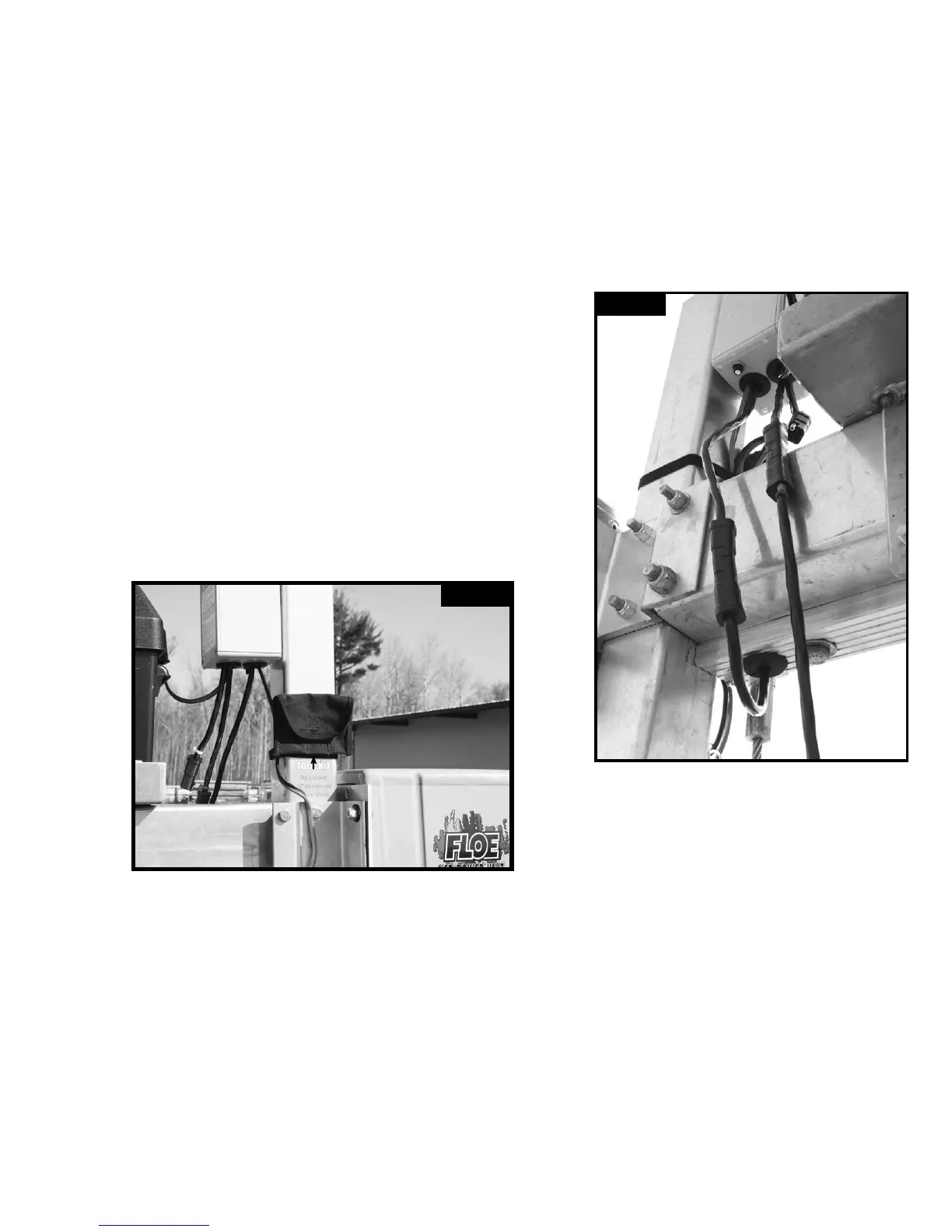
Plug 4 connector wired remote into the corresponding lead of the Advanced System
Control box. Note: The wired remote lead is identied by the blue wire tie next to the base
of the plug on the ASC as shown. Plug the 4 connector limit switch lead protruding from
the bottom of the limit switch housing to the corresponding plug on the ASC.
Note: The ASC Limit switch plug does not have a color coded cable tie attached.
(Fig. 5A) Attach the adhesive-backed tool kit to the lift frame, so that these tools are
readily available when needed, by cleaning the area above the tool kit decal and
removing the protective backing and pressing it to the corner post as shown in (Fig. 5B).
Page 7 of 8
Fig. 5A
Fig. 5B
TOOL KIT


 To Next Page