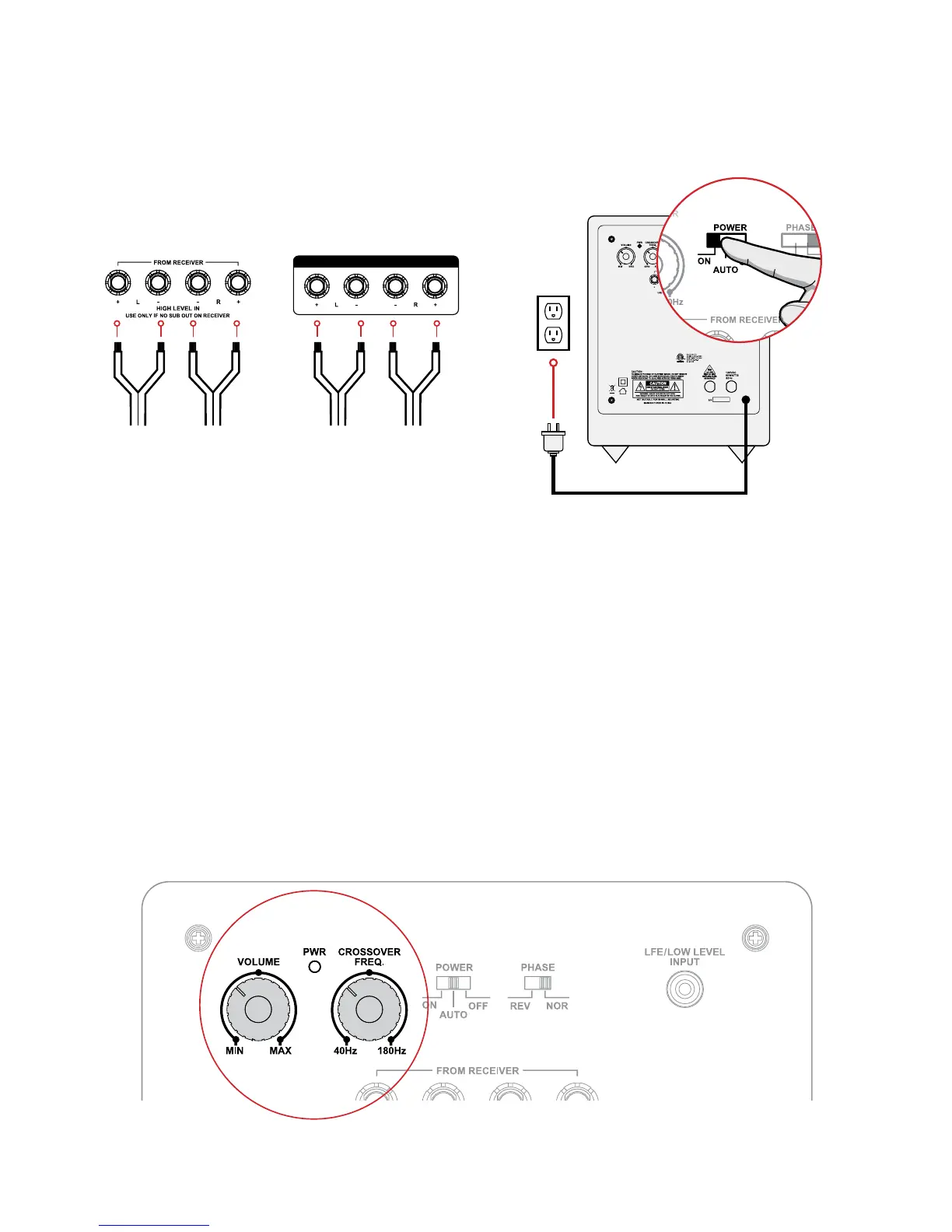
Step Four (Optional) Step Five
Attach Speaker Wire to the speaker
inputs of the Subwoofer. Attach same
Speaker Wire to the channel outputs
of your choice on the home theater
receiver. Refer to receiver manual for
setup instructions.
Connect the Power Adapter to the
wall outlet. Set the Power Switch to
either ON or AUTO.
Additional Settings
Crossover Settings
The Volume/Crossover settings can be adjusted with the Volume/Crossover knob
located on the back panel of the Subwoofer. The Crossover setting changes the cut
off frequency for the Subwoofer.


 To Next Page