Fluance RT82, RT83, RT84, RT85 User Manual
12
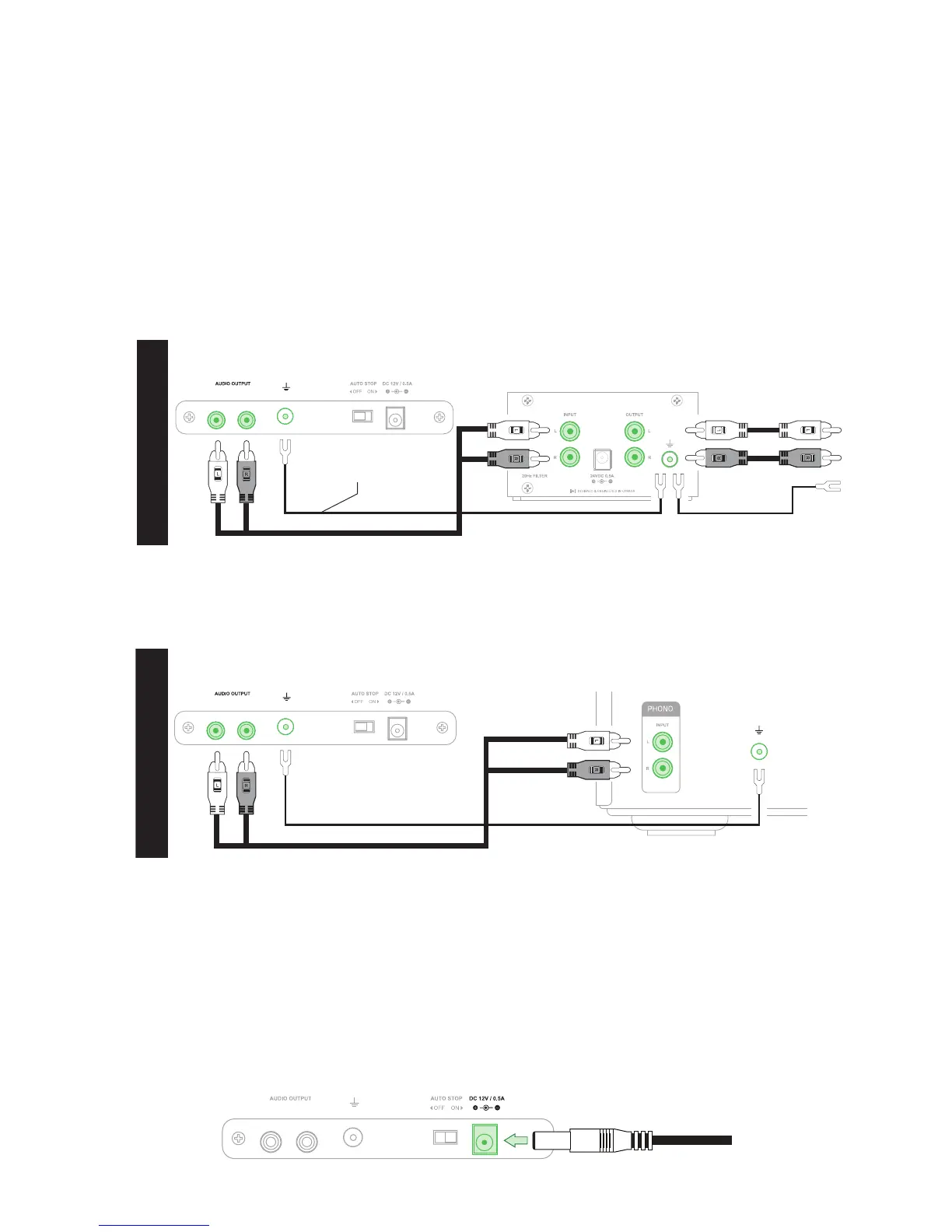
Turntable Preamp
*Fluance PA10 shown here
OPTION 1
To Amplifier or
Powered Speakers
Ground Cable
Second Ground Cable
Step Seven: Connecting the RCA and Ground Cables
This turntable does not have an internal preamp so an external preamp or an amplier with a
PHONO input must be used. Connect the RCA and ground cable to the back of the turntable
and then connect the other end to your external preamp or the PHONO input and ground
terminal on your amplier. Ensure the cable colors are matched to the RCA connector colors.
Note: The included RCA cable is a high quality cable with a <90pF capacitance rating. For best performance it is
recommended that any other RCA connections use a similarly rated cable. The Fluance RCA cable is available at
www.uance.com/turntable
Step Eight: Connecting the Power Adapter
Ensure the power adapter is securely connected to a power outlet. Insert the power cable
into the power input on the back of the turntable. It is recommended to reconrm with the
bubble level that the turntable is still level after setup is complete.
Important: When using an external preamp one ground cable should be connected between the turntable and the
preamp. A second ground cable should be connected between the preamp and the amplier/powered speakers. Failure
to connect both ground cables can result in unwanted noise/hum.
Important: The ground cable must be connected to both turntable and amplier. Failure to connect to both can result in
unwanted noise/humming.
Turntable Amplifier
OPTION 2



 To Next Page