Basic Operations
Fluid Management Customer Service 1 . 800 . 462 . 2466
30
|
Accutinter1500
2
When adding new colorants or if the colorant has not been used for several days, you may want to
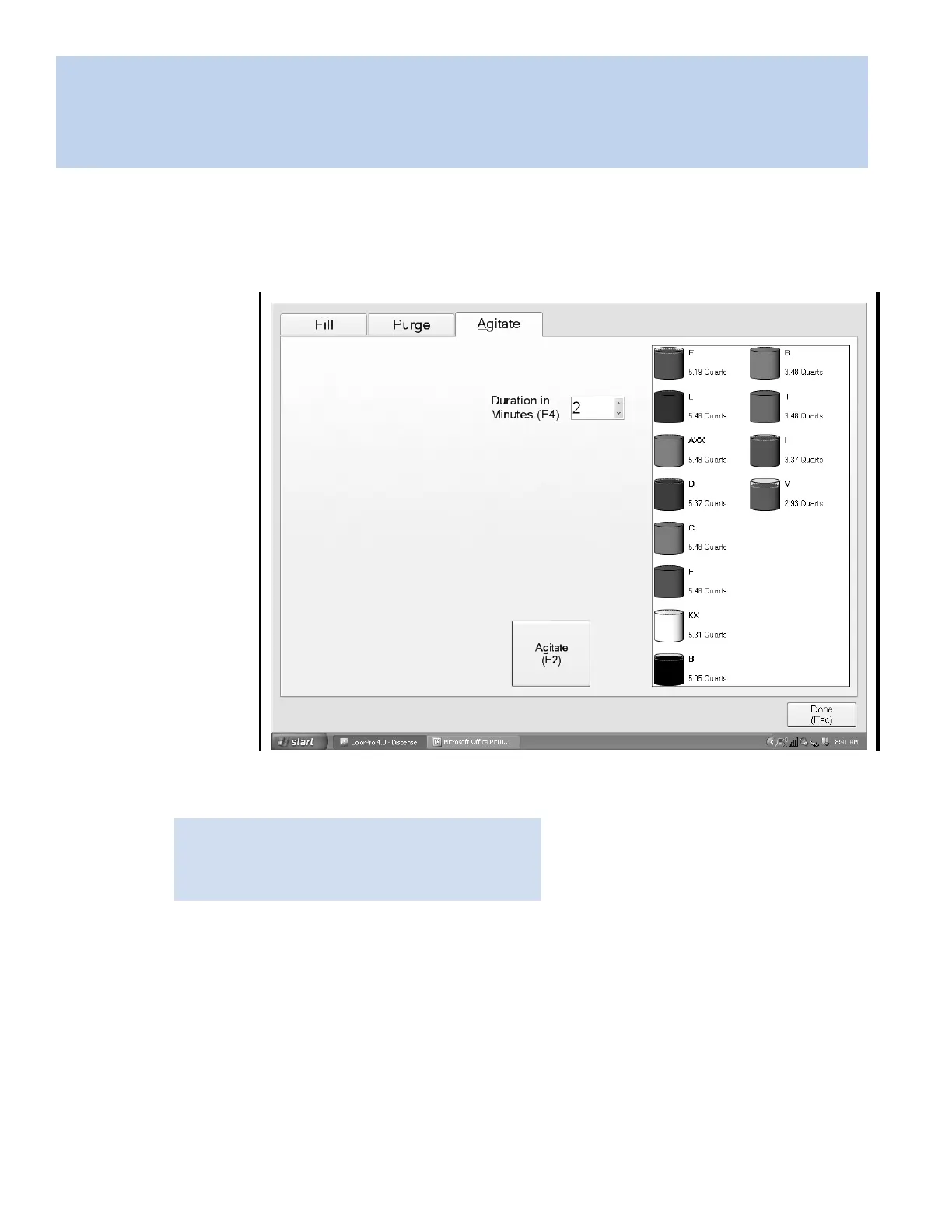
manually stir colors. From any screen, choose Maintenance (F3 or F11). The Agitate tab allows you to
stir colorants in the canister.
Click on Agitate
tab. In the Duration
in Minutes (F4)
field, type in
the amount of
time colorants
should stir.
Click Agi
tate (F2)
to begin agitation
cycle. Progress bar
will appear confirming
agitation cycle. Click
Done (Esc).
NOTE: The default cycle is 30 seconds per
h
our. Fluid Management recommends 4 minutes
for manual agitation.
Stirring the colorants
1


 To Next Page