Fluid Management Customer Service 1 . 800 . 462 . 2466
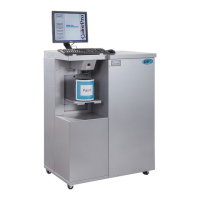
Accutinter1600
|
7
Important Safety Information
Grounding
This product must be grounded. In the event of an electrical short circuit, grounding
reduces the risk of electrical shock by providing an escape for the electric current.
This product is equipped with a cord that has a grounding wire and an appropriate
grounding plug. The plug must be inserted into an outlet that is properly installed and
grounded in accordance with all local codes and ordinances.
Danger
Improper installation of the grounding plug can result in a risk of electric shock. If
repair or replacement of the cord or plug is necessary, DO NOT connect the
grounding wire to either flat blade terminal. The insulation wire with green or green
and yellow stripes on the outer surface is the grounding wire.
Check with a qualified electrician if the grounding instructions are not completely
understood, or if in doubt about whether the product is properly grounded. DO NOT
modify the plug provided. If it will not fit into the outlet, have the proper outlet installed
by a qualified electrician.
CaringforYourComputer
Disconnect the power plug on the computer (by pulling the plug, not the cord) if
any of the following conditions exists:
•
You want to remove any parts.
•
The power cord or plug becomes frayed or otherwise
damaged.
•
You spill something into the case.
•
Your computer is exposed to rain, flooding, or any other excess moisture.
Keep the flat panel monitor in room temperature conditions. Excessive cold or
hot
conditions c
an have an adverse effect on the liquid crystal display of the monito
r.
CommunicationRegulationInformation
SafetyandregulatorycomplianceInformation
See the affixed labeling on the machine. ETL Listed, conforms to UL STD 1450.
Certified to CAN/CSA STD C22.2 NO. 68.
FCCComplianceStatement
This device complies with part 15 of the FCC Rules. Operation is subject to the
following two conditions: (1) This device may not cause harmful interference, and
(2)
this devi
ce must accept any interference received, including interferen
ce that
m
ay cause undesired ope
ration.
Warnings
•
TheAT1600 andAT1600
HSmachinesdraw5amps
at120or2.5ampsat
220/230
±
10%VAC.
•
DONOTmodifythe
providedplug.
•
Improperuseofgrounding
plugcanresultinriskof
electricshoc
k.
•
Hazardousmovingparts.
Keepfingersandother
bodypartsawa
y.
Cautions
•
Checkwithaqualified
electricianorservicepers
on
ifgroundinginstructions
arenotcompletely
understoodorifindoubt
astowhetherproductis
properlygrounded.
•
DONOTuseanadapter
orextensioncordwith
thisprod uct.
•
Thisunitmustbeplugged
intoadedicated
electrical line.
•
Toreduceriskofelectric
shockorinjury,use
indoorsonly.
•
Neverforceaconnector
intoaport.Iftheconnector
andportdonotjoin
withreas
onableease,
theyprobablydonot
match.Makesurethat
theconnectormatches
theportandthatyouhave
positionedtheconnector
correctlyinrelationtothe
port.
NOTE:Thispr oductisforuse onadedicatednominal120Voltornominal220Volt
circuitwhereapplicableandhasagroundingplug.
NOTE:Reviewtheweightlimitsreferencedinyourcomputerdocumentationbefore
placingmonitororotherdevicesontopofyourcomputer.


 To Next Page