EasyManua.ls Logo

Fluid 8021216 - User Manual

Fluid 8021216
18 pages
Print Icon
To Next Page IconTo Next Page
Loading...
User Manual
8021216
Please read carefully and keep this manual for future reference.
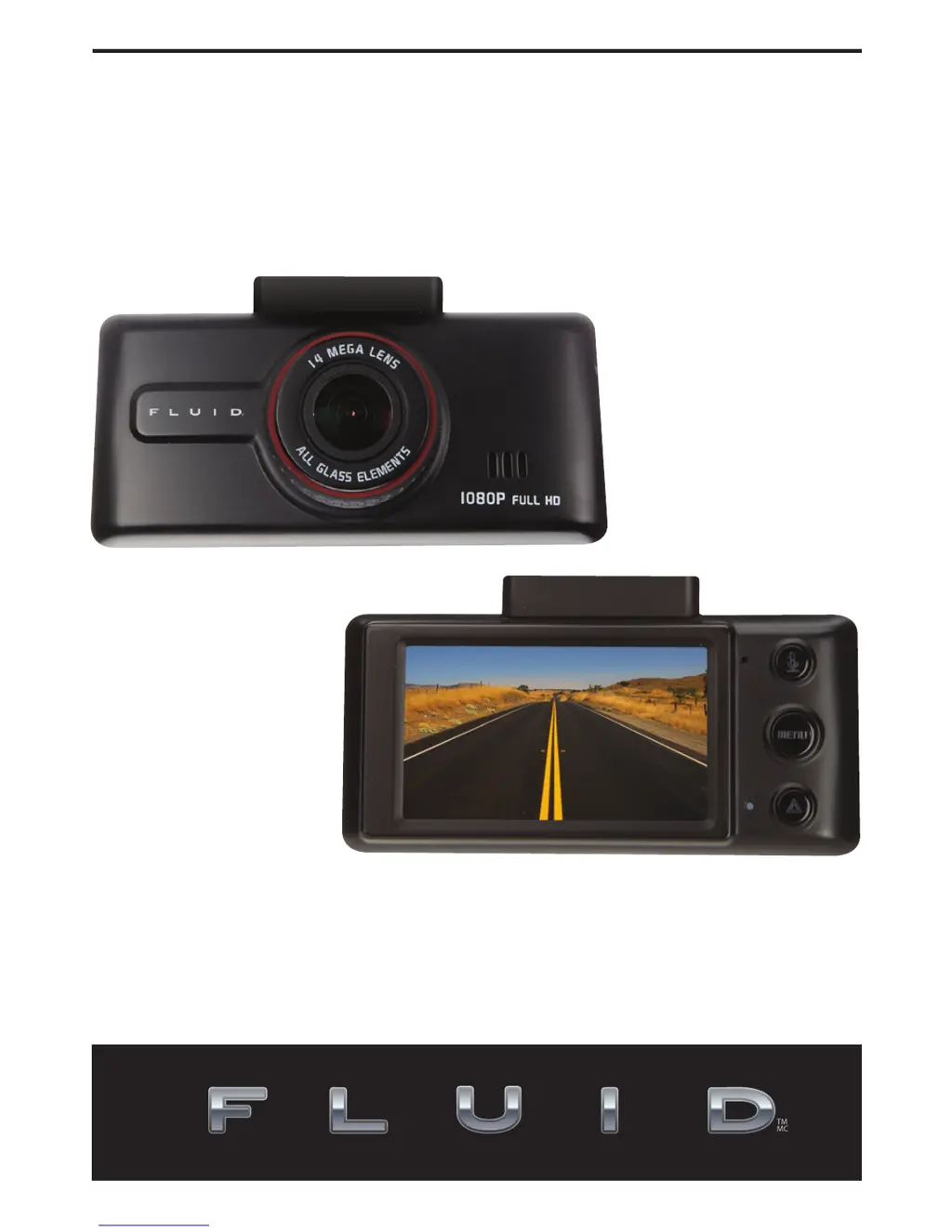
HD Vehicle Video Camera
With Touchscreen

Questions and Answers

Summary

Important Safety Instructions

Precautions Before Use

Product Overview

Identifying Device Parts

Installation Guide

Power Management

Power Supply Options

Details the two methods for supplying power to the camera.

Powering On and Auto Recording

Explains automatic startup and recording based on power source.

Powering Off the Device

Instructions on how to properly turn off the camera.

Functions and Operation

Recording Mode Explained

Details the interface and functions available during recording.

Capture Mode Explained

Describes the interface and operation for taking photos.

LED Display Status

Explains the meaning of different LED indicator lights on the device.

Review Folder Selection

How to navigate and select folders to view recorded files.

Movie Playback

Instructions on how to play recorded video files.

Capture Review

How to review captured still images.

Playback Menu Options

Details the options available in the playback menu for file management.

Device Settings

Guide to accessing and configuring device settings.

G-Sensor Application

Collision and Motion Detection

Explains G-sensor, collision sensitivity, and motion detection features.

Troubleshooting Common Issues

Maintenance and Other Notes

FCC Compliance Information

Product Warranty Information

Fluid 8021216 Specifications

General IconGeneral
BrandFluid
Model8021216
CategoryDash Cameras
LanguageEnglish