15
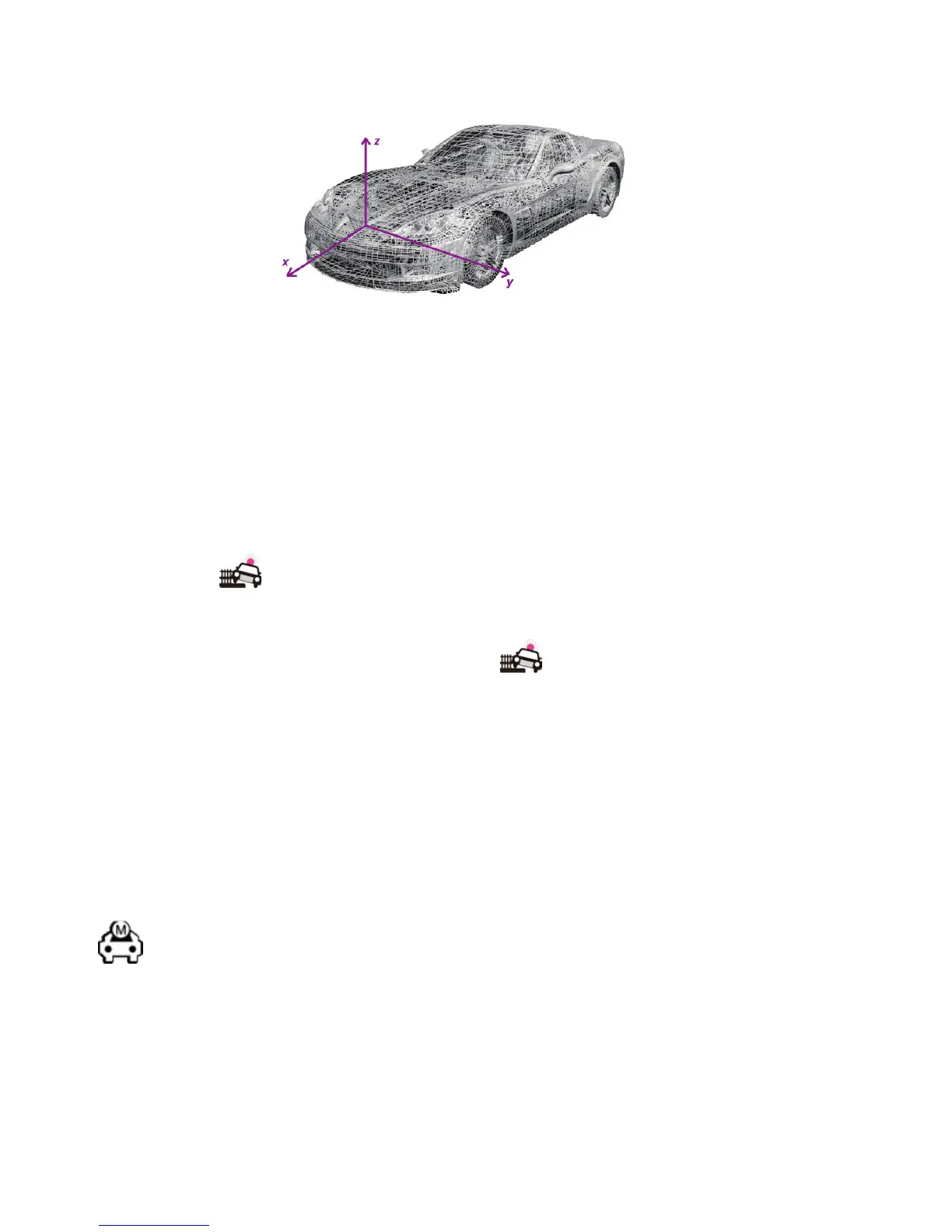
turnsorturningover.Theaccelerationsaredenedbelow.The
detected 3-axis acceleration values are recorded into movie clips
simultaneously.
Thecollisiondetectfeaturecanbeconguredintherecording
settings page under the setting mode. There are four options:
• CollisiondetectisONwithhighsensitivity.
• CollisiondetectisONwithmidsensitivity.
• CollisiondetectisONwithlowsensitivity.
• CollisiondetectisOFF.
Impact sensitivity should be set according to pavement turbulence.
Thedefaultvalueis“Mid”.Whencollisionisdetected,thescreenwill
display the iconprompt.Thecurrentrecordedlewilllastfor20
secondsandthenitwillbetruncatedandstoredinfolder“EVENT”.
Once collision detect is turned ON, under movie recording mode, if
any abnormal event is detected, the icon will be displayed in the
upper left corner and blink once. After 20 seconds of recording, the
currentlewillbesavedandmarkedasprotected.
MOTION
This camera uses a smart motion detect algorithm, which can
recognize moving objects. The motion detect feature can be set to
ON or OFF in the recording settings page under settings mode.
icon will be displayed in the upper left corner of the LCD
screen. In this case, the camera will shift between preview and
recording modes automatically. Under preview mode, if any moving
objects are detected, the camera will start recording including 5
seconds previous to motion detection. Under recording mode, if
there is no moving object detected within continuous 45 seconds,
the camera will terminate movie recording and return to preview
mode.


 To Next Page