EasyManua.ls Logo

Fluke 931 - User Manual

Fluke 931
12 pages
Print Icon
To Next Page IconTo Next Page
Loading...
931
Tachometer
Users Manual
English
PN 3409877
January 2009
© 2009 Fluke Corporation, All rights reserved. Printed in Germany.
Specifications are subject to change without notice. All product names are
trademarks of their respective companies.
Question and Answer IconNeed help?

Do you have a question about the Fluke 931 and is the answer not in the manual?

Summary

Introduction and Support

How to Contact Fluke

Provides contact information for technical support, calibration, and repair services globally.

Included Accessories

Lists the essential accessories provided with the Fluke 931 Tachometer for various measurements.

The Keypad

Details the function of each key on the Tachometer's keypad for operation and selection.

Device Display Overview

The Display

Explains the various indicators and segments on the Tachometer's LCD display for readings and status.

Core Measurement Operations

Configuration

Guides users on setting up the Tachometer for specific contact wheel sizes for surface speed measurements.

Optical (Non-Contact) Measurement

Provides step-by-step instructions for performing RPM measurements using the infrared beam.

Contact Measurement

Details the procedure for using the Tachometer with contact adapters for RPM measurements.

Measurement Features and Usage

Surface Speed and Length

Explains how to measure surface speed and length using contact wheels and the device's range specifications.

Contact Wheel Use

Outlines the steps for attaching and using contact wheels for accurate surface measurements.

Max, Min and AV Readings

Describes how to access and interpret stored maximum, minimum, and average readings in memory.

Maintenance and Specifications

Replacing the Batteries

Instructs users on how to safely replace the batteries when the low battery indicator is shown.

Specifications

Presents detailed technical specifications for the Tachometer, including range, accuracy, and environmental limits.

Operational Visual Guide

Handling the Device

Illustrates the basic steps for handling the Tachometer and its components.

RPM Measurement Steps

Visually demonstrates the procedures for performing RPM measurements, both optical and contact.

Battery Replacement Steps

Shows the visual steps required for replacing the batteries in the Tachometer.

Summary

Introduction and Support

How to Contact Fluke

Provides contact information for technical support, calibration, and repair services globally.

Included Accessories

Lists the essential accessories provided with the Fluke 931 Tachometer for various measurements.

The Keypad

Details the function of each key on the Tachometer's keypad for operation and selection.

Device Display Overview

The Display

Explains the various indicators and segments on the Tachometer's LCD display for readings and status.

Core Measurement Operations

Configuration

Guides users on setting up the Tachometer for specific contact wheel sizes for surface speed measurements.

Optical (Non-Contact) Measurement

Provides step-by-step instructions for performing RPM measurements using the infrared beam.

Contact Measurement

Details the procedure for using the Tachometer with contact adapters for RPM measurements.

Measurement Features and Usage

Surface Speed and Length

Explains how to measure surface speed and length using contact wheels and the device's range specifications.

Contact Wheel Use

Outlines the steps for attaching and using contact wheels for accurate surface measurements.

Max, Min and AV Readings

Describes how to access and interpret stored maximum, minimum, and average readings in memory.

Maintenance and Specifications

Replacing the Batteries

Instructs users on how to safely replace the batteries when the low battery indicator is shown.

Specifications

Presents detailed technical specifications for the Tachometer, including range, accuracy, and environmental limits.

Operational Visual Guide

Handling the Device

Illustrates the basic steps for handling the Tachometer and its components.

RPM Measurement Steps

Visually demonstrates the procedures for performing RPM measurements, both optical and contact.

Battery Replacement Steps

Shows the visual steps required for replacing the batteries in the Tachometer.

Overview

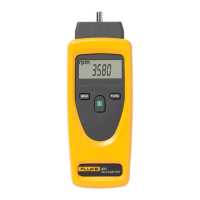
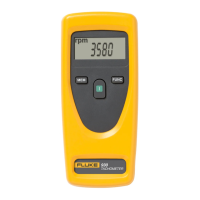
The Fluke 931 Tachometer is a versatile, hand-held instrument designed for accurately measuring rotational speed (Revolutions Per Minute - RPM), surface speed, and length. It offers both non-contact and contact measurement capabilities, making it suitable for a wide range of applications.

Function Description

The primary function of the Fluke 931 Tachometer is to measure rotational speed and linear motion. It achieves this through two main modes:

  • Optical (Non-Contact) RPM Measurement: This mode utilizes an infrared beam to measure RPM without physical contact with the rotating object. To use this feature, a reflective strip is placed on the rotating device. The tachometer is then aimed at this strip from a distance of up to 500 mm (20 inches). When the infrared beam is triggered by the reflective strip, the device calculates and displays the RPM. This method is ideal for measuring the speed of moving parts where direct contact is difficult or unsafe.

  • Contact RPM, Surface Speed, and Length Measurement: For measurements requiring physical contact, the tachometer can be fitted with a mechanical adapter and various contact accessories.

    • Contact RPM: By attaching a cone or internal cone shaft contact to the mechanical adapter, the tachometer can directly measure the RPM of a rotating shaft.
    • Surface Speed and Length: The device can measure surface speed (in units like m/min, ft/min, in/min, m/sec, ft/sec) and length (in meters, feet, or inches) by using either a 0.1 m or 6-inch contact wheel attached to the mechanical adapter. The user selects the appropriate wheel size in the configuration settings, then presses the wheel against the surface to be measured. As the wheel rotates, the tachometer calculates and displays the surface speed or accumulated length.

Usage Features

The Fluke 931 Tachometer is designed for ease of use with a straightforward keypad and a clear display.

  • Keypad:

    • The ON key powers up the tachometer and is also used to make selections. The device automatically turns off after 30 seconds of inactivity to conserve battery life.
    • The MEM key allows users to access and cycle through stored readings, including the maximum (MAX), minimum (MIN), average (AV), and last measured value. Each new measurement updates these stored values.
    • The FUNC key is used to select the desired measurement function (e.g., RPM, m/min, ft/min) and to configure settings such as the contact wheel size.
  • Display: The LCD display provides comprehensive information, including:

    • A large numerical reading area for measurement values.
    • Indicators for optical and contact RPM measurements.
    • Units of measure for surface speed and length (m/min, ft/min, in/min, m/sec, ft/sec, m, ft, in).
    • A trigger display symbol that flashes when a measurement is being taken.
    • Memory indicators (MEM, MAX, MIN, AV) to show which stored value is currently displayed.
    • A low battery indicator (LOBAT) to alert the user when batteries need replacement.
  • Configuration: Before taking surface speed measurements, the tachometer must be configured for the specific contact wheel being used (0.1 m or 6 inch circumference). This is done by turning the device on, pressing MEM and FUNC simultaneously, and then using FUNC to select the correct wheel size.

  • Memory Function: The memory feature is a significant advantage, allowing the device to store and display the maximum, minimum, average, and last readings from a series of measurements. This is particularly useful for monitoring variations in speed or length over time.

Maintenance Features

The primary maintenance feature for the Fluke 931 Tachometer involves battery replacement.

  • Battery Replacement: The device is powered by two AA 1.5V LR6 (Alkaline) batteries. A "LOBAT" indicator on the display signals when the batteries are low and need to be replaced. To replace them, the battery cover on the back of the tachometer is removed, the old batteries are exchanged for new ones, and the cover is re-secured. The serial number of the tachometer is conveniently located in the battery compartment.

The device is designed for durability and ease of handling, ensuring reliable performance in various industrial and field settings. Regular cleaning of the reflective strip area on the rotating device is recommended for accurate optical measurements.

Fluke 931 Specifications

General IconGeneral
Temperature Range0 °C to 50 °C / 32 °F to 122 °F
Unitsm/s, km/hr, ft/min, knots, mph, °C, °F
DisplayLCD with backlight
Input ImpedanceNo data
Operating Temperature0 °C to 50 °C

Related product manuals