SHORTCUT
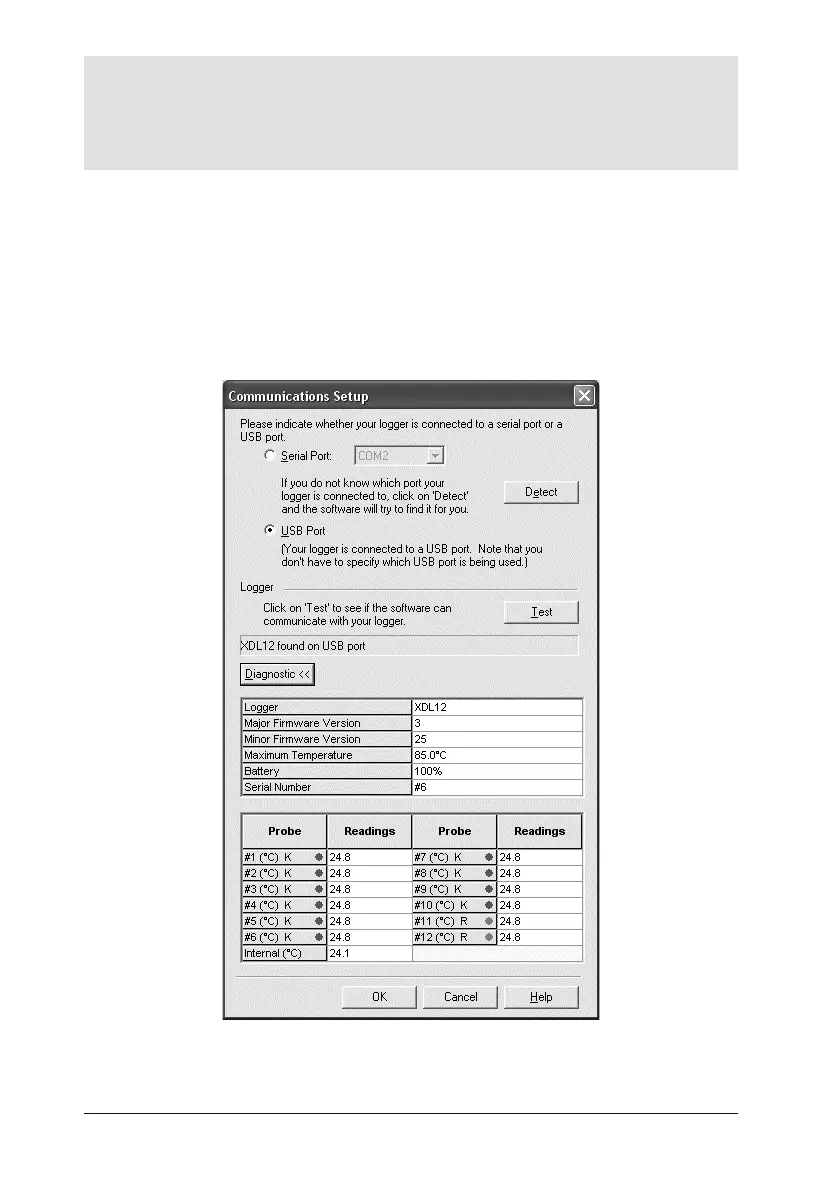
Pressing F4 on the keyboard opens the Communications Setup dialog, tests for
communication with a logger, and displays the logger type and other data
(equivalent to clicking Test in the dialog).
For more information on the logger in use, click the Diagnostic button which
now appears. Additional data shown covers firmware version, maximum
permitted internal logger temperature, battery charge status, serial number and
temperature recording range. Current temperature of the probes (updated
once a second) is also shown – or open circuit (*OC*) if no probe is attached;
the temperature of the thermocouple cold junction is effectively the current
internal temperature of the logger.
The Communications Setup dialog for the XDL12 logger, with Diagnostic section
expanded.
22 Using Insight Software DATAPAQ XDL12



 To Next Page