EasyManua.ls Logo

Fluke 1730/BASIC - User Manual

Fluke 1730/BASIC
62 pages
Print Icon
To Next Page IconTo Next Page
Loading...
September 2013
© 2013 Fluke Corporation. All rights reserved. Specifications are subject to change without notice.
All product names are trademarks of their respective companies.
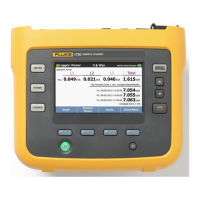
1730
Energy Logger
Users Manual
Shop for Fluke products online at:
1.877.766.5412
www.MyFlukeStore.com

Other manuals for Fluke 1730/BASIC

Question and Answer IconNeed help?

Do you have a question about the Fluke 1730/BASIC and is the answer not in the manual?

Fluke 1730/BASIC Specifications

General IconGeneral
Power MeasurementYes
Energy MeasurementYes
Power Factor Range0 to 1
Accuracy Voltage±0.5% of reading
Harmonics MeasurementYes, up to 50th harmonic
Logging Interval1 second to 60 minutes (configurable)
MemoryNon-volatile
DisplayBacklit LCD
Communication InterfaceUSB
Power Supply100 V to 240 V ±10 %, 50/60 Hz
Safety RatingCAT IV 600 V
Weight1.1 kg
Operating Temperature-10°C to +50°C (14°F to 122°F)

Summary

Limited Warranty and Liability

Contacting Fluke and Essential Safety Information

General Safety Warnings and Cautions

Critical warnings and cautions to prevent electrical shock, fire, and product damage.

Detailed Safety Precautions and Electrical Limits

Getting Started: Unpacking and Setup

Logger Storage and Power Supply Usage

Power Supply Safety Cover Warning

Warning about the importance of the power supply's safety cover.

Battery Charging Procedures and Precautions

Thin-Flexi Current Probe Operation

Navigation and User Interface Overview

Connector Panel Identification

Powering the Logger

Mains and Measurement Line Power Sources

Procedures for powering the logger using mains or measurement line sources.

Powering Safety Warnings

Critical safety warnings during power connection and measurement.

Battery Operation and Status Indicators

Touch Screen Operation, Brightness, and Calibration

Function Selection and Measurement Configuration

Measurement Configuration Options

How to configure study type, topology, and other measurement parameters.

Ratio Configuration and Connection Verification

Power and Logger Modes

Logging Session Setup Parameters

Viewing Measurement Data

Logging Session Management and Details

Screen Capture and Instrument Settings

Instrument Settings Access

Accessing and modifying instrument settings like language.

Currency Settings and Touch Screen Calibration

Firmware Update and Version Information

Reset to Factory Defaults and Initial Setup Wizard

First-time Use Setup Wizard

Guide through the initial setup wizard for new users.

Performing First Measurements

Completing Initial Measurements and Data Review

Data Transfer and Analysis with PC Software

Maintenance, Battery Replacement, and Calibration

Energy Analyze Software Features and System Requirements

PC Connection for Data Transfer

Wiring Configuration Summary

Power Measurement Configurations

Product Specifications

Electrical Specifications

Averaging, Demand, and Memory Specifications

Voltage and Current Input Specifications

Accuracy at Reference Conditions

iFlex Probe Specifications

i40 s-EL Current Clamp Specifications

Related product manuals