Page
CONFIGURATION OF DSX 5000
14
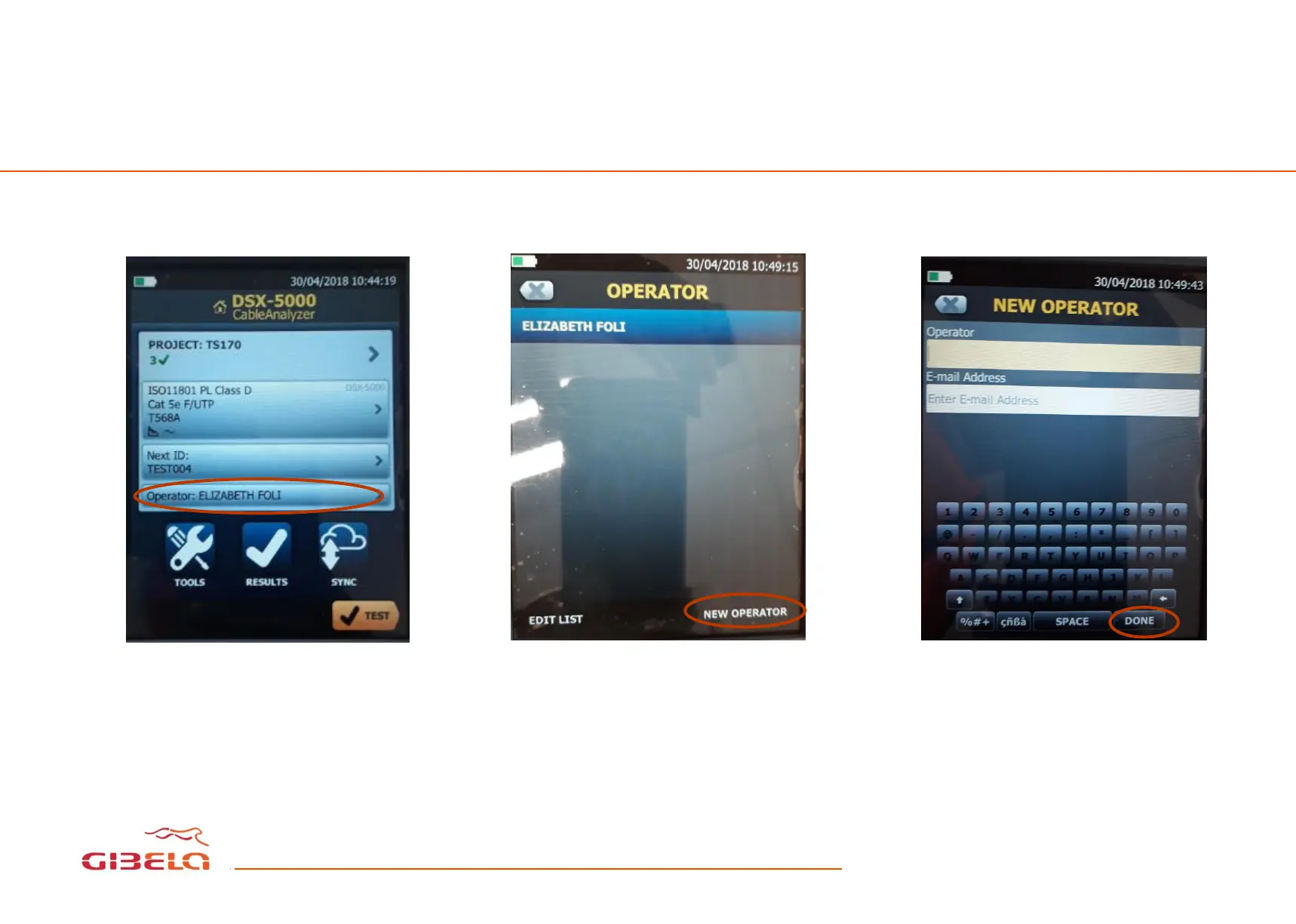
HOW TO REGISTOR AS A NEW OPERATOR
This is how the Home screen
looks like. Click operator on the
screen.
This windows will appear then
select “NEW OPERATOR”
Write your name, surname and
work email address on the
corresponding slots. Press done
to save









 To Next Page