1
Thermal Camera for Smartphone
Operating Instruction
Operating Instruction
• The Product requires a smart device such as a
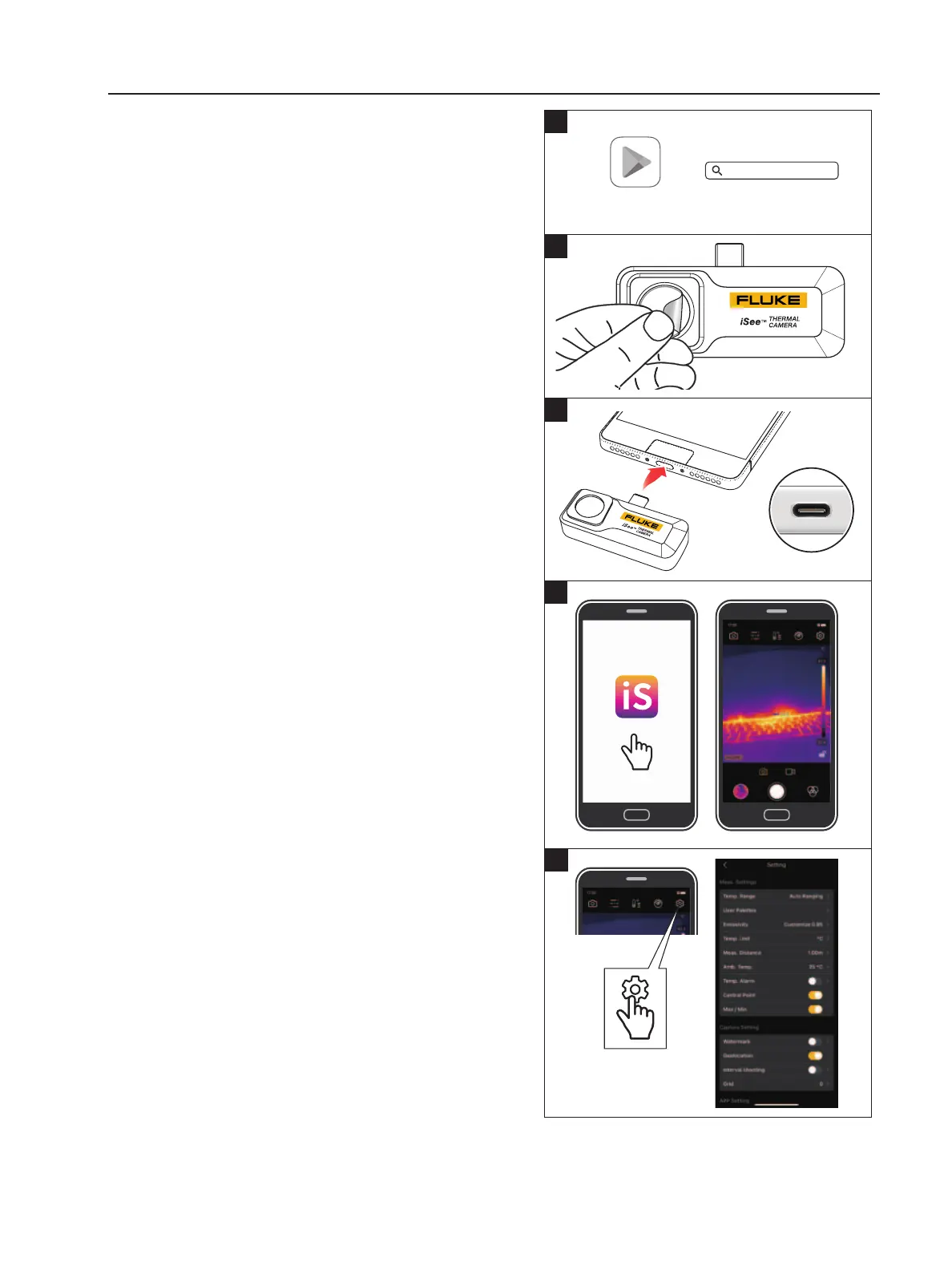
smartphone. Download and install Fluke iSee
TM
App
on your smart device. To download the software.
See Figure 1.
Required Equipment
• The Fluke iSee App
TM
supports Android 6.0/
HarmonyOS 2.0 and above versions. Enable the OTG
feature of your smartphone.
• The Product does not contain a battery. The Product is
powered by the smart devices.
• To prevent damage to the connector and USB port, be
gentle when you plug and unplug the Product.
• For more accurate measurements, do a manual
nonuniformity correction (usually called NUC or
shutter) before you take an infrared picture.
To use the Product
1. Remove the protective lm from the infrared lens.
See Figure
2
.
2. Plug in the product to your smart devices. See
Figure
3
.
3. Run the App (When the Product is plugged in, the App
will auto pop-up if it is already installed on your smart
devices. See
Figure
4
.)
4. To make an accurate measurement, you must properly
set the measuring parameters. For example emissivity,
measuring distance, ambient temperature, and others.
Refer to the help le in the App. See
Figure
5
.
To provide an optimal image, the Camera automatically
refreshes the image periodically by a internal
mechanical shutter, it makes a clicking sound when it
activates and the image might freeze briey. You can
also use the iSee App to manually activate the shutter.
Fluke iSee
Fluke iSee
looking for help here
Google Play
2
3
3
4
5



 To Next Page