Thermal Imagers
Changing the SD Memory Card
29
Changing the SD Memory Card
To eject an SD memory card from the Imager, press in on the exposed edge of
the SD memory card and then release. The card should pop partially out after
releasing it. Carefully pull the card out of the slot.
Note
The SD memory card can be inserted and removed while the Imager
is in operation.
Caution
Do not remove the SD memory card while storing an
image. Image data may be lost.
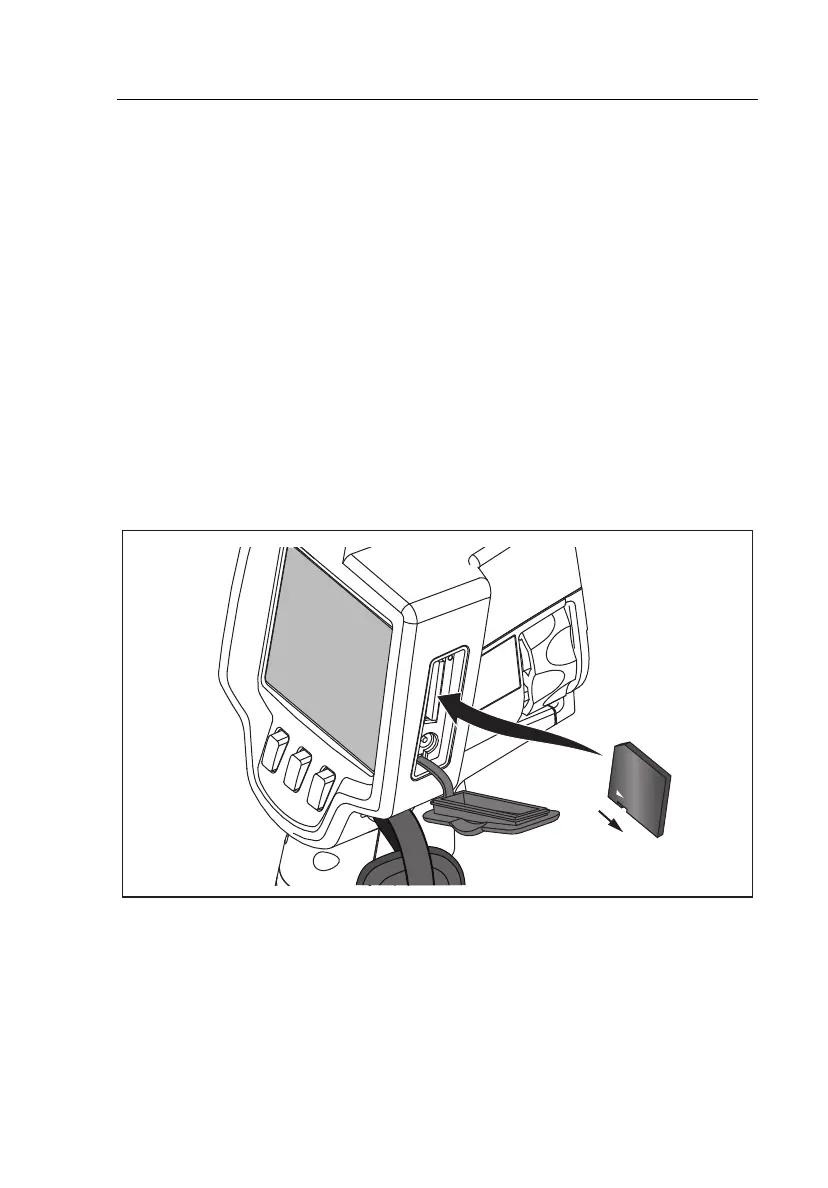
To insert an SD memory card into the Imager, carefully slip the card into the
slot with the card’s label facing toward the LCD as shown in Figure 3. Push
the card in until it catches.
Lock
exj03.eps
Figure 3. SD Memory Card Insertion
Shop for Fluke products online at:
1.877.766.5412
www.MyFlukeStore.com



 To Next Page