10
Buttons on remote controller
FAN button
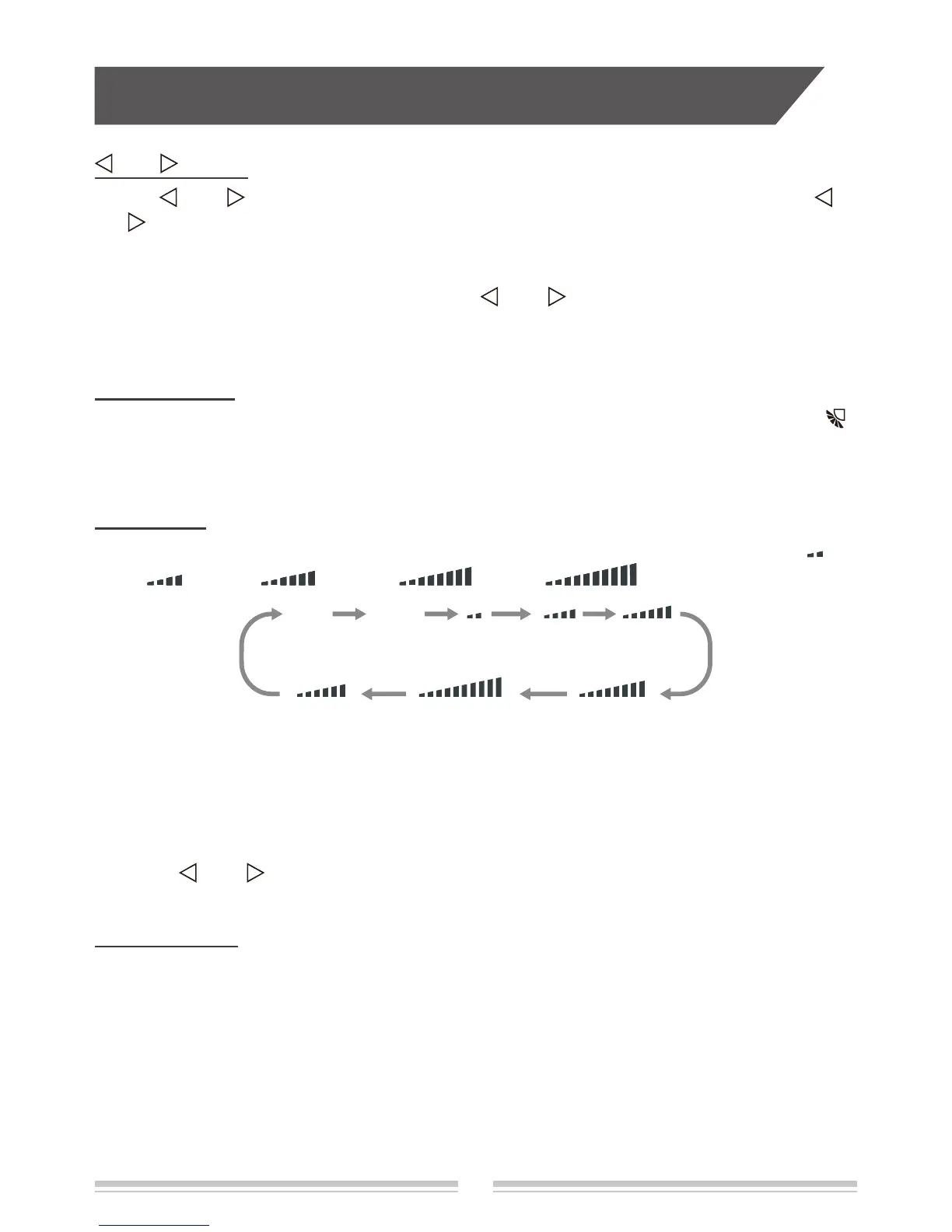
Pressing this button can set fan speed circularly as: auto (AUTO), quiet(QUIET), fan1( ),
fan2 (
) , fan3 ( ) , fan4 ( ), fan5 ( ), stepless speed.
Note:
● In AUTO speed, air conditioner will select proper fan speed automatically according to
ambient temperature.
● Fan speed under dry mode is fan1.
● No quiet fan speed under FAN mode.
● After entering the stepless speed function, users can adjust the fan speed according to the
button "
" or " ".
fan1 fan2 fan3
fan4
fan5stepless speed
SWING button
Press this button can turn on or turn off the swing function. When swing
function is on, " "
icon is displayed on remote controller.
TURBO button
Press this button to turn on or turn off the turbo function in cool
、
heat
、
fan mode. When turbo
function is on, "
TURBO
" icon is displayed on remote controller.
Note:
● Press "FAN" button the unit will quit this function.
● This function is no use in auto mode or dry mode.
● When start turbo function, quiet fan speed will quit automatically.
and button
Press " " or " " button once to increase or decrease 1
℃
of temperature. Holding " "
or "
" button, temperature on remote controller will change quickly. On releasing button
after setting is nished, temperature indicator on indoor unit will change accordingly.
(Temperature can’t be adjusted under auto mode)
When setting TIMER ON, TIMER OFF, press " " or " " button to adjust time.
(Refer to " TIMER " button)


 To Next Page