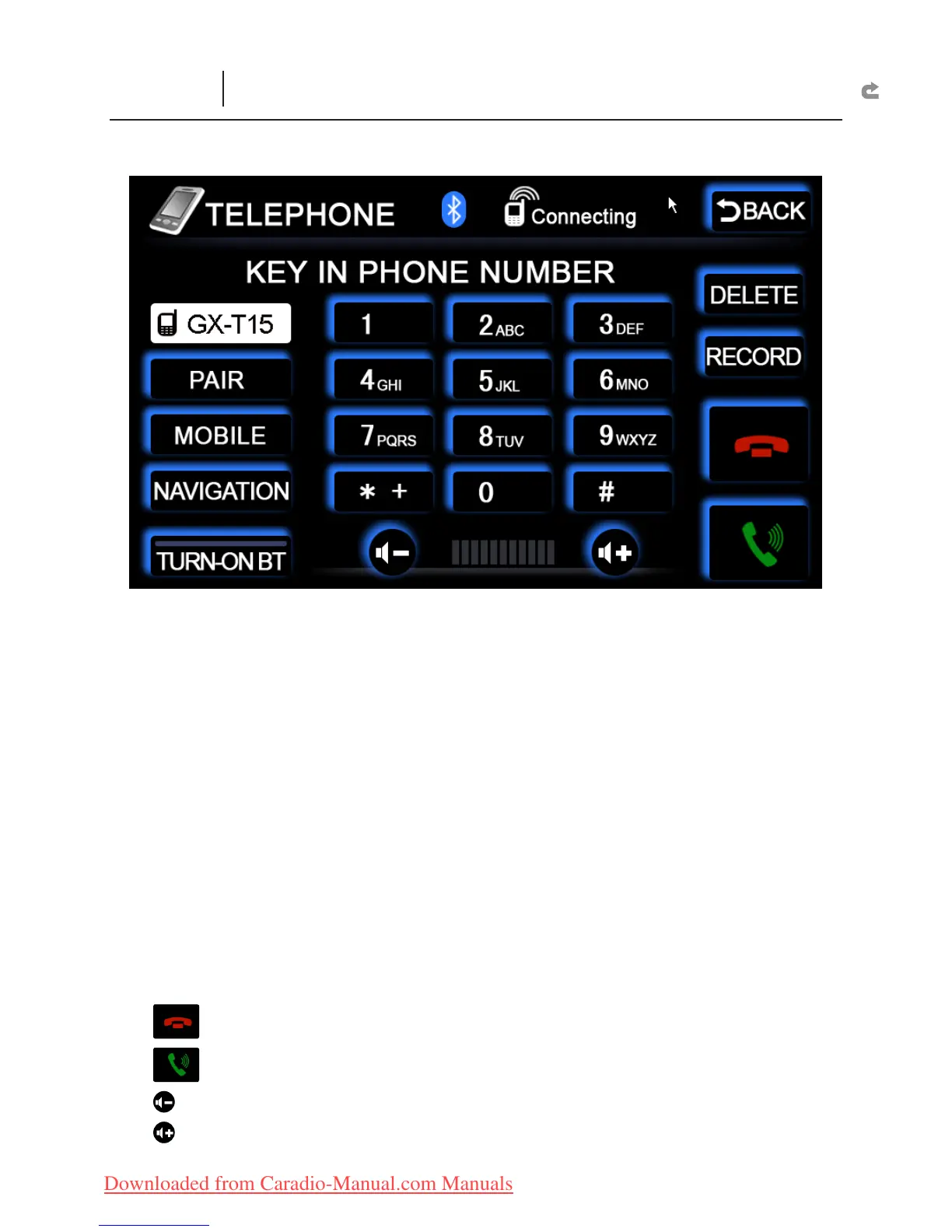
TURN-ON BT :
Turn on the Bluetooth Function.
Match :
Before using the Bluetooth Function, press this key to reveal the Bluetooth
code (0000). Enter this code into the cell phone.
Bluetooth Usage Procedures:
1. Press “
X
TURN-ON BT” key.
2. Press “
X
Match” key.
3. Turn on the Bluetooth Function (Please see cell phone user’s manual for
X
details). Enter the Bluetooth code (0000). Wait for a moment, connections will
be completed.
4. Press the number keys to make a phone call.
X
Mobile :
resume the use of mobile for communication. At this time, the car speakers
are muted.
Navigation :
use car internal microphone for communication. The sound output
comes from the car speakers.
DELETE :
Delete incorrect pressed numbers.
RECORD :
Include “Incoming calls” and “outgoing calls” 20 records.
: End call
: Call
: Minimize conversation volume
: Maximize conversation volume
Important Notice:
1. Due to various cell phone brands, there is no guarantee that the Bluetooth Function
can connect with all cell phones.
BT
(Bluetooth Function Interface)



 To Next Page