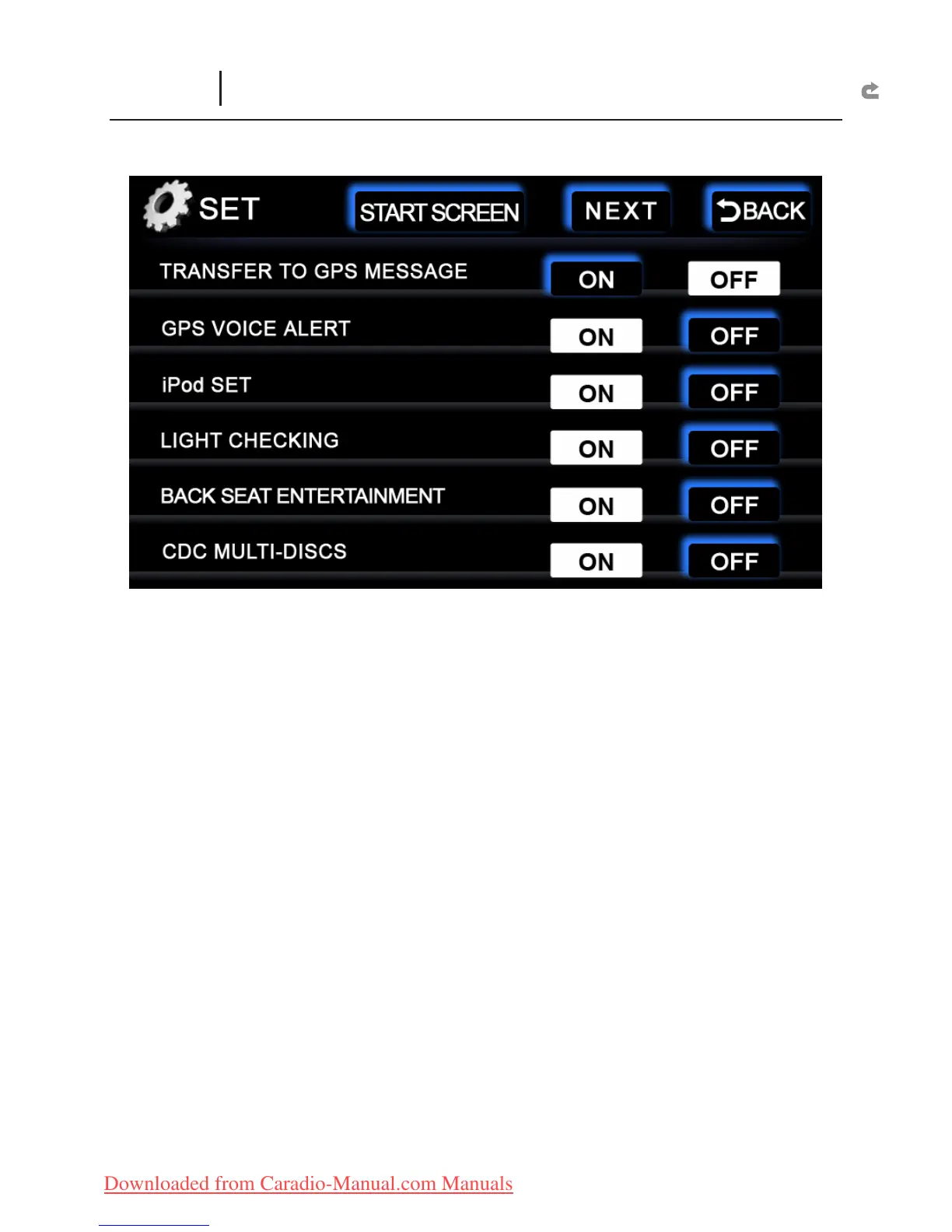
TRANSFER TO GPS MESSAGE :
ON :
X
At any interface state, every 10 seconds, it will shift to the navigation
screen.
OFF :
X
Turn off this function
GPS VOICE ALERT :
ON :
X
Turn on GPS Voice mode.
OFF :
X
Turn off GPS Voice mode
iPod SET :
ON :
X
Open iPod Input interface.
OFF :
X
Open AUX Input interface.
LIGHT CHECKING :
ON :
X
While driving at night, the left and right buttons of the system will
automatically turn on, and the monitor will turn dim once the car lights are
turned on.
OFF :
X
“Day/Night ” mode is displayed at the bottom of the main screen. Set the
left right button lights and monitor brightness to Manual mode.
BACK SEAT ENTERTAINMENT :
ON :
X
Open Back Headrest Display Function interface.
OFF :
X
Turn off this function.
CDC MULTI-DISCS :
ON :
X
Open Disc Changer Function interface.
OFF :
X
Turn off this function.
SETUP
(Other Function Interface)



 To Next Page