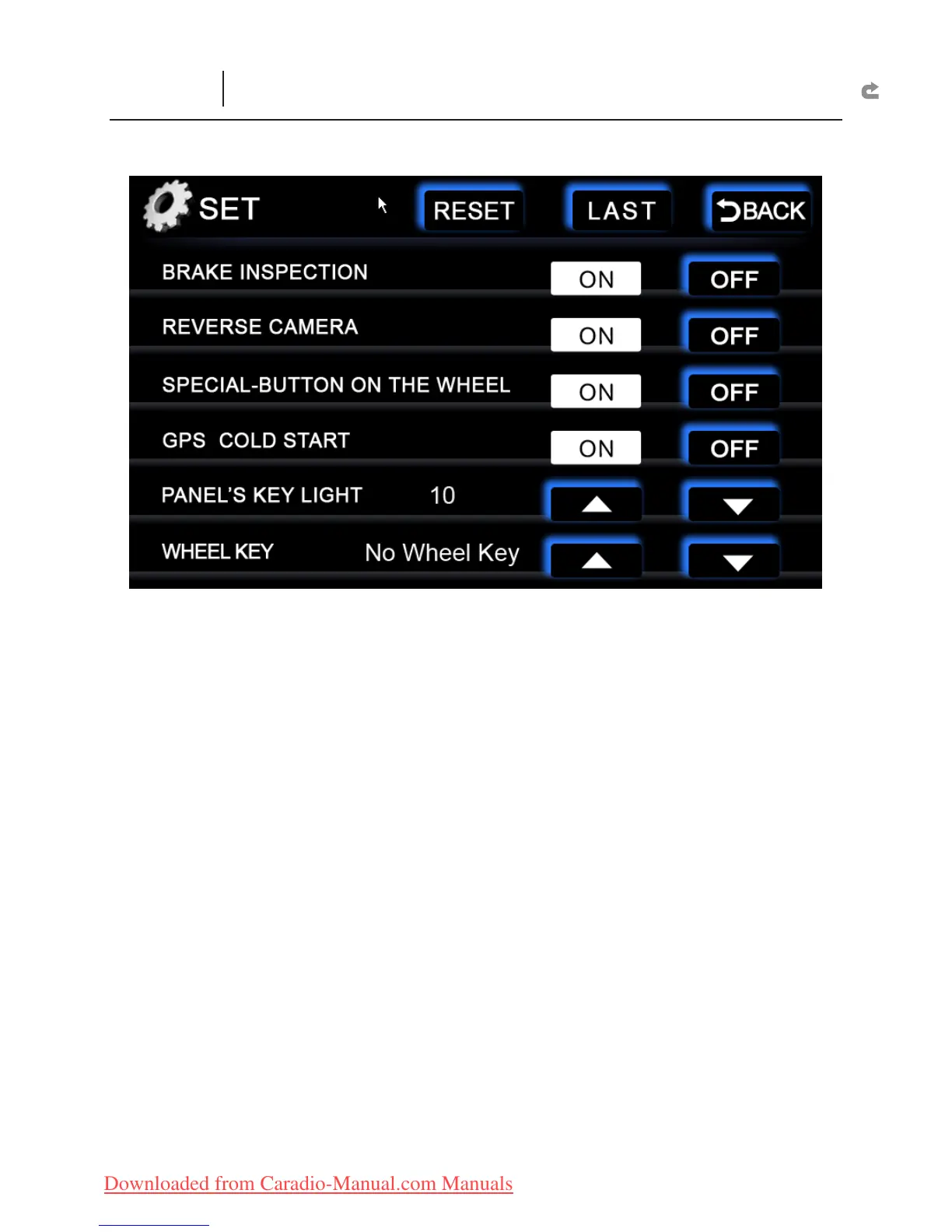
BRAKE INSPECTION :
ON :
X
If the brake test wire is connected, images on the screen will be displayed
only when the hand brake is pulled.
OFF :
X
Turn off this function.
REVERSE CAMERA :
ON :
X
If this is connected and the gear is shifted to “R”, the backside image will
not be displayed, but the original image sound will still remain.
OFF :
X
Turn off this function.
SPECIAL-BUTTON ON THE WHEEL :
ON :
X
If there is a Quick Dial Function on the steering wheel, turn this on to use.
OFF :
X
Turn off this function.
GPS COLD START :
ON :
X
Allow GPS in a cold state. However, if this function is turned on, setting the
GPS positioning will take more than 3 minutes to complete. Suggestion: Turn off
this function.
OFF :
X
Turn off Cold Start.
PANEL'S KEY LIGHT :
Allow brightness adjustment on both left and right hotkeys.
Range: 0~20.
Wheel Key :
special steering wheel hot keys for certain car models. This function is
applicable depends on the mainframe model.
RESET :
Restart the mainframe.
SETUP
(Other Function Interface)



 To Next Page