4
Balancing the Vercal Axis
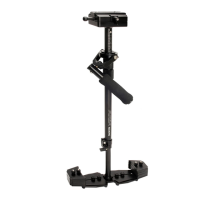
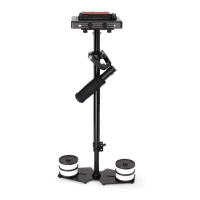
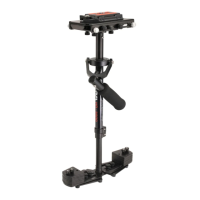
The sled should be ed up to the docking adapter of your stand or similar, so that you can start the
fore & a balancing adjustments by centering the camcorder over Central Post. To do this-
Loosen the side screws of Head Plate and the boom screws of Boom Plate.
Look at the stabilizer from side. If the camcorder lens is pped up or down, move the camcorder
forward or backward unl the center of balance is situated over Central Post.
Then, look at the stabilizer from front. If the post is not vercal, adjust the boom plate unl Central
Post is vercal.
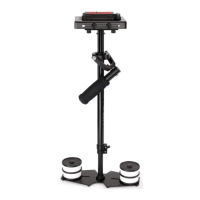
You can also adjust the weight cups closer to & farther away from the sled as per requirement, ll the
post is straight up and down.
Another way to accomplish Horizontal Balance is to move the center of gravity of camera by
re-mounng the camera to a dierent area of the Head and Mid Plate, either front-to-back or
side-to-side.
If the stabilizer be front heavy, loosen the screws on the sides of Head Plate and gently slide Head Plate
back unl opmum balance is achieved. Tilng to the back means the load is tail heavy requiring the
plate to be adjusted forward on the head.
If the stabilizer leans towards right, then loosen the screws on the boom of Boom Plate and gently
slide the Mid Plate towards le. If it leans to le, then adjust the Mid Plate towards right. A bit at a me
unl balance is achieved.
NOTE: Always secure the screws and all parts aer any adjustments are made.
NOTE: The stability of Flycam Stabilizer depends on it being slightly boom heavy. If it is top heavy,
it will lt more. If it is too boom heavy, it will be sluggish and hard to aim.
Slightly Boom Heavy, it will be both Stable and Easier to Control.
Check the Vercal Balance by using this Drop Time Test.
Make sure that everything is ght.
Grasp Central Post near the base and move it from vercal to horizontal.
Hold it there. Be sure that it will not hit the stand when you drop it. Keep your free hand to catch the
central post when it drops.


 To Next Page
 Loading...