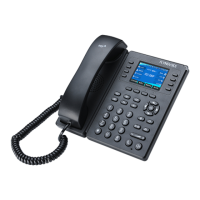
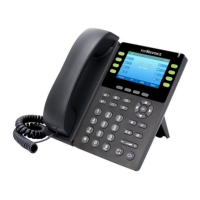
Getting Started with Your Phone
Flyingvoice Network Technology Co., Ltd. 6
Handset to pick up and answer call
Shows information about your phone, such as calls, messages, soft keys,
time and date
Access your phone lines and features
Access the function displayed on the screen above the soft keys. The soft
keys change depending on what you are doing at the time
Places a call on hold or resumes a held call
Record the voice when talking
Scroll through information or options displayed on the screen.
Access History and Directory respectively.
Confirms actions or answers incoming calls.
Toggles and indicates the mute feature. The key LED glows red when the
call is muted.
Toggles and indicates the headset mode. The key LED glows green when
headset mode is activated
Transfers a call to another party
Adjusts the volume of the handset, headset, and speaker


 To Next Page