minimum system resources, it won’t affect frame-rates or heat up your
CPU while running in the background.
FlyInside Heli Manager runs in the background purely for convenience,
so that you won’t need to launch it manually when flying our
helicopters. If you prefer though, you can turn off the System Start
option (via Task Manager), and launch FlyInside Heli Manager manually
as needed.
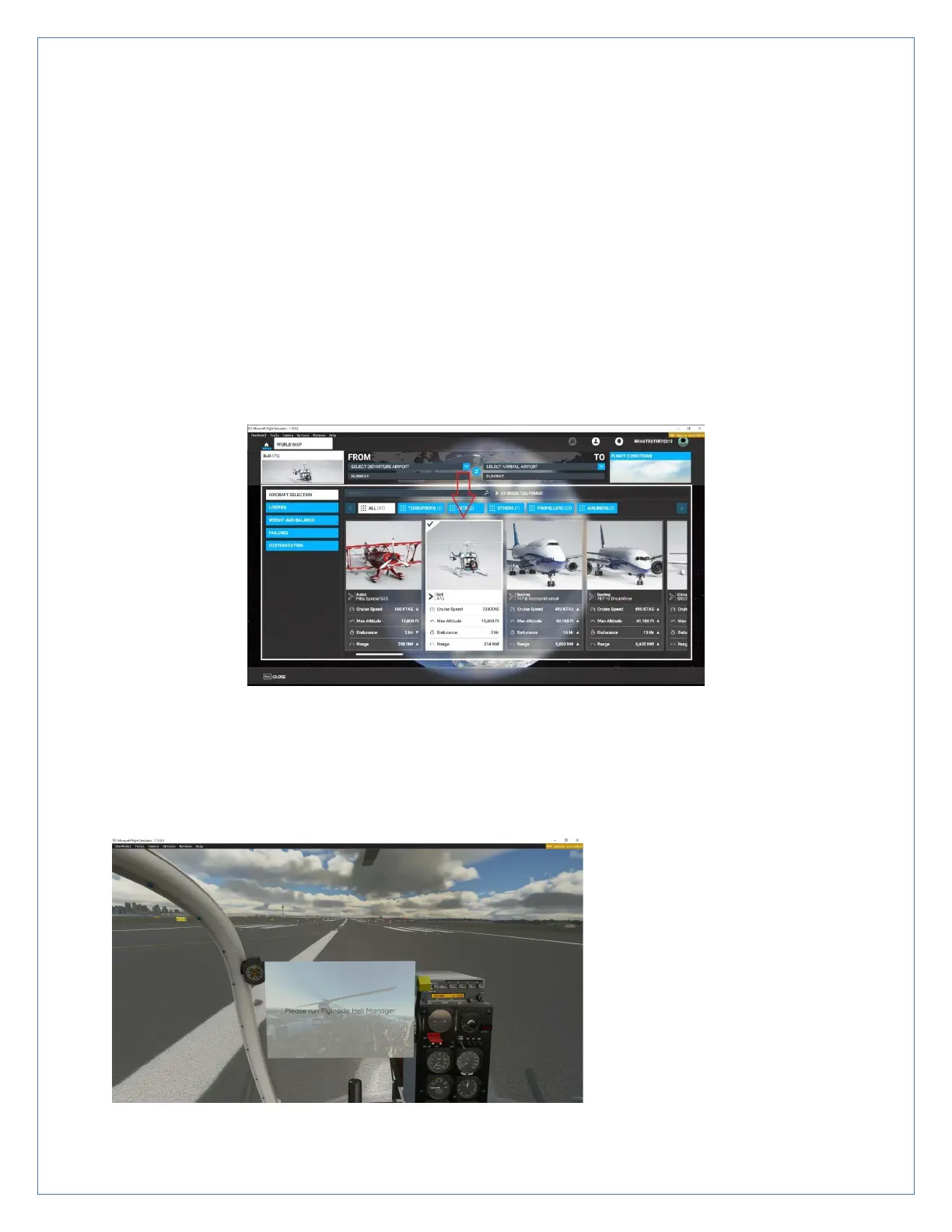
6. Open Microsoft Flight Simulator, and select the FlyInside Bell 47G as
your aircraft. Note that the Bell 47G will appear in the Airplanes category,
despite the fact that it is a helicopter.
7. Select a departure airport and load a flight. The first time you load
the FlyInside Bell 47G may take several minutes as MSFS compiles our
flight-model code for your PC. Once loaded, the Bell 47 will have an in-
cockpit message prompting you to run FlyInside Heli Manager, or to
enter an activation key.


 To Next Page