6
Cutting System Maintenance
• Always handle the plastic cutters with care -
sharp edges could cause injury. USE GLOVES.
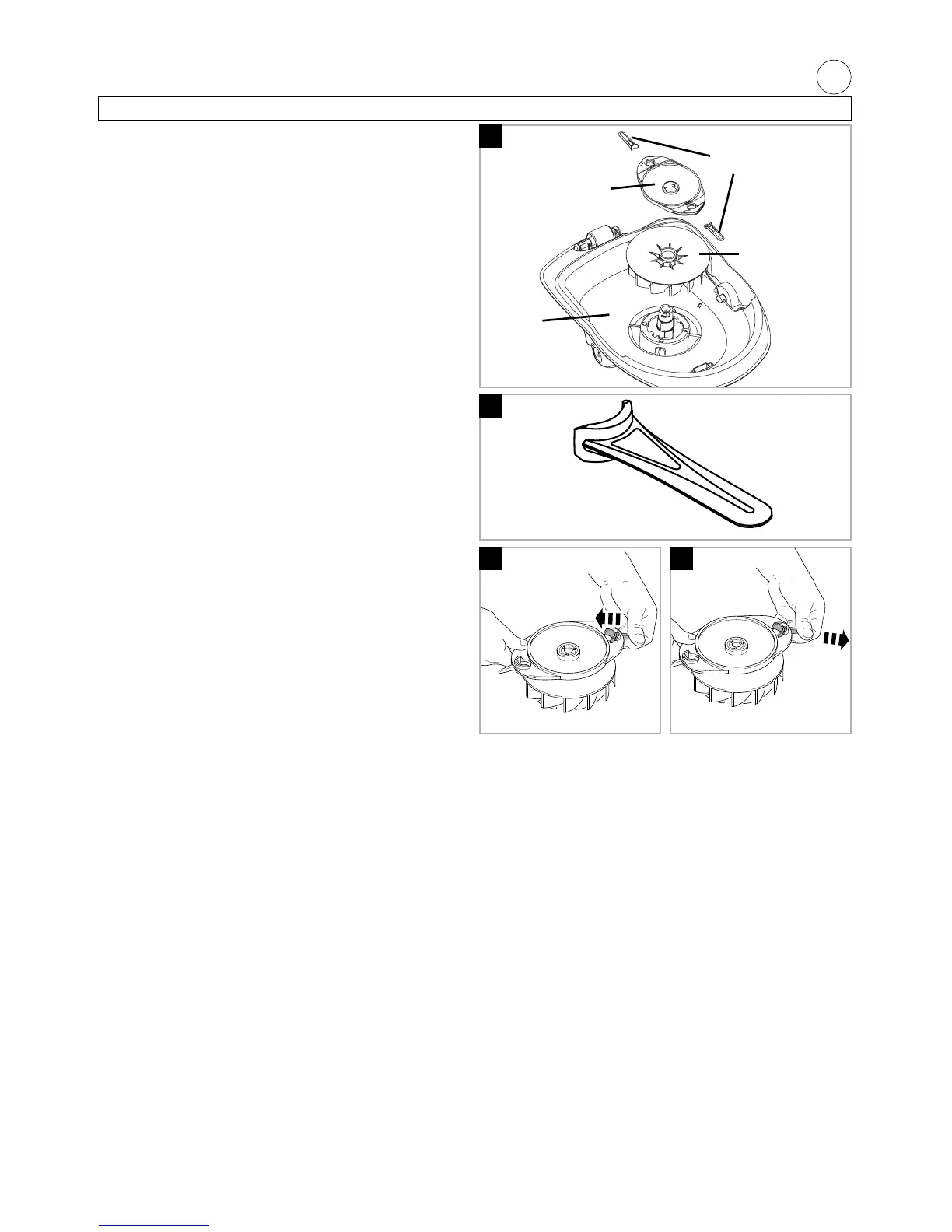
Checking your Cutting System (N)
• The cutting system must be kept in good condition
and inspected before and after use.
• Disconnect from the mains electricity supply and
wait until the cutting head has stopped rotating.
Turn your product upside down.
1. Visually check cutting head for wear. Replace if
damaged.
2. Visually check plastic cutters for wear and replace
when necessary.
3. Plastic cutters should be straight. Replace if bent
or twisted.
Replacing Plastic cutters (P)
• Use only genuine Flymo replacement plastic cut-
ters specified for this product. These are available
from all Electrolux Outdoor Products Service
Centres and major retail outlets.
• Plastic cutters must be replaced in pairs to retain
balance.
• Two plastic cutters of the same type should be fitted.
• Never fit a steel bar blade to this product.
To Replace Plastic Cutters
• Disconnect from the mains electricity supply and
wait until the cutting head has stopped rotating.
Turn your product upside down.
1. Push plastic cutter towards centre of cutting disc.
Lift plastic cutter away from cutting head. (Q)
2. If the plastic cutter is broken during use - lever cut-
ter out of the slot, and dispose of carefully.
3. Fit new plastic cutters into the slots at each side of
the cutting head and pull into place. (R)
• IMPORTANT
ENSURE PLASTIC CUTTERS ARE CORRECTLY
LOCATED.
N
P
RQ
cutting
head
plastic
cutters
hood
fan


 To Next Page