Web: www.fmuser.net Email: rita@fmuser.net Skype: rita.cai87 MSN: rita_cai_jxpx@hotmail.com
9 / 11
(2)Temperature protection
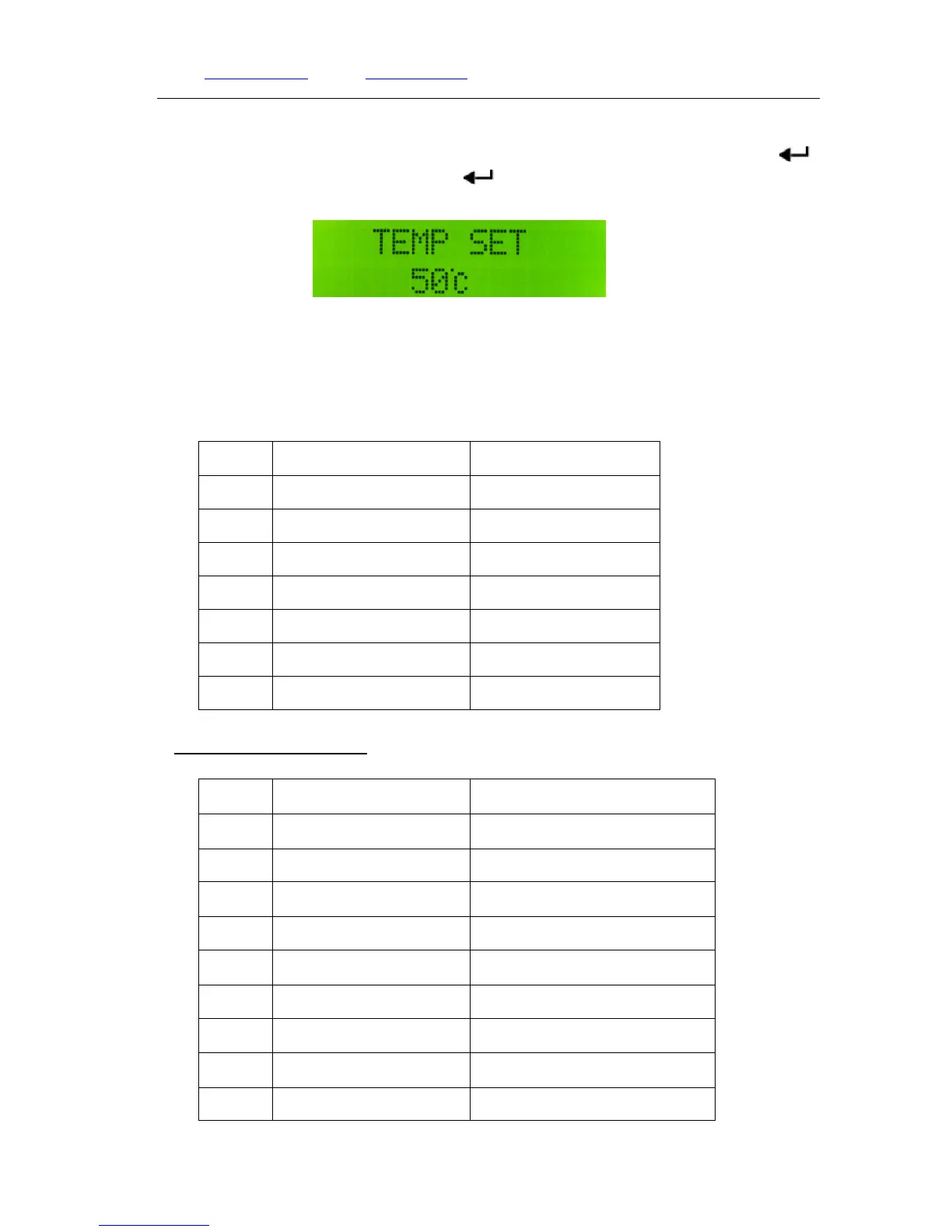
In the protection setting page, press【▼】button to enter in temperature protection setting
page. Press【▲】or【▼】button to adjust the temperature between 50℃~70℃, then press【 】
back to the protection setting page. Press【
】again to exit. The transmitter stays in working
status.
Temperature Protection Setting page
Remark: The default temperature protection value is 60℃, normally there is no need to change.
17. Reset to factory setting
Press and hold【▲】, then connect the power supply, release the button to enter reset setting.
No. Item EX-Factory Value
1
Frequency 98MHz
2
Power output 5W
3
LINE Volume 05
4
MIC Volume 15
5
MONO/STEREO Stereo(ST)
6
VSWR 2.5
7
Temperature 60℃
8.Technical Specification
NO. Item Technical Specification
1 Working Voltage DC12V~16V(Rated DC15V)
2 Working Current ﹤3A
3 Frequency Range 87~108MHz
4 Frequency Stability ±10PPM
5 Frequency Stepping 100KHz
6 Environment Temperature -10 ~45℃ ℃
7 Output Resistance 50Ω
8 RF Output Power range 0.2W~15W
9 Harmonics&Spurious ≤-60dB


 To Next Page