13
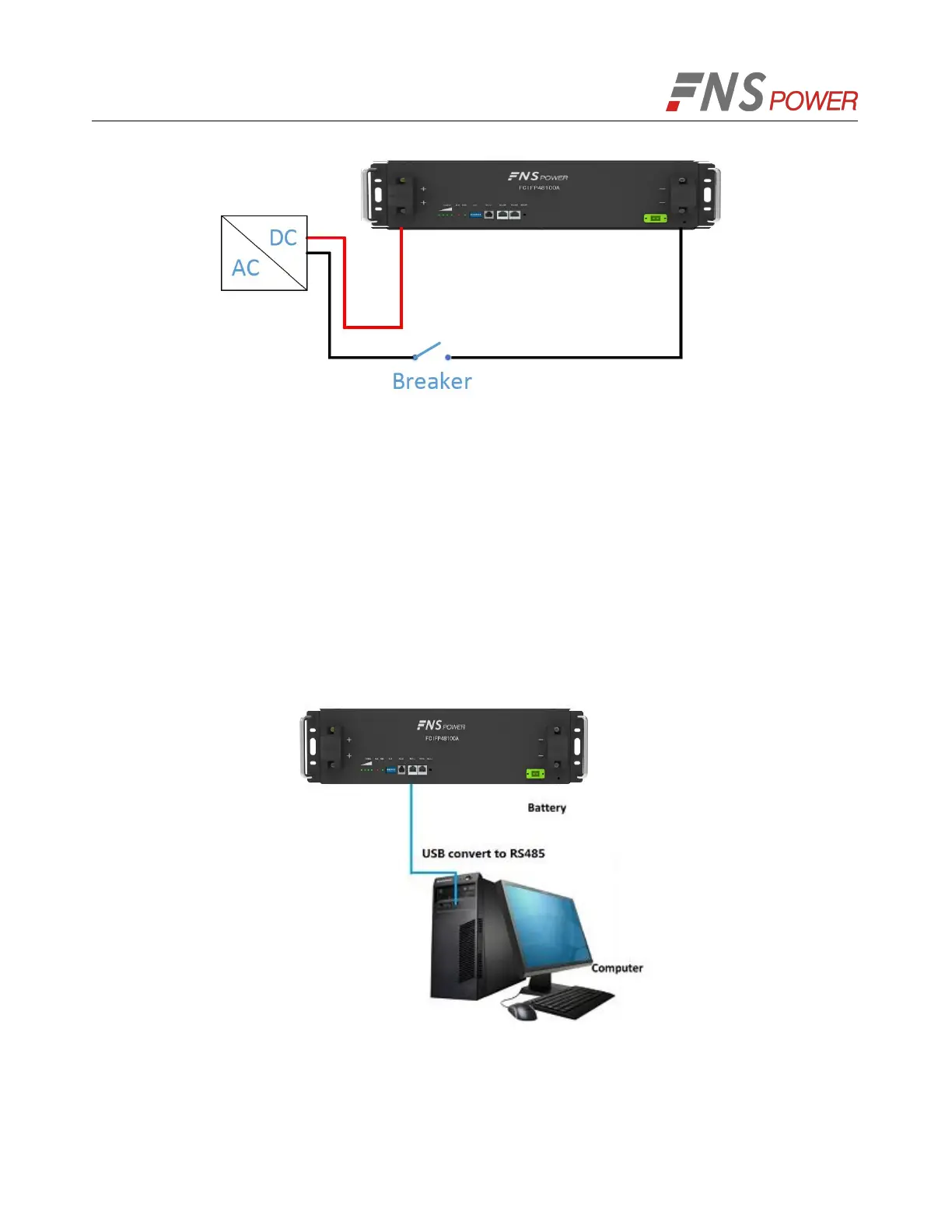
Figure 5-2: Single Battery Connection
3. Take-down negative fixing bolt by the Phillips Screwdriver and connect the negative output cable
between the battery negative terminal of the battery and the inverter. After connecting the battery,
fastening bolt immediately to avoid dropping.
4. Install the protecting cover.
5. Sort the cables and fasten the battery cables to the perforated bracket with cable ties.
6. Communication Line Connection
As shown in Figure 5-4, when monitoring the battery by the computer, connect the ‘USB convert to
RS485’ communication line between battery and computer.
Figure 5-3: Communication Cable Connections between Battery and Computer
5.2 Connect Cables of the Multiple Batteries in Parallel
When multiple batteries in parallel, the cable connecting procedures are follows.



 To Next Page