5
2 OVERVIEW
2.1 Introduction
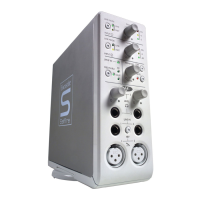
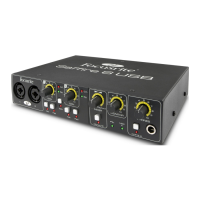
Thank you for purchasing Saffire 6 USB, one in a family of Focusrite professional multi-channel
audio interfaces featuring high quality Focusrite pre-amps. You now have a complete solution
for routing high quality audio in and out of your computer. This user guide provides a detailed
explanation of the hardware to help you achieve a thorough understanding of the product's
operational features. We recommend that both users who are new to computer recording, as
well as more experienced users, take the time to read through the user guide so that you are
fully aware of all the possibilities that the Saffire 6 USB and accompanying software has to
offer. If the main User Guide sections do not provide the information you need, be sure to
consult http://www.focusrite.com/answerbase, which contains a comprehensive collection of
common technical support queries.
2.2 Features
The Saffire 6 USB hardware interface provides the means for connecting microphones, line-
level signals, and instrument-level signals to a computer running Mac OS or Windows. The
physical inputs and outputs can be routed to and from your audio recording software / digital
audio workstation (referred to throughout this user guide as "DAW"). Audio signals connected to
the physical inputs can be recorded in the DAW and then routed from your DAW to the physical
outputs. The physical outputs can be connected to an amp and speakers, powered monitors,
headphones, analogue mixer or any other analogue audio equipment that you wish to use.
There are also connectors for sending and receiving MIDI through the Saffire 6 USB. All inputs
and outputs on the Saffire 6 USB are routed directly to and from your DAW for recording and
playback, though you can configure the routing within your DAW in order to meet your needs.
2.3 Box Contents
Along with your Saffire 6 USB you should have:
• Installer CD
o Installer for Mac and Windows
o Scarlett Plug-in Suite for Mac and Windows (Compressor, EQ, Gate, Reverb)
• Xcite+ Pack DVD
o Ableton Live LE version 8 w/ registration card
o Novation BassStation AU/VST Synthesizer plug-in w/ registration card
o Over 1GB of 'Loopmasters' and 'Mike the Drummer' royalty free samples
• USB cable
• Self adhesive rubber feet (Qty 4) - to be fitted to base of the Saffire 6 USB
• Product Registration Card
• Focusrite / Novation Product Brochure
2.4 System Requirements
Mac OS
• OS: Mac OS X 10.6.8 or later (OS X 10.7 Lion ready)
• Screen resolution: 1024x768 (1280x1024 or more recommended)
Windows
• OS: All versions of Windows 7, Windows Vista (32 bit only) or Windows XP SP2 or higher (32
bit only).
• Screen Resolution: 1024x768 (1280x1024 or more recommended)




 To Next Page