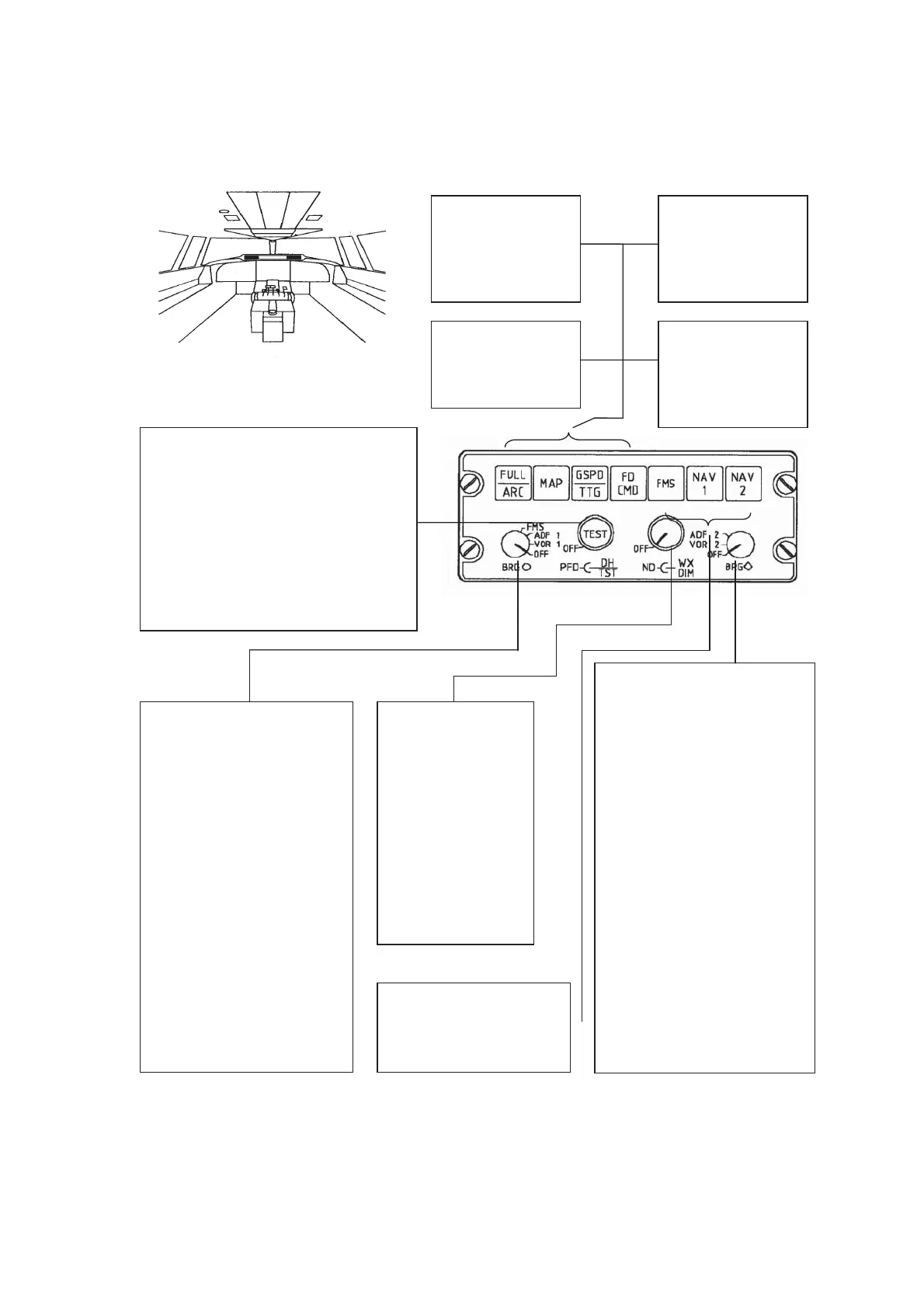
EFIS control panel
MAP P/B
Depress momentaril
to select or de-select
the MAP mode at
the
ND.
FULL/ARC P/B
Depress momentaril
to exchange the FULL
mode at the ND fo
the ARC mode or vice
versa.
GSPD/TTG P/B
Depress momentaril
to exchange to ground
speed display fo
time-to-go display and
vice versa.
FD COMMAND P/B
Depress momentaril
to display or to
remove the FD
command bar at
the
PFD.
NAV SOURCE BUTTONS
Depress either button
momentarily to select FMS,
VHF NAV 1 or VHF NAV 2 as
primary navigation
source.
ND/WX SELECTOR
Rotate outer knob to
adjust ND brightness
.
OFF
• ND blank.
Rotate inner knob to
adjust the brightness o
the weather rada
display.
OFF
• No weather
BEARING SELECTOR 1
OFF
• No O bearing pointer
and bearing source
display at the ND.
VOR 1
• O bearing pointer
displays VOR 1 bearing.
• Bearing source is
displayed.
DF 1
• O bearing pointer
displays ADF 1 bearing.
• Bearing source is
displayed.
TYPE I
BEARING SELECTOR 2
OFF
• No ഠ bearing pointer
and bearing source
display at the ND.
VOR 2
• ഠ bearing pointer
displays VOR 2 bearing.
• Bearing source is
displayed.
DF 2
•
ഠ
bearing pointer
displays ADF 2 bearing.
• Bearing source is
displayed.
TYPE II (NOT DISPLAYED IN
DRAWING
PFD/DH SELECTOR
Rotate outer knob to adjust PFD brightness
.
OFF
• PFD blank.
Rotate inner knob to select decision height.
Full CCW
• Decision height display removed.
Push inner knob to test the onside EFIS. The
EFIS test is inhibited after GS capture
Fokker 50 - Flight Navigation Instruments



 To Next Page