- 30 -
6
6
.
.
2
2
T
T
r
r
a
a
n
n
s
s
m
m
i
i
t
t
t
t
e
e
r
r
C
C
h
h
a
a
n
n
n
n
e
e
l
l
S
S
e
e
t
t
t
t
i
i
n
n
g
g
s
s
Transmitter channel setting (select the channel you would like to operate. No exceed to
channel limit)
6.2.1 Set by programming tool
6.2.2 Set by encoder board 2
nd
& 3
rd
pin of JP1 and dip-switch
When setting frequency on TX board JP1, put short boot on 2
nd
& 3
rd
pin of JP1. Change the frequency
needed by changing the dip-switch setting. Repeat the previous steps to set frequency.
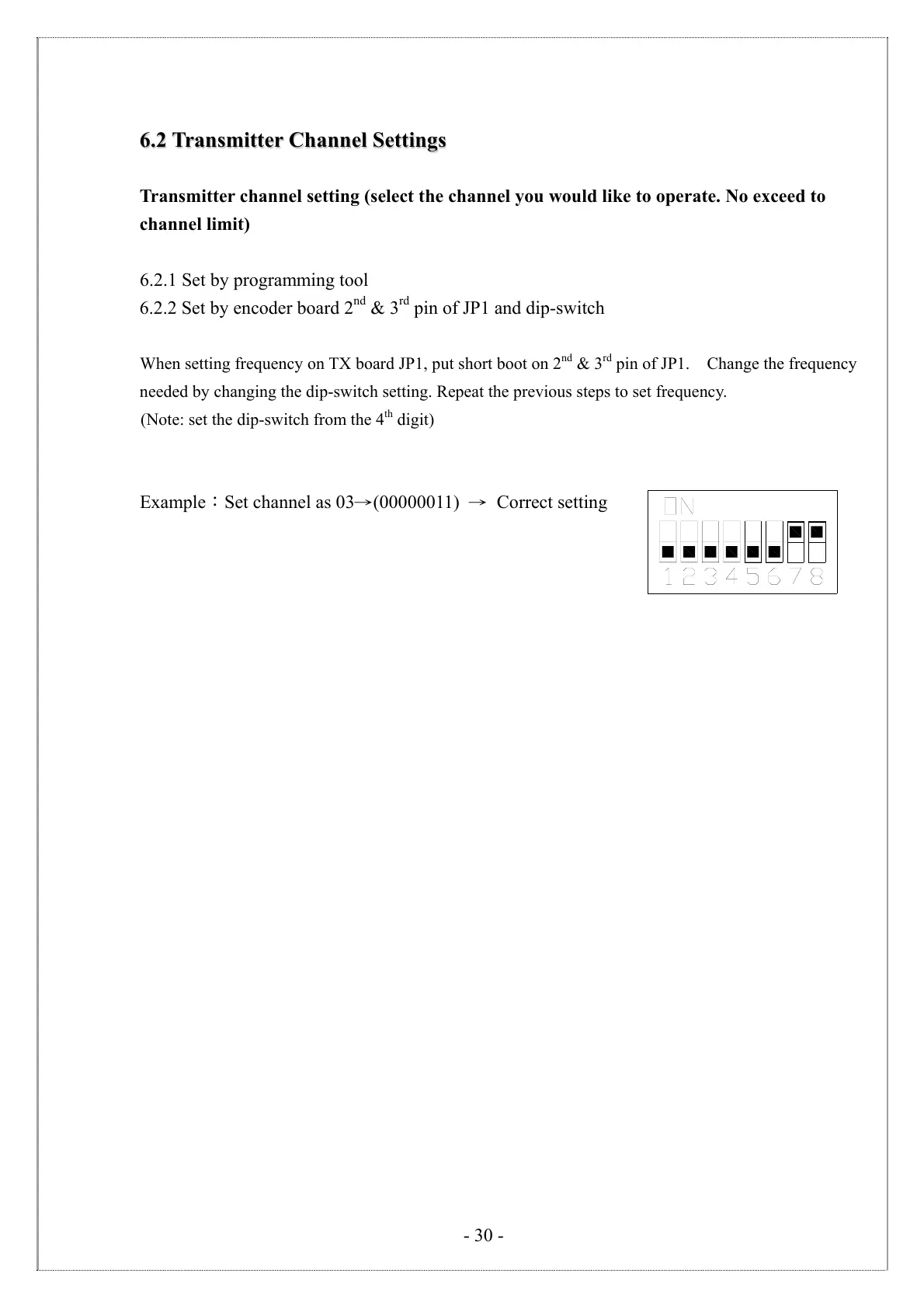
(Note: set the dip-switch from the 4
th
digit)
Example:Set channel as 03→(00000011) → Correct setting



 To Next Page