EasyManua.ls Logo

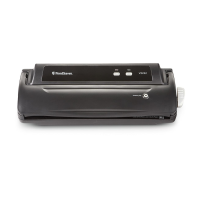
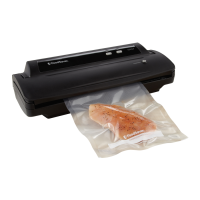
FoodSaver V2222 - User Manual

FoodSaver V2222
16 pages
Print Icon
To Next Page IconTo Next Page
Loading...
User Manual
for V2200 series appliances
Models V2222 & 2244
Notice d’emploi
pour appareils de la série V2200
Modèles V2222 et 2244
©2011 Sunbeam Products, Inc. doing business as Jarden Consumer Solutions. All rights reserved. Distributed by
Sunbeam Products, Inc. doing business as Jarden Consumer Solutions, 20B Hereford St., Brampton ON Canada L6Y 0M1
GSC-NM0311-2652749
©2011 Sunbeam Products, Inc. faisant affaires sous le nom de Jarden Consumer Solutions. Tous droits réservés.
Distribuée par Sunbeam Products, Inc. faisant affaires sous le nom de Jarden Consumer Solutions, 20B Hereford St.,
Brampton (Ontario) Canada L6Y 0M1
Printed in China./Imprimé en Chine. P.N. 149582
www.foodsaver.com 1 877 804-5383
VACUUM SEALING SYSTEM
SYSTÈME D’EMBALLAGE SOUS VIDE
MD
Registering your appliance is quick and easy at www.prodregister.com/foodsaver. If you
register on our website, you will have the opportunity to receive special bag and accessory
introductory offers. Refer to the registration card inside the box.
For important safety information and helpful tips, please visit us at www.foodsaver.com
(in English only) to get tips on vacuum sealing and order FoodSaver
®
brand accessories, bags
and rolls, or call 1-877-777-8042 (U.S.), 1-877-804-5383 (Canada).
Enregistrer votre appareil est rapide et facile au www.prodregister.com/foodsaver. Quand
vous utilisez notre site Web pour le faire, vous êtes admissible à certaines offres de lancement
de sacs et d’accessoires. Voyez la carte d’enregistrement incluse dans l’emballage.
Pour obtenir d’autres renseignements de sécurité importants, des conseils pratiques relatifs à
l’emballage sous vide, ainsi que pour commander des accessoires, sacs et rouleaux de marque
FoodSaver
MD
, visitez au www.foodsaver.com (site uniquement offert en anglais) ou bien appelez
le 1-877-777-8042 aux États-Unis, mais le 1 877 804-5383 au Canada.

VACUUM SEALING SYSTEM
SYSTÈME D’EMBALLAGE SOUS VIDE
MD

Questions and Answers

  • F
    fernandezjenniferAug 13, 2025
    What to do if the vacuum pump is running but the FoodSaver V2222 bag is not evacuating?
    • F
      fwallaceAug 13, 2025
      If the vacuum pump is running, but the bag isn't evacuating, try these steps: 1. If using a roll, ensure one end of the bag is sealed. 2. Adjust the bag and retry. 3. Check for wrinkles along the sealing strip. 4. Open the unit and inspect the gaskets for proper insertion and any foreign objects. 5. Unlatch the lid and allow 10-20 minutes for gasket expansion if the latch was left closed. 6. Ensure the accessory hose is detached from the accessory port. 7. Confirm the lid is fully latched.
  • H
    hallkimberlyAug 16, 2025
    How to fix a FoodSaver V2222 bag that is not sealing properly?
    • J
      Jessica ParsonsAug 17, 2025
      If your FoodSaver Food Saver bag isn't sealing properly, it might be due to too much liquid in the bag; freeze the contents before vacuuming. Also, check for food debris around the seal area. If the bag has wrinkles, gently stretch it flat while inserting it into the vacuum channel.
  • F
    foleyjohnAug 20, 2025
    Why is the red seal LED flashing on my FoodSaver V2222 Food Saver?
    • E
      Ethan FritzAug 20, 2025
      The red seal LED might be flashing on your FoodSaver Food Saver due to several reasons: the unit may be overheated, so allow 20 seconds between seals; the latch may have been left closed, compressing the gaskets, so unlatch it and allow 10 to 20 minutes for the gaskets to expand; or the vacuum pump has been running for more than 120 seconds, in which case you should refer to the section addressing vacuum pump issues.
  • K
    Kathleen ReynoldsAug 25, 2025
    Why does my FoodSaver Food Saver bag keep melting?
    • D
      Danielle AndrewsAug 25, 2025
      Your FoodSaver Food Saver bag might be melting because the sealing strip has become too hot. Always wait at least 20 seconds for the appliance to cool down before vacuum packaging another item. It is also recommended to use FoodSaver brand bags.
  • T
    timothy81Aug 27, 2025
    What to do if air was removed from the FoodSaver V2222 bag, but now air has re-entered?
    • S
      Steven SanchezAug 27, 2025
      If air has re-entered the bag after vacuuming with your FoodSaver Food Saver, it could be due to a wrinkle along the seal. Gently stretch the bag flat while inserting it into the vacuum channel to prevent wrinkles. Alternatively, cut the bag open, wipe the top inside, and reseal it. If there's a hole, use a new bag. Also, fermentation or natural gases from the food may cause this; if that's the case, the food may have spoiled and should be discarded.
  • K
    Kevin Brown DDSAug 31, 2025
    What to do if nothing happens when latch is closed and button is pressed on FoodSaver V2222?
    • B
      Belinda LeeSep 1, 2025
      If nothing happens when you close the latch and press the button on your FoodSaver Food Saver, first ensure the unit is plugged in and that the wall outlet is functional. If it still doesn't work, open the latch, make sure the lid is all the way down, and then re-latch the lid.
  • M
    mclaughlinjodySep 4, 2025
    Why are there no lights on the control panel of my FoodSaver Food Saver?
    • D
      Dustin CunninghamSep 4, 2025
      If there are no lights on the control panel of your FoodSaver Food Saver, make sure the unit is plugged in and that the wall outlet is functional. Also, ensure the lid is all the way down and the latch is in the locked position.
  • W
    Willie DavisSep 8, 2025
    What to do if I cannot insert bag into my FoodSaver Food Saver machine?
    • C
      Charles CookSep 8, 2025
      If you can't insert the bag into your FoodSaver Food Saver machine, ensure there's enough bag material to reach the center of the drip tray. Gently stretch the bag flat while inserting it, and insert the bag with the curl facing down into the vacuum channel.

Summary

Important Safeguards and Tips

Essential Safety Precautions

Basic precautions for safe operation of the FoodSaver appliance.

Usage and Best Practices

Tips for optimal results and proper handling during vacuum packaging.

Welcome to FoodSaver System

Product Introduction and Benefits

Overview of the FoodSaver system's advantages and how it extends food freshness.

Registration and Offers

Information on registering the appliance to receive gifts and special offers.

Appliance Features

Product Components

Identification and description of key parts of the FoodSaver appliance.

Control Panel Overview

Explanation of indicator lights and operational buttons on the control panel.

How to Make a Bag from a Roll

Step-by-Step Bag Creation

Instructions on cutting and sealing bag material from a FoodSaver roll.

How to Vacuum Package Food

Vacuum Packaging Process

Detailed steps for vacuum packaging food items using the appliance.

Guidelines for Vacuum Packaging

Food Safety and Microorganism Control

Understanding how vacuum packaging affects food safety and microbial growth.

Food Preparation and Reheating Tips

Advice on preparing and reheating vacuum-sealed foods for optimal results.

Specific Food Preparation Guidelines

Recommendations for preparing various food types like vegetables, fruits, and cheeses.

Vacuum Packaging Non-Food Items

Instructions on using the system to protect non-food items from air and moisture.

Accessory Usage and Maintenance

Vacuum Packaging with Accessories

Guidance on using accessory hoses, ports, and specific sealing accessories.

Opening Accessories and Cleaning

How to open vacuum-sealed accessories and clean the appliance and drip tray.

Trouble-Shooting

Seal and Pump Malfunctions

Resolving issues related to seal indicator lights and vacuum pump operation.

Bag Sealing and Evacuation Problems

Troubleshooting common problems with bag sealing, evacuation, and gaskets.

System Response and Assistance

Addressing issues like no power, air re-entry, bag melting, and where to find help.

1 Year Limited Warranty

Warranty Coverage and Limitations

Details on what the warranty covers, exclusions, and liability limits.

Obtaining Warranty Service

Instructions for contacting customer service to get warranty repairs or replacements.

FoodSaver V2222 Specifications

General IconGeneral
ModelV2222
CategoryFood Saver
TypeVacuum Sealer
Power120 watts
Seal TypeHeat Seal
Bag CompatibilityFoodSaver Bags and Rolls
MaterialPlastic
Sealing MethodAutomatic
Marinate FunctionYes
Warranty1-Year Limited Warranty
ColorBlack

Related product manuals