EasyManua.ls Logo

FoodSaver V2040-I - User Manual

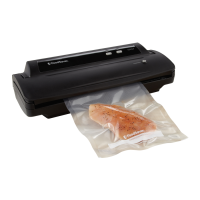
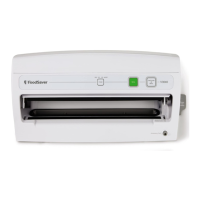
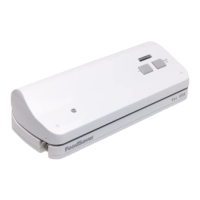
FoodSaver V2040-I
16 pages
Print Icon
To Next Page IconTo Next Page
Loading...
Features
For important safety information and helpful tips, please refer to the FoodSaver
®
Reference Guide included in your kit.
QuickStart
V2040-I
( English)
Accessory Hose
Accessory Hose
Storage
Touchpad Control
Panel
Easy Lock Latches
D
C
B
A
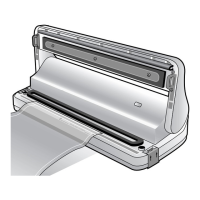
Vacuum Channel
Easy-clean
Drip Tray
Sealing Strip
Rubber Gasket
H
G
F
E
Features of Your FoodSaver
®
Appliance
122412
Quick Start Guide V2040 I 07MLM1
9100060001246
Quick Start Guide V2040-I.qxd 8/15/07 8:30 Page 1
Question and Answer IconNeed help?

Do you have a question about the FoodSaver V2040-I and is the answer not in the manual?

Summary

FoodSaver QuickStart Features

Touchpad Control Panel

Refers to the appliance's user interface with touch-sensitive controls.

Detailed Features and Controls

Vacuum Indicator Light

Monitors the vacuum and sealing process status.

Getting Started: Bag Creation

How to Make a Bag from a FoodSaver Roll

Step-by-step guide to creating custom-sized bags from a roll.

How to Vacuum Package with FoodSaver Bags

Instructions for vacuum sealing items using pre-made bags.

FoodSaver Accessories

How to Vacuum Package with FoodSaver Canisters

Procedure for vacuum sealing contents using FoodSaver canisters.

Tips for Successful Vacuum Packaging

Sealing a Bag

Tips for ensuring a proper seal and avoiding common issues like wrinkles.

General Tips for Vacuum Packaging

General Tips

Provides essential advice for effective vacuum packaging of various foods.

FoodSaver V2040-I Specifications

General IconGeneral
TypeVacuum Sealer
Weight5.5 pounds
Seal TypeHeat Seal
OperationAutomatic
Included Accessories3 Quart Vacuum Seal Bags
ColorBlack

Related product manuals