EN-6
• If the pulse rate symbol is shown as “ ” instead of
“ ”, this indicates that the meter has detected an irregular
heartbeat.
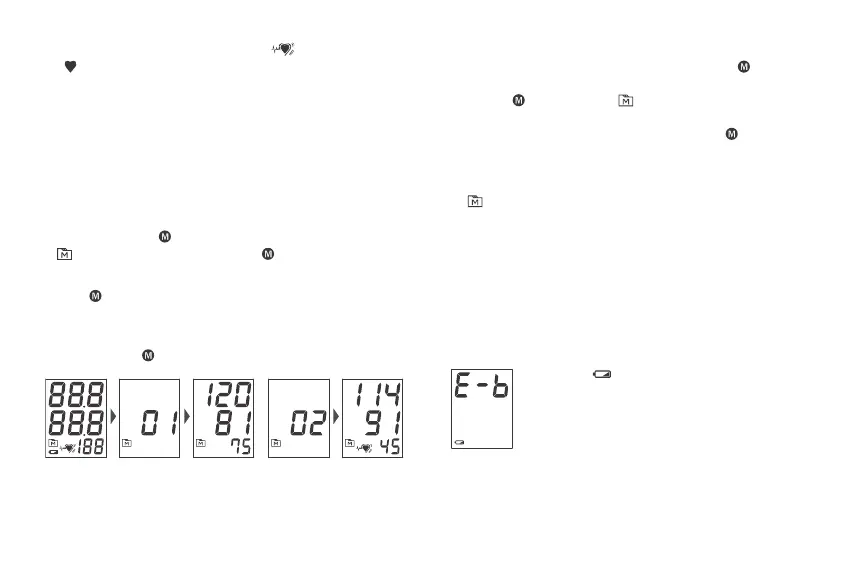
MONITOR MEMORY
Your meter stores the 100 most recent blood pressure test
results in the meter memory. To recall the memory, start with
the meter o.
Reviewing Test Results
1. Press and release .
will appear on the display. Press again, and the rst
reading you see is the last test result.
2. Press to recall the next test results stored in the meter
each time you press.
3. Exit the memory.
Keep pressing and the meter will turn o.
NOTE:
• To delete ALL the results, press and rmly holds for 4
seconds until “dEL” displays.
• Releases , “CLr ALL” and “ “ are displayed on the meter,
which indicates that all results have been deleted.
• Any time you wish to exit the memory, presss or leave it
without any action for 3 minutes. The meter will switch o
automatically.
• If using the meter for the rst time, you will only see the
“ “ symbol on the display when you recall the test results.
It indicates that there is no test result in the memory.
MAINTENANCE
Battery
Your meter comes with four (4) 1.5V AA size alkaline batteries.
Low Battery Signal
The symbol appears with E-b:
The power is not enough to do a
test. You must change the batteries
immediately.
Replacing the Battery
To replace the batteries, make sure the meter is turned o.



 To Next Page