32
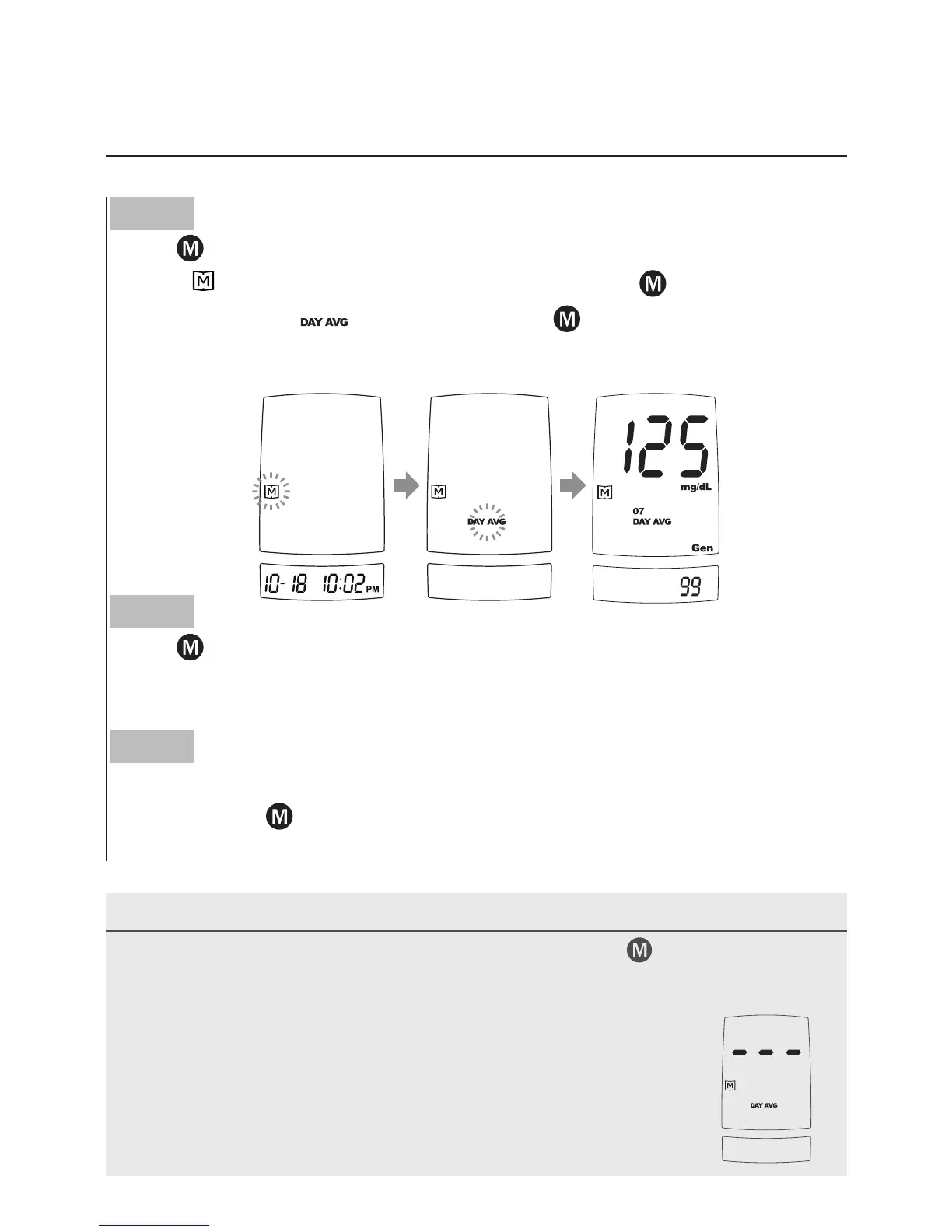
Reviewing Blood Glucose Day Average Results
Step 1
Press
.
When
“
”
appears on the display, keep pressing
for 3 seconds
until the flashing
“
”
appears. Release
and then your 7-day
average result measured in general mode will appear on the display.
Step 2
Press
to review 14-, 21-, 28-, 60- and 90- day average results
stored in each measuring mode in the order of Gen, AC, then PC.
Step 3
Exit the meter memory.
Keep pressing
and the meter will turn off after displaying the last
test result.
NOTE
• Any time you wish to exit the memory, keep pressing
for 5 seconds or
leave it without any action for 3 minutes. The meter will switch off
automatically.
• Control solution results are NOT included in the day average.
• If using the meter for the first time,
“
---
”
displays when you
recall the test results or review the average result. It
indicates that there is no test result in the memory.



 To Next Page