STEP 04
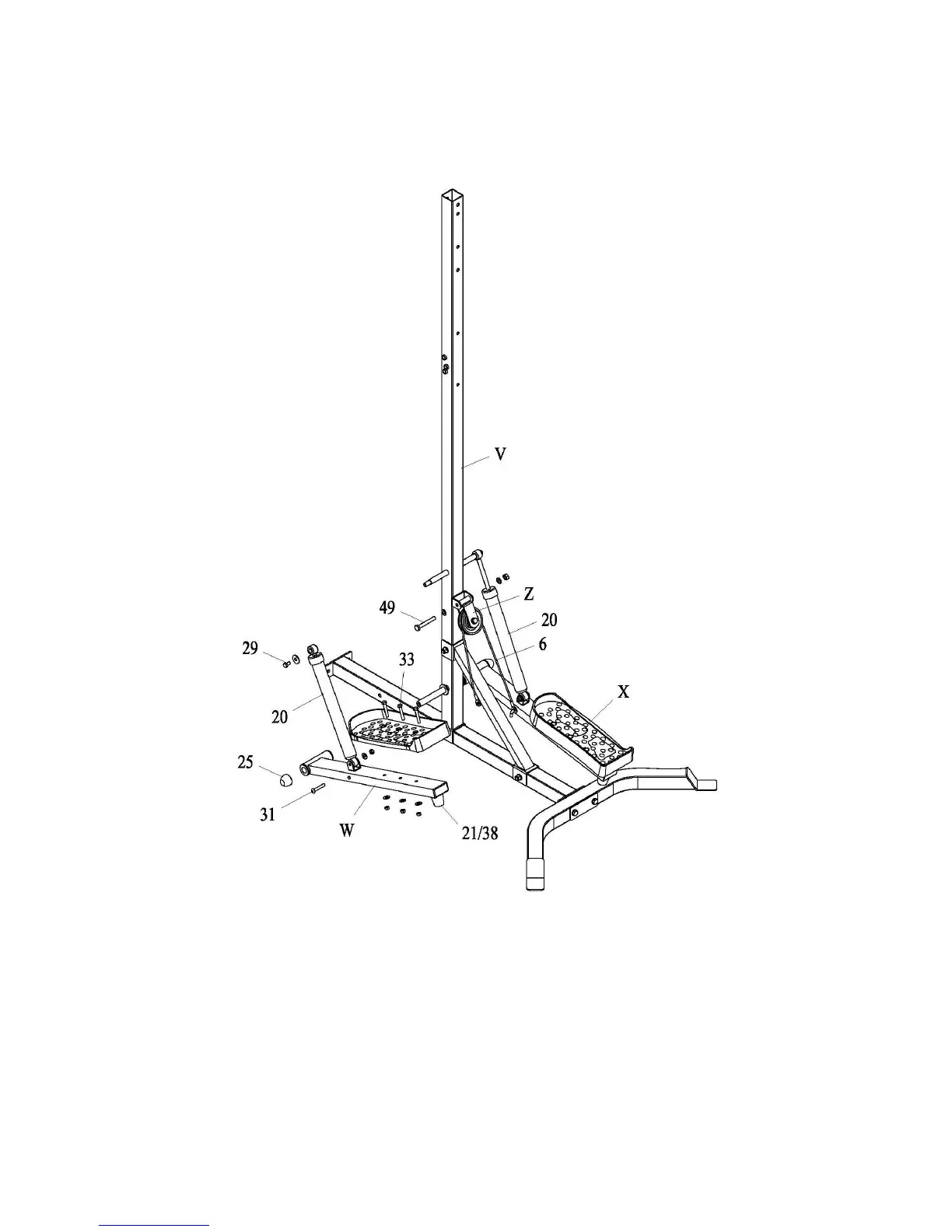
1. Attach part (Z) to part (V) with bolt assembly (49).
2. Slide part (W) and part (X) to part (V), secure with plastic bolt (25).
3. Attach part (20) to part (V) with bolt assembly (29).
4. Attach the other side of part (20) to part (W) and part (V) with bolt assembly (31).
5. Hook one end of cable (6) to part (W), then through the pulley on part (Z), hook the other end to part (X).



 To Next Page