MONARCH MOTION DRONE User Manual
17
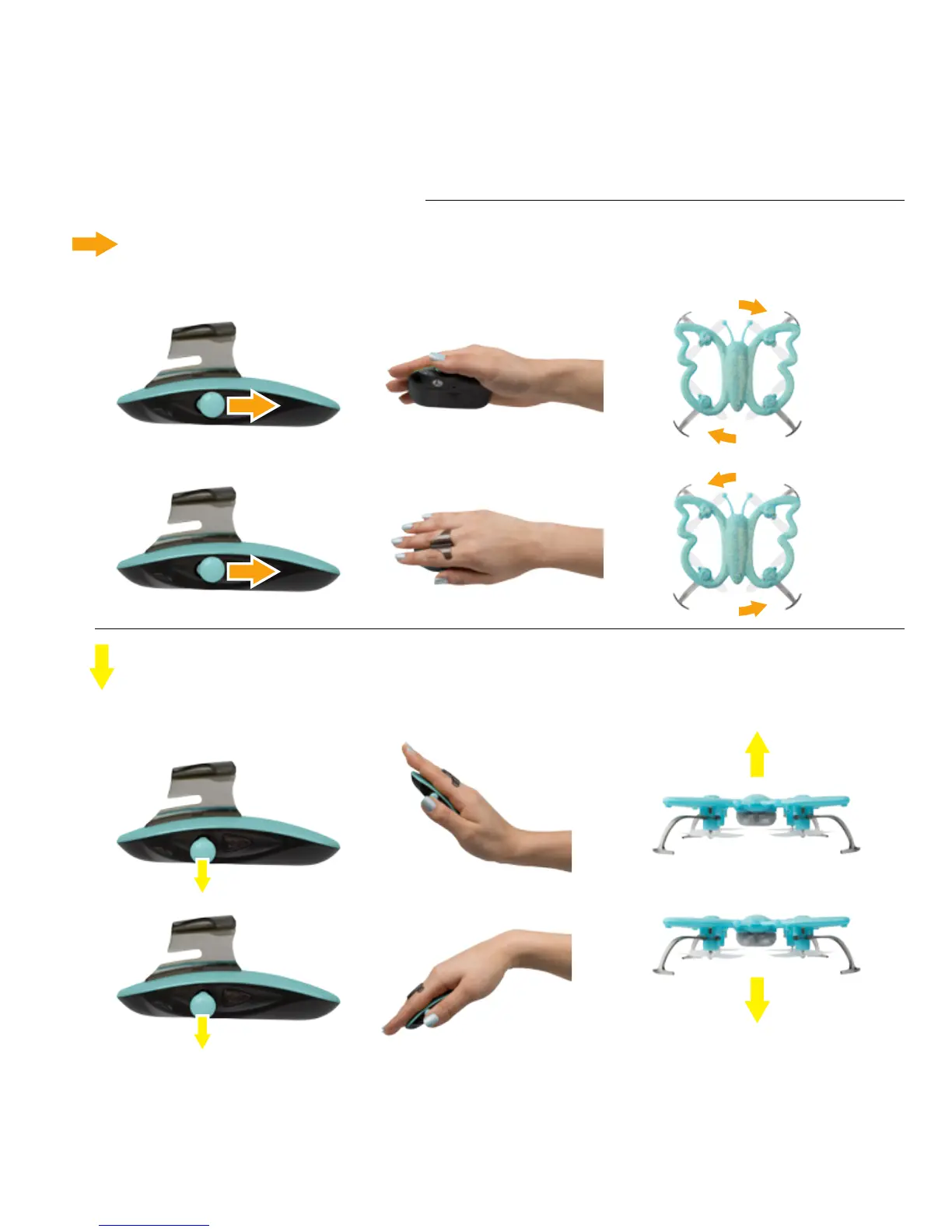
Shift the Master Joystick backward and release to rotate the drone in stages. Shift and hold the
Master Joystick backward for continuous rotation until joystick release.
The drone changes altitudes with coordinated palm and joystick movements. Hold the Master
Joystick downward and tilt the Palm Remote nose up to raise the drone. Hold the Master
Joystick downward and tilt the Palm Remote nose down to lower the drone.
ROTATION
ALTITUDE CONTROL
+
+
+
+
=
=
=
=



 To Next Page