FUNCTION MENU DESCRIPTION
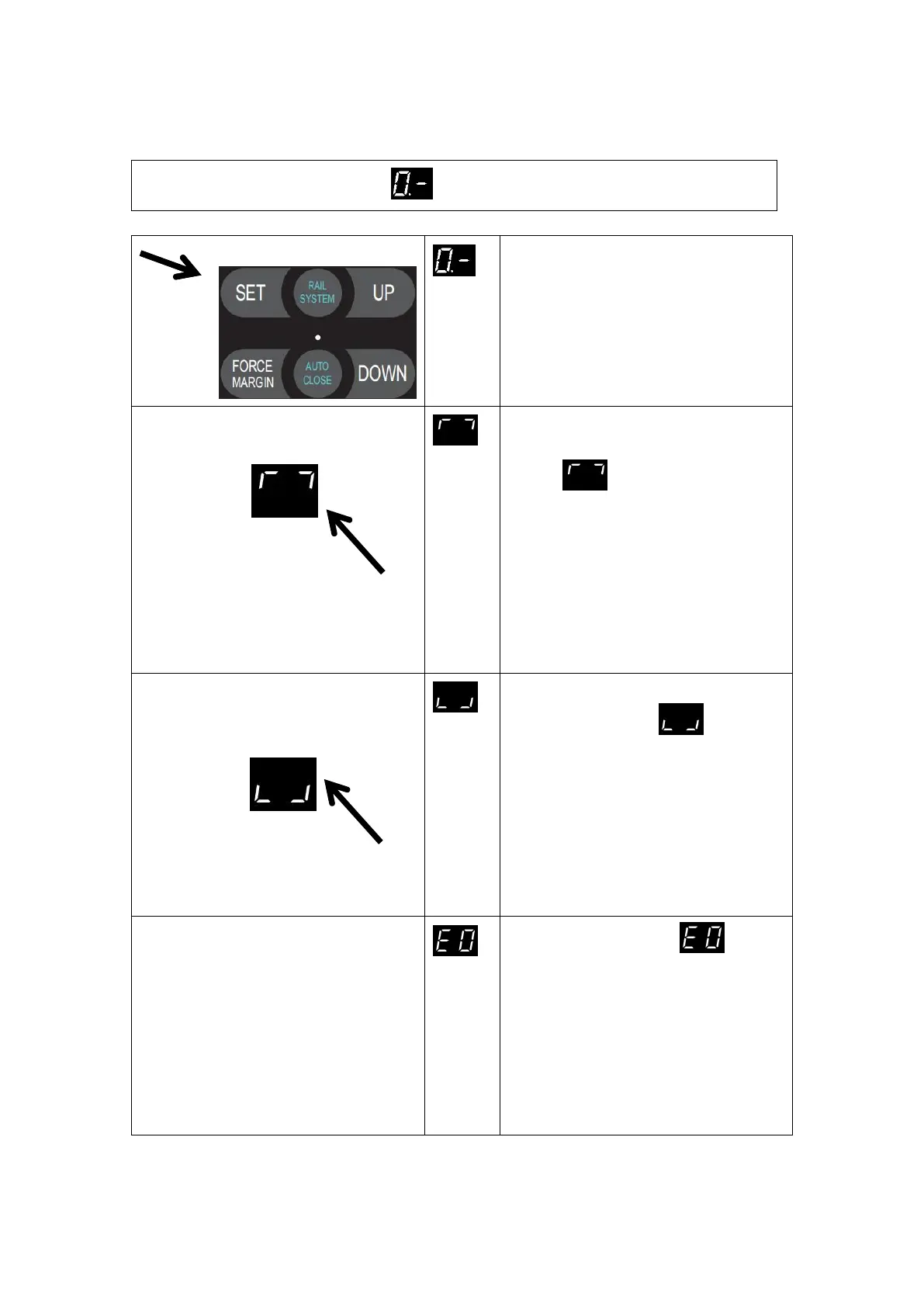
MENU 0 Travel Limit Setting
Press and hold SET button for
about 6 seconds to enter travel
limit setting until “0.-” appears
on the display then release the
button.
Press SET to enter travel limit
setting menu, the digital displays
,now you can set the OPEN
Position Limit.
Click the button UP/DOWN to
adjust the open limit position of
the door. Click the SET button to
confirm the open limit position.
Digital now displays
automatically , now you
can set the CLOSE position limit.
Click the button UP/DOWN, to
adjust the close position limit.
Click the SET button to confirm.
Then the door drive would
automatically open and close the
door and save the setting.
PS: If there is a faulty , please
check if the encoder cable is connected
properly. If the connection is normal,
please reset the travel limit. When you
reset the travel limit, short click the UP
/DOWN button and then reset the travel
limit.


 To Next Page