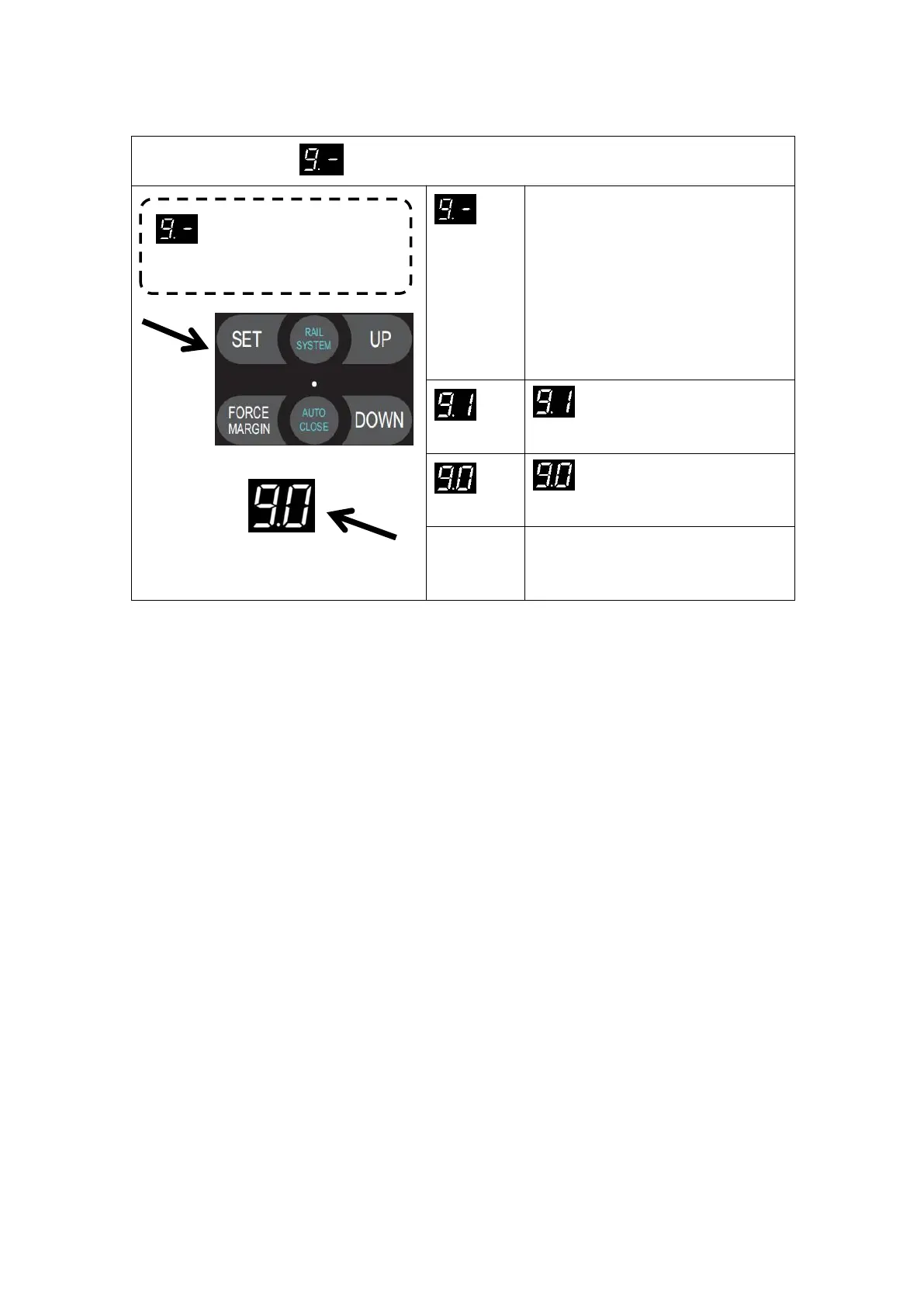
MENU9 Gear Motor Running Direction Rotating Setting
Press and hold SET button for
about 6 seconds to enter main
menu until “0.-” appears on the
display then release the button.
Press UP till “9.-” appears on the
display.
Press SET to enter the Door drive
output rotating direction setting
Door drive rotating direction is
forward. (Default)
Door drive rotating direction is
reverse
After adjusting the rotating direction of
the door drive, it is necessary to
relearn the travel limit.
Door drive output rotating
direction setting


 To Next Page