Installation Guide 9
V20000 G1, V10000 G4R1, V10000 G4R2 10GbE NIC Installation Guide
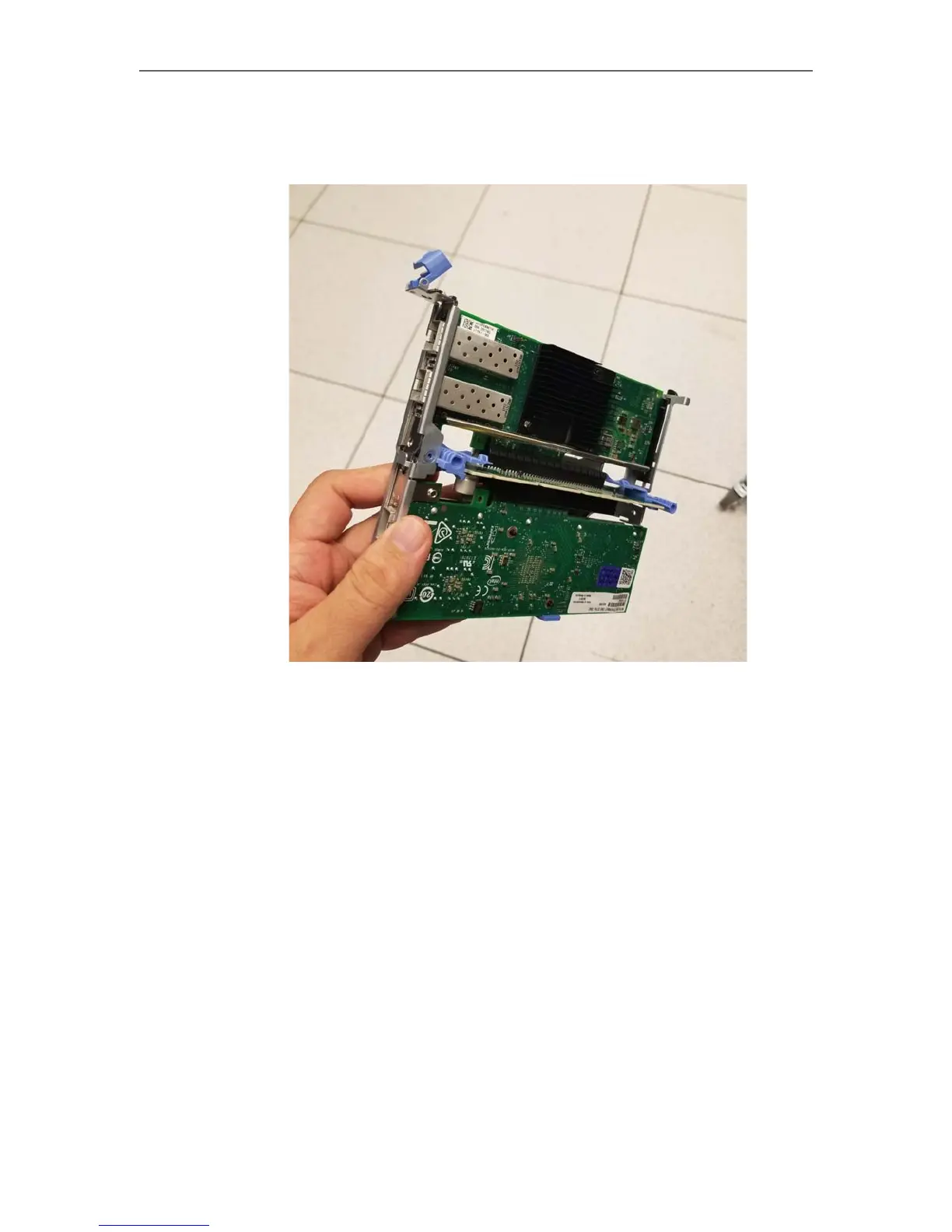
3. Once both the P1/P2 and E1/E2 cards are installed, flip the tab on the PCI-E
bracket closed for the E1/E2 card, and the riser is ready to be reinstalled in the
appliance.
Installing a 10GbE card for the C and N interfaces (V20000 on v8.5.3
and higher)
The V20000 G1 appliance also adds the ability to replace the C and N interfaces with
10GbE fiber ports. This requires the P1/P2 and E1/E2 interfaces to be upgraded to
10GbE fiber ports as well. Like the E1 and E2 upgrade, the existing 1GbE copper C
and N interfaces on the appliance will be disabled once the fiber card is installed. Note
that the riser that holds the fiber cards for the P1/P2 and E1/E2 interfaces must be
removed (see previous section) in order to install the fiber card for the C and N
interfaces.
To upgrade the C and N interfaces to use 10GbE fiber ports:



 To Next Page