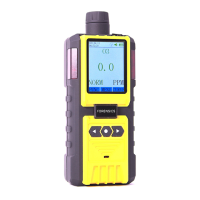
PUMP CONTROL AND MUTE: When in the Home Detection Screen, press the
left button (FUNC) selection. This will take you to a screen menu that allows you
to control the PUMP ON/OFF and MUTE ON/OFF. Use the left and right button
to select and toggle. Press the middle button to go back to the HOME detection
screen. Turn the PUMP OFF to preserve battery life when appropriate or to limit
sample size such as in a headspace food gas analysis.
CURVE PLOT SCREEN: When in the Home Detection Screen, press the right
button (CURVE) selection. You will see the concentration of the sensor data
being plotted in real-time over 10 seconds. The dashed lines are at the alarm
levels that are set/modified by the user. To toggle to another gas plot simply
press the left or right button until your gas selection appears. Press the middle
button to return to the Home Detection Screen. Although this device does not
have a “print” function, we recommend taking photo pictures of any interesting
plots that may be useful for analysis.


 To Next Page
 Loading...