8
8. IS THE CHARGING POINT ON LUNA
™
3 plus WATERPROOF?
Yes, the charging point is waterproof which means you can use LUNA
™
3 plus in the shower in the cleansing mode.The
microcurrent mode can’t be used in the shower. Do not use the device in microcurrent mode if it has been submerged
in water. LUNA
™
3 plus should be completely dry before activating the microcurrent function. Make sure the device is
completely dry before charging and do not use it while charging. Once you are done using your device, store it in a
dry area. Do not leave the device submerged in water.
9. HOW DO I ADJUST THE INTENSITY OF THE T-SONIC
™
PULSATIONS, HEATING, AND MICROCURRENT?
LUNA
™
3 plus is designed with 16 different cleansing intensities for your selection, you need to connect your device to
the FOREO app via Bluetooth to adjust and select your preferred user setting.
10. HOW DO I ACCESS THE FIRMING MASSAGE MODE?
Connect your device to the FOREO app via Bluetooth to choose between 5 pre-programmed video-guided
massage treatments.
11. WHAT ARE THE DIFFERENCES BETWEEN SENSITIVE AND NORMAL LUNA
™
3 plus?
LUNA
™
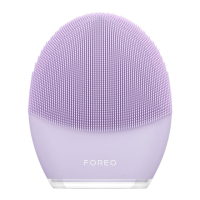
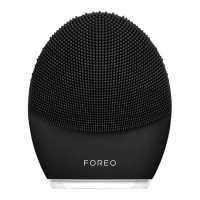
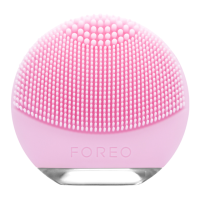
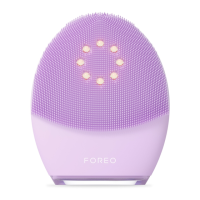
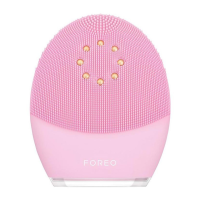
3 plus offers 2 brushes specially designed for your skin.
• LUNA
™
3 plus Sensitive skin features thin bristles for skin prone to inflammation, redness, itching, or dryness.
• LUNA
™
3 plus Normal skin has thicker on top for healthy skin with perfect oil and water balance, feeling neither
too dry nor too oily.
THE APP
12. WHY DO I HAVE TO DOWNLOAD THE APP BEFORE USING LUNA
™
3 plus?
All app-enabled FOREO products need to be activated and unlocked via the FOREO For You App the first time
they turn them on. This helps us protect against fake/copied FOREO products, and it makes it easier to register the
warranty and protect your investment.
13. HOW DO I PAIR MY LUNA
™
3 plus DEVICE WITH THE FOREO APP?
Download the FOREO For You app to your smartphone or tablet and turn on Bluetooth. Press the universal button on
your device once to turn it on. A blinking white light indicates your device is in pairing mode. Follow the instructions in
the app to register and pair your LUNA
™
3 plus device.
14. DOES LUNA
™
3 plus WORK WITHOUT THE APP?
Yes! The App helps you manage your device settings and access video-guided massages, but you can use LUNA
™
3
plus cleansing mode manually. Simply press the power button to turn on device and press in once again to start the
cleansing mode. Video-guided massage treatments can be accessed only through FOREO App.
15. I CAN’T REGISTER MY DEVICE OR MY DEVICE KEEPS DISCONNECTING. WHAT SHOULD I DO?
Follow the steps to troubleshoot the FOREO For You application:
1) Delete and reinstall the application - perhaps the application simply needs to be updated
2) Ensure that your mobile's operating system has been updated to the latest version (ensure that your mobile
phone is running the latest software update)
3) After deleting and reinstalling the application, make sure to restart your phone
3) Delete your phone's cookies and cache memory
5) Ensure that your device is fully charged and that your Bluetooth is turned on
USING LUNA
™
3 plus
16. HOW OFTEN CAN I USE MY LUNA
™
3 plus DEVICE?
LUNA
™
3 plus devices are safe and gentle enough to use every day, either morning or night. We recommend using
your LUNA
™
3 plus any time your skin needs a deeper cleanse.
17. HOW LONG CAN I USE IT PER DAY?
Given the efficiency of cleansing, we recommend that you do not use LUNA
™
3 plus for more than 3 minutes per day.


 To Next Page