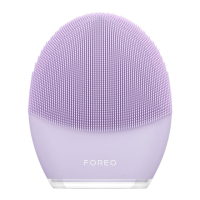
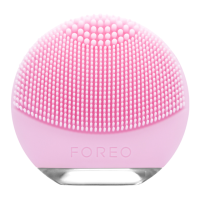
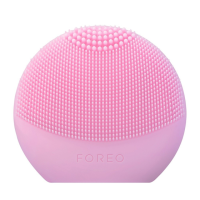
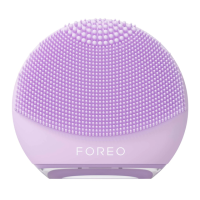
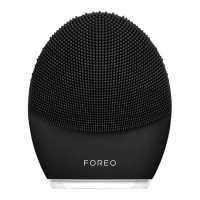
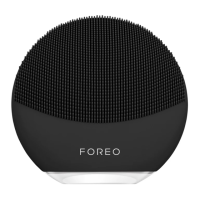
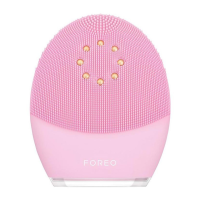
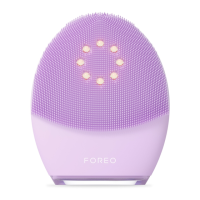
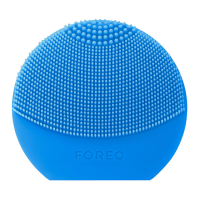
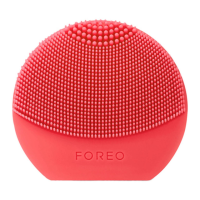
The FOREO LUNA™ 4 is an advanced 2-in-1 smart facial cleansing and firming device designed to provide professional skincare results in the comfort of your home. This device combines ultra-hygienic soft silicone with T-Sonic™ pulsations to offer a comprehensive skincare experience.
Function Description
The LUNA™ 4 primarily functions in two modes: Cleansing Mode and Firming Massage Mode.
In Cleansing Mode, the device channels T-Sonic™ pulsations into the skin, offering a cleanse far superior to handwashing. This mode effectively lifts away dirt, oil, and excess sebum in just one minute, while also enhancing the absorption of your favorite skincare products. The LUNA™ 4 offers three distinct cleansing modes:
- Gentle Cleansing: Provides a soothing cleanse with low-level T-Sonic™ pulsation intensities (1-5).
- Regular Cleansing: Delivers an in-pore cleanse with mid-level T-Sonic™ pulsation intensities (6-10).
- Deep Cleansing: Plunges into deeper skin layers for a thorough cleanse with high-level T-Sonic™ pulsation intensities (11-16).
The cleansing duration can be adjusted up to 240 seconds via the FOREO For You mobile app.
In Firming Massage Mode, the LUNA™ 4 utilizes lower-frequency T-Sonic™ pulsations to target visible signs of aging, helping to tighten skin and tone facial muscles. This mode offers both app-guided massage routines and manual massages. There are 4 pre-programmed app-guided massage routines, each with video instructions:
- Eyes on the Prize: Targets temples, undereye, and brow bone (2 min).
- Nothing but Neck: Lifts and firms neck and décolleté (2 min).
- Magic Mouth: Targets corners of mouth, jawline, and neck (2 min).
- Contour Crazy: Sculpts cheeks, jaw, and neck (4 min).
Additionally, the device offers 5 manual massage routines, each with unique benefits and adjustable T-Sonic™ intensity levels (Gentle: 1-5, Regular: 6-10, Deep: 11-16). These manual routines can last up to 15 minutes and include:
- Lymphatic Drainage Massage: Encourages circulation of facial lymph, ideal for fluid accumulations around the eyes and under the jawline.
- Deep Tissue Massage: Uses deep pressure at slower intervals to relieve facial muscle tension, perfect for cheeks and above the jawline.
- Trigger Point Massage: Uses alternating pressure levels to release tightness in muscle tissue, good for the neck.
- Shiatsu Massage: Uses pulsing pressure to promote emotional & physical calm, and reduce fatigue, fantastic for forehead & temples.
- Reflexology Massage: Uses gentle to firm pressure to relax or restore natural energy levels, recommended for in between the eyebrows & in front of the ears.
Usage Features
The LUNA™ 4 is designed for ease of use and customization.
- Device Activation and Registration: Before first use, the device must be unlocked and registered via the FOREO For You mobile app. This process involves downloading the app, logging in or signing up, adding the device, choosing the device series, pressing and holding the Power button to connect, and filling in purchase information.
- Power On/Off: A short press of the power button turns the device on or off.
- Mode Switching:
- In Cleansing Mode, you can easily switch between Gentle and Deep Cleansing by pressing the '+' or '-' buttons.
- To activate Firming Massage Mode, quickly double-press the power button. Once in Firming Massage Mode, you can change between your preferred massage modes by pressing the '+' or '-' buttons.
- App Control: The FOREO For You app allows users to control device settings, select cleansing durations, adjust T-Sonic™ pulsation intensities for all modes, choose and save massage routines, and access video-guided treatments. The device remembers these settings for offline use.
- Mirror Mode: The "Start Cleansing" and "Start Massage" features in the app include a Mirror mode, allowing your mobile device to act as a mirror during treatments.
- Brush Head Customization: LUNA™ 4 offers three types of brush heads tailored to different skin types:
- Sensitive Skin: Features thin bristles for skin prone to inflammation, redness, itching, or dryness.
- Balanced Skin: Has thicker bristles on top for healthy skin with perfect oil and water balance, feeling neither too dry nor too oily.
- Combination Skin: Features thicker bristles for skin that is dry in some areas and oily in others, such as the T-zone.
- Travel Lock: For travel convenience, the device can be locked by holding down the '+' and '-' buttons together for 3 seconds. The same procedure unlocks it.
- Recommended Usage: The device is safe and gentle enough for daily use, either morning or night. It is recommended not to use the LUNA™ 4 for more than 3 minutes per day due to the efficiency of its cleansing routine.
- Cleanser Compatibility: Users can use their preferred facial cleanser, provided it does not contain clay-based, silicone-based, or grainy ingredients, exfoliators, or scrubs, as these may damage the soft silicone touchpoints. FOREO Micro-Foam Cleanser is recommended for best results.
- Eye Area Usage: The LUNA™ 4 can be used around the eye area, with particular care to avoid contact with eyelids or eyes.
- Makeup Removal: All makeup should be removed before using the device for cleansing.
- Pregnancy and Skin Conditions: LUNA™ 4 is safe to use during pregnancy or breastfeeding. For serious skin conditions or after cosmetic procedures, consulting a physician or skincare professional is advised.
Maintenance Features
Proper maintenance ensures the longevity and optimal performance of your LUNA™ 4 device.
- Cleaning: Always clean the LUNA™ 4 thoroughly after each use. Wash the brush surface with water and soap, then rinse with warm water. Pat dry with a lint-free cloth or towel. For optimal results, spray the device with FOREO Silicone Cleaning Spray and rinse with warm water.
- Avoid Harsh Cleaning Products: Never use cleaning products containing alcohol, petrol, or acetone, as these can irritate the skin and damage the silicone.
- Charging: The LUNA™ 4 is USB-rechargeable. A 2-hour charge provides up to 600 uses (based on a 1-minute treatment time per use). The charging cable is included. The charging point is waterproof, allowing safe use in the shower, but ensure the device is completely dry before charging and do not use it while charging. The charging cable is not designed to go all the way into the device; it is normal for it to stick out slightly.
- Storage: After use, store the device in a dry area. Avoid leaving it in direct sunlight or exposing it to extreme heat or boiling water. Do not leave it submerged in water.
- Troubleshooting:
- Device not activating: If the battery is dead, recharge it until fully charged, then restart by holding down the power button.
- Device unresponsive: If the device cannot be switched off or buttons do not respond, the microprocessor may be temporarily malfunctioning. Press and hold the power button to restart.
- App syncing issues: Ensure the device is fully charged, Bluetooth is on, and try toggling Bluetooth. Close and reopen the FOREO app, or delete and reinstall it. Restart your phone, clear cookies and cache, and ensure your mobile operating system is updated.
- Battery Removal for Disposal: This process is irreversible and voids the warranty. It should only be undertaken when the device is ready for disposal. The lithium-ion battery must be removed before disposal according to local environmental regulations. Wear gloves for safety. Detailed visual instructions are provided in the manual for opening the inner plastic shell, removing the silicone outer layer, and extracting the battery.
The LUNA™ 4 is designed to be a durable and hygienic skincare tool, offering a customizable and effective routine for fresh, smooth, and younger-looking skin.

 Need help?
 General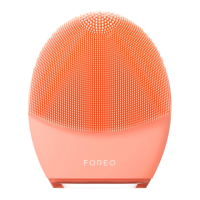

 To Next Page