FOREO FOR YOU MOBILE APP
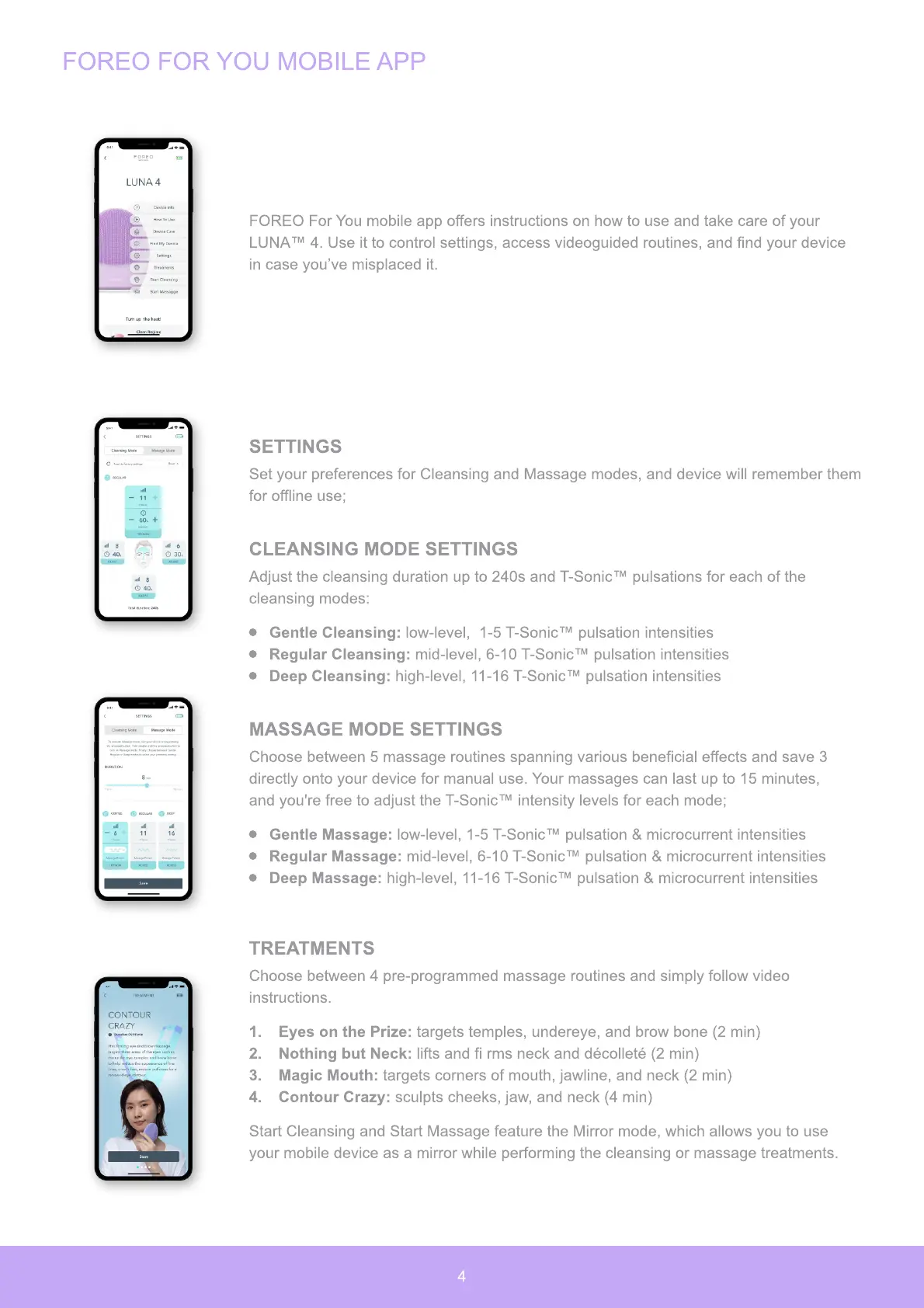
FOREO For You mobile app offers instructions on how to use and take care of your
LUNA™ 4. Use it to control settings, access videoguided routines, and find your device
in case you’ve misplaced it.
SETTINGS
Set your preferences for Cleansing and Massage modes, and device will remember them
for offline use;
CLEANSING MODE SETTINGS
Adjust the cleansing duration up to 240s and T-Sonic™ pulsations for each of the
cleansing modes:
Gentle Cleansing: low-level, 1-5 T-Sonic™ pulsation intensities
Regular Cleansing: mid-level, 6-10 T-Sonic™ pulsation intensities
Deep Cleansing: high-level, 11-16 T-Sonic™ pulsation intensities
MASSAGE MODE SETTINGS
Choose between 5 massage routines spanning various beneficial effects and save
3
directly onto your device for manual use. Your massages can last up to 15 minutes,
and you
'
re free to adjust the T-Sonic™ intensity levels for each mode;
Gentle Massage: low-level, 1-5 T-Sonic™ pulsation
&
microcurrent intensities
Regular Massage: mid-level, 6-10 T-Sonic™ pulsation
&
microcurrent intensities
Deep Massage: high-level, 11-16 T-Sonic™ pulsation
&
microcurrent intensities
TREATMENTS
Choose between 4 pre-programmed massage routines and simply follow video
instructions.
1.
E
y
es
o
n t
h
e
P
ri
z
e: targets temples, undereye, and brow bone
(
2 min
)
2.
N
o
t
h
ing
b
ut Ne
ck
: lifts and fi rms neck and d
é
collet
é
(
2 min
)
3.
Magi
c
M
o
ut
h
: targets corners of mouth, jawline, and neck
(
2 min
)
4.
C
o
nt
o
ur Cra
zy
: sculpts cheeks, jaw, and neck
(
4 min
)
Start Cleansing and Start Massage feature the Mirror mode, which
allows you to use
your mobile device as a mirror while performing the
cleansing or massage treatments.
4


 To Next Page