18. CAN I CUSTOMIZE MY POWER MASK TREATMENT ROUTINE?
Yes. While each UFO™ Power Activated Mask comes with a recommended pre-programmed treatment routine, you can
personalize your power mask experience by creating your own treatment routine via the FOREO For You app. On the app,
you are able to choose your preferred LED light and T-Sonic™ pulsation level, and select whether you wish your
personalized routine to include Thermo-Therapy or Cryo-Therapy.
TROUBLESHOOTING & MAINTENANCE
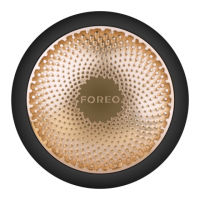
19. WHAT DOES IT MEAN WHEN MY UFO™ 2 DEVICE IS CONTINUOUSLY BLINKING?
A blinking light around the device indicates that your UFO™ 2 device is in Bluetooth pairing mode or that the device needs
to be charged. Follow the instructions in the app to sync your device.
20. HOW DO I CHARGE MY UFO™ 2 DEVICE?
UFO™ 2 devices are USB-rechargeable, with a two and half hour charge delivering up to 40 uses.
21. HOW DO I CLEAN MY UFO™ 2 DEVICE?
Remove the plastic ring from the device and throw away the microfiber mask. As UFO™ 2 is 100% waterproof, you can rinse
both UFO™ 2 and the plastic ring under warm running water. Pat dry with a lint-free, non-abrasive cloth or towel. After use,
we recommend spraying the device with FOREO’s Silicone Cleaning Spray and rinsing with warm water for optimal results.


 To Next Page