Troubleshooting
Guide
Encountering an issue? Use this
troubleshooting guide to help diagnose
and resolve the problem.
For additional troubleshooting assistance,
please go to
www.foresightsports.com.
The device will
not power on
The ball placement
aid is not appearing
on the LCD display
• Ensure the battery is charged up. First, test
with the device plugged into the charger and
make sure it comes on. If it does, then let
the battery charge up for a minimum of
4 hours before running on batteries.
• If the device does not power up while plugged
into the charger, verify that the correct
charger is being used (15V output, minimum
of 36W).
• If the charger is the correct one, and the
device still does not power up, please go to
www.foresightsports.com for details on how
to return for repair.
• The placement aid is visible only when the
light is fl ashing red, and a ball is recognized
in the area of the launch monitor.
• If the light is green, then a ball is ready to
be struck, and the previous shot results are
displayed.
• If there is no ball in the camera’s view, then
the previous shot results are displayed.
ISSUE: SUGGESTION:
14
The device does
not display
“ready to hit”
(green LED active)
when a ball
is placed in the
hitting zone
The device does not
track ball fl ight
LCD displays a
message on screen
asking me to contact
the factory
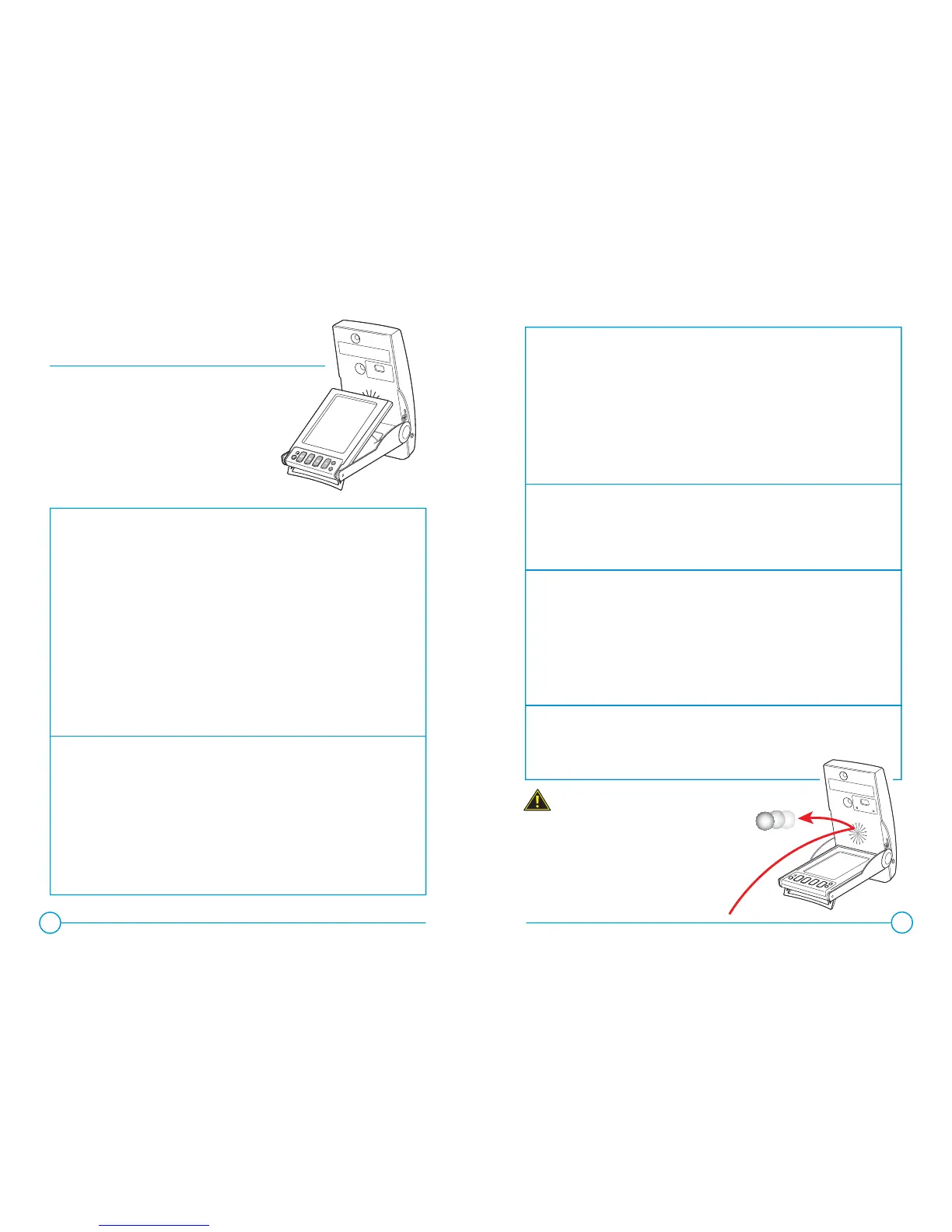
Ball strikes may cause severe
damage to the device that require
repair or replacement.
Foresight Sports recommends
the use of a protective cradle
during operation.
The device
appears to display
inaccurate data
• Make sure the ball is visible by the
cameras (i.e. no deep grass, etc.).
• Confi rm the ball is appearing within
the hitting area on the LCD display.
• Make sure the foot stand is completely
deployed.
• Make sure the top of the device (where cam-
eras are located) is fully opened.
• Verify the fl ash is operating when a ball
is struck. This may be diffi cult to observe
by the hitter - a separate observer is
recommended to watch the fl ash while
the hitter strikes the ball.
• If the fl ash is non-operational, please
refer to this manual for replacement
instructions.
• Make a copy of the message, and call
Foresight Sports customer support
for further assistance.
• Make sure the foot stand is completely
deployed.
• Make sure the top of the device where track-
ing cameras are located is fully opened.
ISSUE: SUGGESTION:
15
IMPORTANT


 To Next Page
 Loading...