Manual - Formech 450DT V1.0 - 0317
34
Service / Repair
Vacuum / Pressure Troubleshooting (continuation)
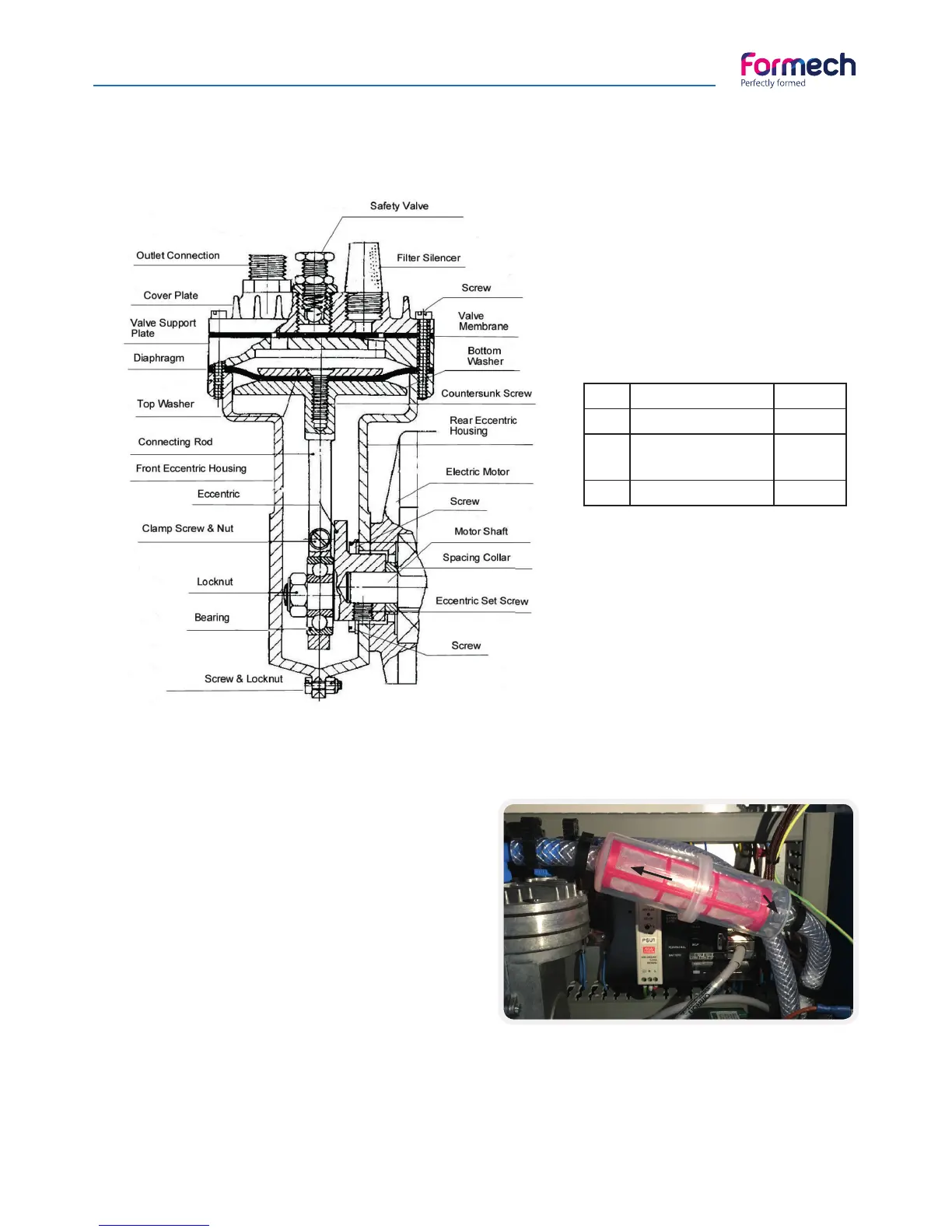
Qty Description Part N°
1 Vacuum Pump PAP02
1 Diaphragm Seal
Set, one side only
PAP03
1 Top Washer PAP32
Replacing the Filter
Disconnect the electrical supply to the machine.
Remove the fi ve screws retaining the rear panel.
The fi lter is connected to the pump as shown in
the picture above.
Remove the pipe clips A & B. Remove the
fi lter. Fit the new fi lter ensuring that the arrow
embossed on the fi lter is pointing to the pump
with the internal spring on the right-hand side.
Replace pipe clips A&B. Replace the rear panel
and test.
A
B
Spring


 To Next Page