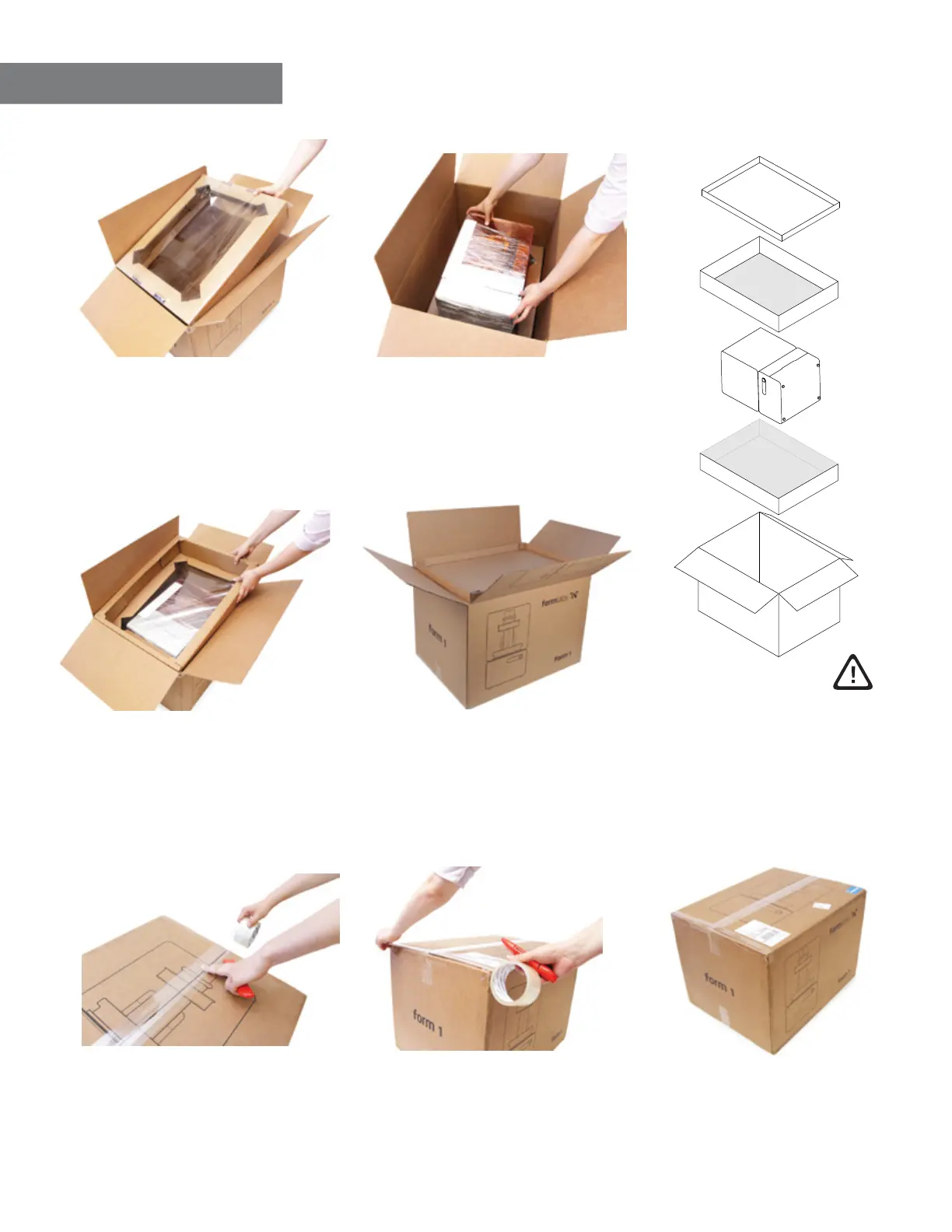
4. Repack the Form 1
a. push in bottom insert,
plastic film facing upwards
against the machine
b. place Form 1 on its side
in center of the box
c. place in upper insert,
plastic film facing downwards
against the machine
e. securely tape box
applying pressure to close
f. securely tape sides
g. apply return shipment labels
Questions? Get in touch at support.formlabs.com
4/4
d. add cap with flat side down
secure cables to top of cap
and push down to close tightly
you must have all elements
to ensure the printer is
suspended correctly



 To Previous Page