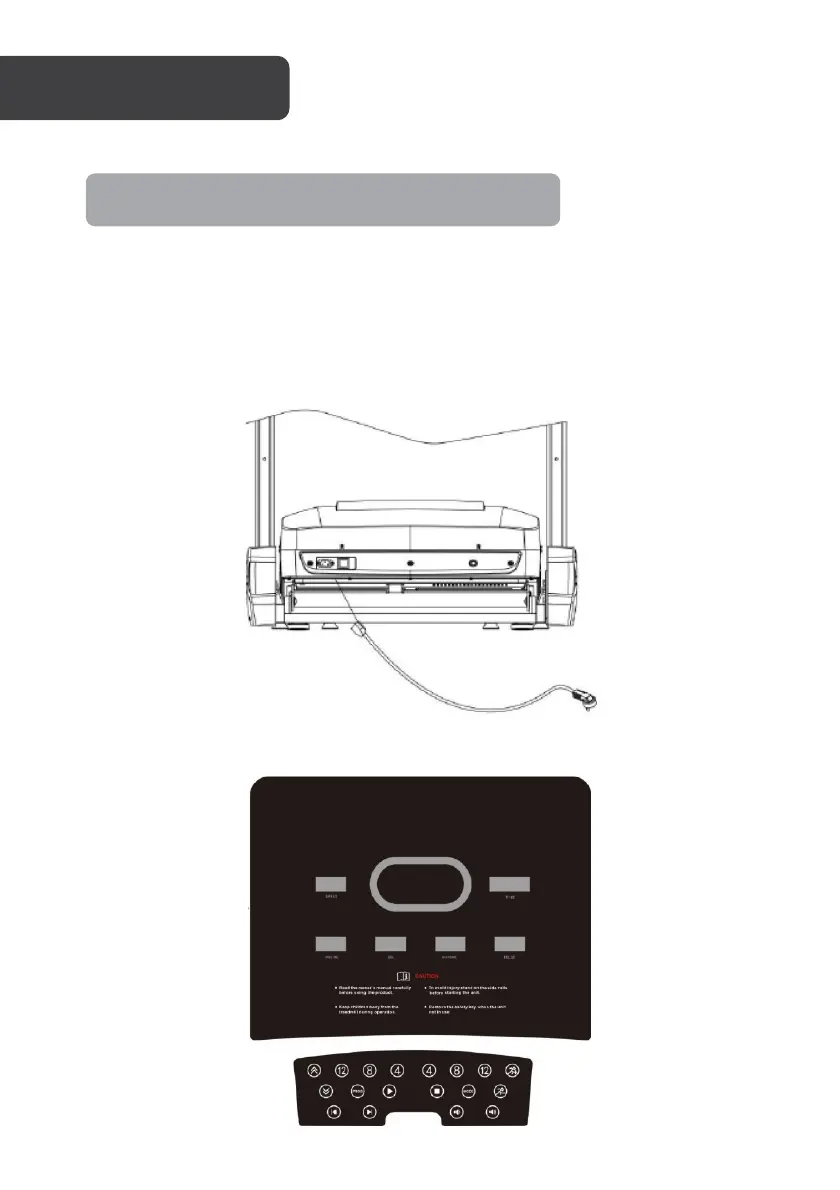
1. Insert the power cord into the back of the treadmill and then connect it to a power
outlet.
2. Turn on the power switch on the back of the treadmill, it will illuminate red light to
indicate the treadmill has been powered on.
3. The treadmill will “beep” and the display will be turned on.
4. Before operating the treadmill, ensure the safety tether is attached to an item of
your clothing, and that the tether insert is attached to the treadmill's console.
Console Operation
Note: Always use a power outlet that is earthed.



 To Next Page