MAINTENANCE INSTRUCTION
*Disconnect the unit from the power source before cleaning.
Cleaning the air filter
Remove the filter and clean it with vacuum cleaner or warm water (below 40
o
C) every 2 week.
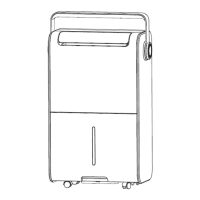
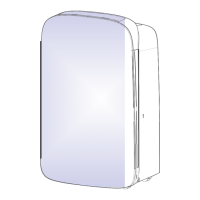
1. Remove air inlet cover.
2. Remove air filter from the air inlet cover.
3. Clean the air filter with vacuum cleaner or warm water (below 40
o
C) every 2 week, and let it
become to dry naturally then replace.
4. Insert the air filter gently into the unit ll reach its original posion.
*Remarks:
Please do not use water over 40
o
C to clean the filter or expose it under the sunlight to avoid
d
eforming the filter.
In order to avoid the dust flow into the unit which will cause failure, please install the filter to
the original posion.
Cleaning the body
1. Use so cloth to wipe the unit clean.
2. Do not ever use volale chemicals, gasoline, detergents, chemically treated cloths, or other
cleansing soluons. All these could possibly hurt the cabinet.
Storage
If the unit is not used for a prolonged period of me, please:
1. Completely empty the water tank and wipe it clean and dry.
2. Turning the unit off, unplug and dy power cord.
3. Clean the air filter.
4. Cover the unit and store where it
will not receive direct sunlight and humidity area.
Note: To avoid any malfuncon or damage, do not lt or crossing place the unit when storage.
7.
When using vacuum cleaner to clean the
dust, please put the side (which
accumulated dust) face up.
When washing filter, please put
the side (which accumulated dust)
face down.



 To Next Page