3-3. Audible alarm
3-4. Single UPS Operation
1. Turn on the UPS with utility power (On grid/ AC mode)
1) After making sure that the power supply connection is correct, set the input breaker to the “ON” position first. At this point,
the fan will start running while the UPS supplies power to the load via the bypass. The UPS is now operating in Bypass mode.
Note: When the UPS is in Bypass mode, the output voltage will directly power the load from utility after you have switched on
the input breaker. In Bypass Mode, the load is not protected by the UPS. To protect your load devices, you should turn on
the UPS as explained below.
2) Press and hold the ON button for 0.5 second to power on the UPS. The buzzer will beep once.
3) After a few seconds, the UPS will enter into the AC mode. In case of abnormal utility power, the UPS will transfer to battery
mode operation to provide uninterrupted power to the outlets.
Note: In battery mode, the UPS will shut down automatically when the remaining charge is low. Once the utility power is
restored, the UPS will restart automatically in AC mode.
2. Turn on the UPS without utility power (Battery mode)
1) Press and hold the ON button for 0.5 second to power on the UPS. The buzzer will beep once.
2) After a few seconds, the UPS will be turned on and begin operating on “off-grid” or Battery mode.
3. Connecting devices to the UPS
After the UPS is turned on, you can connect devices to the unit.
1) Turn on the UPS first and then start switching “on” one load at a time, only after all of them have been plugged into the unit.
The total load level will be displayed on the LCD panel.
2) Should you need to connect inductive loads, such as a monitor or a laser printer to the UPS, the start-up power should be
used for calculating the capacity of the UPS, as energy consumption increases during initial power on.
Description
UPS status
Bypass mode
Battery mode
Fault mode
Warning
Overload
Others
Fault
All
Buzzer status
Beeps once every 2 minutes
Beeps once every 4 seconds
Beeps continuously
Beeps twice every second
Beeps once every second
Beeps continuously
Yes
Yes
Yes
Muted
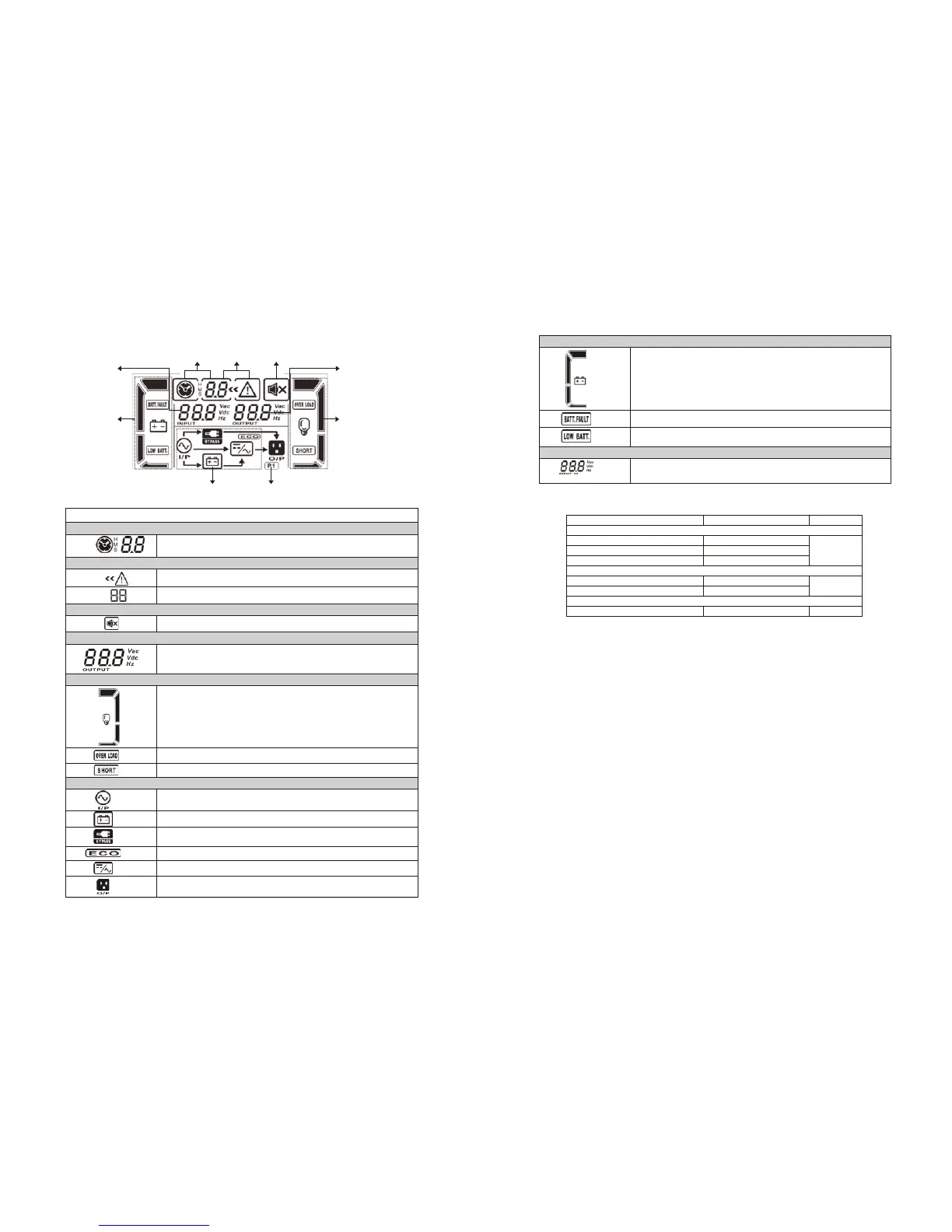
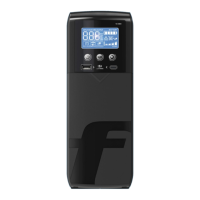
LCD panel:
Backup
Time Info
Mode Operation
Info
Programmable
Output Info
Input & Battery
Voltage Info
Output & Battery
Voltage Info
Battery Info Load Info
Fault
Info
Mute Operation
Display
Function
Backup time information
Fault information
Mute operation
Output and battery voltage information
Load information
Mode operation information
Provides a digital indication of the battery discharge time.
H: hours M: minutes S: seconds
Indicates that a warning or fault has occurred.
Displays the fault codes, listed in detail in the sections below
Indicates that the UPS alarm has been disabled.
Provides an indication of the output voltage, frequency or battery
voltage.
VAC: output voltage VDC: battery voltage Hz: frequency
Indicates the load level at 0-25%, 26-50%, 51-75%, and 76-100%
Indicates the load or the output is short-circuited.
Overload indication.
Indicates that the UPS is connected to the mains.
Indicates the battery is in working status.
Indicates the bypass circuit is in working status.
Indicates the ECO mode is enabled.
Indicates the output connector is working properly.
Indicates the inverter circuit is working.
Indicates the battery is charged at 0-25%, 26-50%, 51-75%, and
76-100% of its capacity.
Indicates the battery is not connected.
Low battery and low voltage indicator.
Indicates the input voltage or frequency, or battery voltage.
VAC: input voltage VDC: battery voltage Hz: input frequency


 To Next Page